Note: This article is based on real troubleshooting guidance from Honeywell Home/Resideo, ENERGY STAR, the U.S. Department of Energy, and established HVAC maintenance recommendations. It is written for general homeowner education and does not replace service from a licensed HVAC technician when electrical, refrigerant, compressor, or wiring problems are suspected.
Why Does Your Honeywell Thermostat Say “Cool On”?
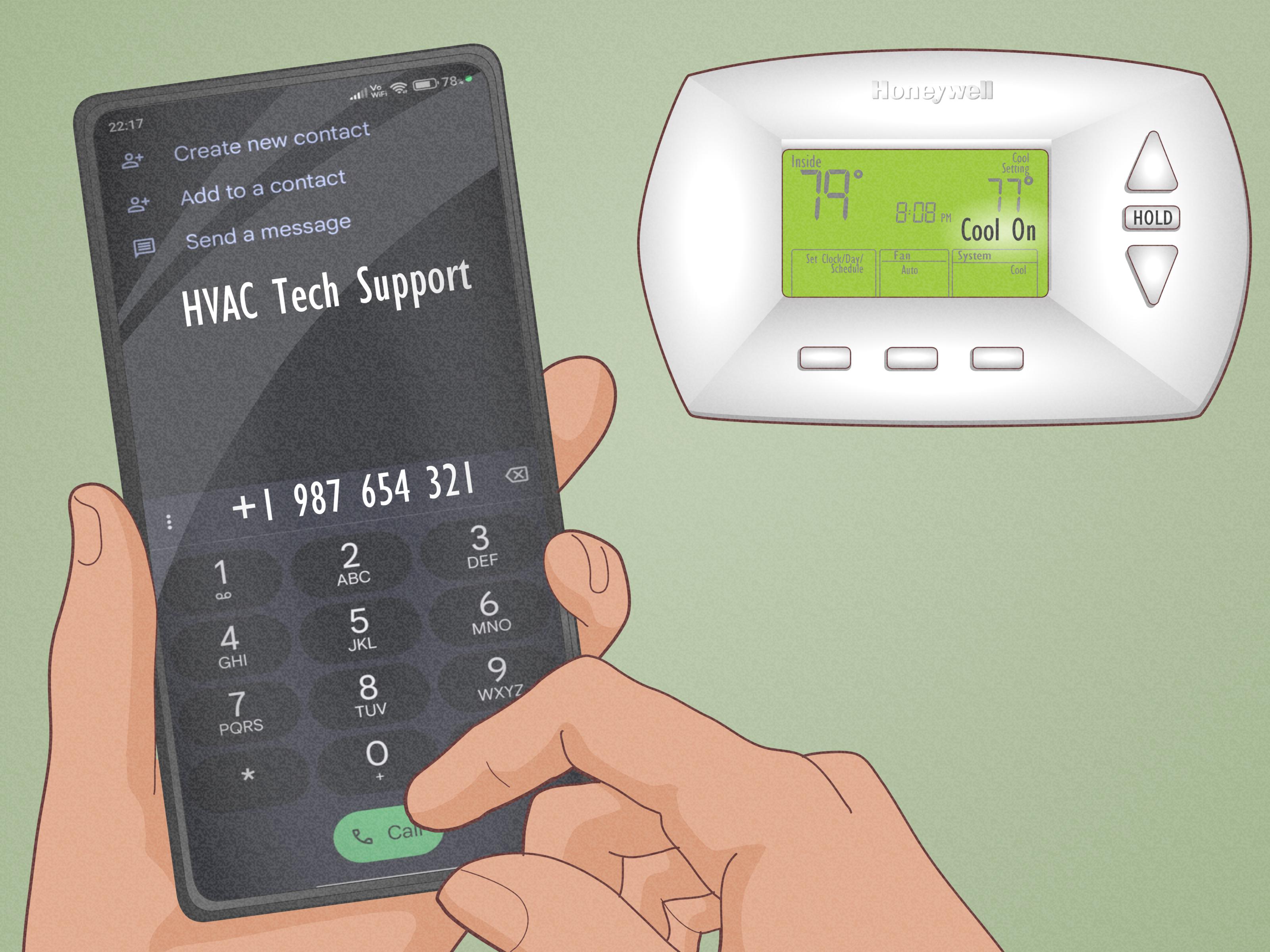
When your Honeywell thermostat says “Cool On”, it usually means one simple thing: the thermostat is asking your air conditioning system to start cooling. In a perfect world, that message appears, the indoor blower starts, the outdoor condenser hums to life, and your home begins moving from “July parking lot” to “civilized indoor comfort.”
But sometimes the screen says “Cool On” and nothing happens. Other times, “Cool On” blinks like it is trying to send a tiny distress signal. This is when many homeowners begin pressing buttons, lowering the temperature to 60°F, and negotiating with the thermostat like it is a stubborn vending machine.
The good news: a Honeywell thermostat displaying “Cool On” is not automatically a disaster. In many cases, it is normal. In other cases, it points to a small issue such as a delay timer, weak batteries, incorrect settings, a tripped breaker, a loose wire, or a dirty air filter. The trick is knowing which problem you are dealing with before you call an HVAC technician or start blaming the thermostat for personal betrayal.
What “Cool On” Means on a Honeywell Thermostat
On most Honeywell and Honeywell Home thermostats, “Cool On” means the thermostat is in cooling mode and is sending, or preparing to send, a cooling signal to your HVAC equipment. If your room temperature is higher than the temperature you selected, the thermostat should call for cooling.
For example, if your home is 78°F and you set the thermostat to 72°F in Cool mode, the screen may show “Cool On.” That is the thermostat’s way of saying, “I understand the assignment.”
If the system is working correctly, the indoor fan should begin moving air through the vents, and the outdoor AC unit should eventually start. Depending on the system, you may hear a click at the thermostat, a blower motor inside, or the condenser outside. However, there may be a short delay before the equipment starts. That delay is often intentional.
Why “Cool On” Is Blinking or Flashing
A blinking or flashing “Cool On” message usually means the thermostat is in a built-in delay mode. Honeywell Home thermostats commonly use this delay to protect your compressor from short cycling. Short cycling happens when the compressor turns off and then tries to restart too quickly. That can stress the equipment and shorten its life.
Think of the compressor like a marathon runner who just crossed the finish line. It needs a minute before someone asks it to sprint again. The thermostat delay is usually up to about five minutes. During that time, the screen may flash “Cool On,” “Wait,” “Waiting for Equipment,” or show a blinking snowflake icon, depending on the model.
If the message stops blinking after a few minutes and the air conditioner starts, there is likely nothing wrong. Your thermostat was simply doing its job. Annoying? Slightly. Protective? Absolutely.
Common Reasons Your Honeywell Thermostat Says Cool On But the AC Is Not Working
1. The Thermostat Is in Compressor Protection Delay
The most common reason for a flashing “Cool On” message is compressor protection delay. This can happen after a power outage, after changing settings, after the system recently shut off, or after the thermostat was reset.
How to fix it: Wait at least five minutes. Do not keep changing the temperature every 20 seconds. That only confuses the situation and gives your thermostat the emotional workload of a restaurant host on Saturday night.
If cooling starts after the delay, you are done. If “Cool On” keeps blinking longer than five minutes, continue troubleshooting.
2. The Thermostat Is Not Actually Calling for Cooling
Sometimes the thermostat says “Cool On,” but the settings are not quite right. Make sure the thermostat is set to Cool, not Heat, Off, or Fan Only. Then set the cooling temperature at least 3 to 5 degrees below the current room temperature.
For example, if your room is 76°F, set the thermostat to 71°F temporarily for testing. If the system starts, your original set point may have been too close to the room temperature.
How to fix it: Confirm the mode is Cool, lower the set point below room temperature, and check whether the screen shows a cooling call such as “Cool On” or a snowflake icon.
3. Weak or Dead Thermostat Batteries
Many Honeywell thermostats use batteries, either as the main power source or as backup power. Weak batteries can cause strange behavior: a dim display, delayed response, lost programming, or a thermostat that says “Cool On” but does not reliably communicate with the HVAC system.
How to fix it: Replace the batteries with fresh alkaline batteries. Do not use old batteries from the junk drawer unless you enjoy troubleshooting twice. After replacing them, reattach the thermostat faceplate securely and wait for the system to restart.
4. The Circuit Breaker Is Tripped
Your thermostat can request cooling all day long, but if the AC unit or air handler has no power, nothing useful will happen. A tripped breaker can shut off the outdoor condenser, the indoor air handler, or both.
How to fix it: Check your electrical panel for tripped breakers labeled AC, air conditioner, condenser, furnace, or air handler. If a breaker is in the middle position, turn it fully off and then back on. If it trips again, stop resetting it and call a professional. Repeated breaker trips can indicate an electrical fault.
5. The Furnace or Air Handler Switch Is Off
Central AC systems often use the indoor furnace or air handler blower to move cool air through the home. If that indoor unit is turned off, the thermostat may still say “Cool On,” but air will not move properly through the vents.
How to fix it: Look for a switch near the furnace or air handler. It often looks like a regular light switch. Make sure it is in the On position. Also check that the furnace or air handler door is fully closed, because many systems have a safety switch that prevents operation when the door is open.
6. The Outdoor AC Unit Is Not Running
If your indoor fan runs but the air coming from the vents is not cold, go outside and check the condenser unit. If it is silent while the thermostat says “Cool On,” the issue may be with the outdoor unit, the contactor, capacitor, wiring, disconnect box, breaker, or compressor.
How to fix it: First check the outdoor disconnect box if your system has one. Make sure it is properly inserted or switched on. Clear leaves, grass clippings, and debris from around the condenser. If the unit still does not start, call an HVAC technician. Capacitors and contactors are common failure points, but they involve electrical components that are not safe for casual guessing.
7. The Air Filter Is Dirty
A clogged air filter restricts airflow. When airflow is poor, your AC system works harder, cooling becomes weaker, and the evaporator coil may freeze. A frozen coil can make it seem like the thermostat is broken when the real villain is a filter that looks like it has been collecting dust since the invention of cable TV.
How to fix it: Check the filter. If it is gray, dusty, bent, or packed with debris, replace it. During heavy cooling seasons, inspect filters monthly. Some homes need filter changes more often, especially with pets, pollen, remodeling dust, or high system use.
8. The Evaporator Coil Is Frozen
If your Honeywell thermostat says “Cool On,” the blower runs, but the air is weak or not cold, you may have a frozen evaporator coil. Common causes include dirty filters, blocked return vents, low refrigerant, or blower problems.
How to fix it: Turn the system off or set it to Fan Only to help thaw the coil. Replace the dirty filter if needed. Do not chip ice off the coil. If freezing returns, call an HVAC technician. Low refrigerant usually means there is a leak, and adding refrigerant without repairing the leak is like refilling a leaky coffee cup and calling it maintenance.
9. The Thermostat Wiring Is Loose or Incorrect
Most cooling systems use thermostat terminals such as R or Rc for power, Y for cooling, G for fan, and C for common power on many smart thermostats. If a wire is loose, corroded, broken, or connected to the wrong terminal, the thermostat may display “Cool On” but fail to activate the equipment correctly.
How to fix it: Turn off power to the HVAC system before removing the thermostat faceplate. Look for loose or disconnected wires. If you are not comfortable identifying terminals, stop and call a professional. Low-voltage thermostat wiring is less dangerous than high-voltage wiring, but mistakes can still damage control boards or transformers.
10. The Thermostat Needs a Reset
Like phones, routers, and people before coffee, thermostats can occasionally need a reset. A reset may help after a power outage, programming glitch, Wi-Fi issue, or system communication problem.
How to fix it: First try a basic restart by turning the thermostat off, waiting a minute, and turning it back to Cool. For battery models, replacing the batteries may also restart the thermostat. A factory reset should be a last resort because it can erase schedules, Wi-Fi settings, and system configuration. Honeywell reset steps vary by model, so check the specific manual before performing a full reset.
Step-by-Step Troubleshooting Checklist
If your Honeywell thermostat says “Cool On” but your house still feels like a toaster oven, follow this order. It moves from easiest and safest to more technical.
Step 1: Wait Five Minutes
If “Cool On” is blinking, wait. The thermostat may be protecting the compressor. Do not repeatedly switch modes or lower the temperature dramatically.
Step 2: Check the Thermostat Mode
Make sure the thermostat is set to Cool. Then set the temperature several degrees below the current room temperature.
Step 3: Replace Batteries
If your Honeywell thermostat uses batteries, install fresh ones. Weak batteries can create confusing symptoms.
Step 4: Check the Breakers
Look for tripped breakers for the AC, condenser, furnace, or air handler. Reset a tripped breaker once. If it trips again, call a technician.
Step 5: Check the Indoor Unit
Make sure the furnace or air handler switch is on and the access panel is fully closed.
Step 6: Check the Air Filter
Replace a dirty filter. A clean filter improves airflow and helps prevent coil freezing and system strain.
Step 7: Check the Outdoor Unit
Make sure the condenser is not blocked by weeds, leaves, trash, or lawn furniture. Leave clear space around it so it can release heat properly.
Step 8: Listen and Observe
Is the indoor blower running? Is the outdoor unit humming? Is the air weak, warm, or completely absent? These clues help separate thermostat issues from HVAC equipment problems.
Step 9: Inspect Wiring Only If You Are Comfortable
Turn off power first. Check whether thermostat wires are secure. If you see damaged wiring, corrosion, or anything confusing, call a pro.
Step 10: Call an HVAC Technician
If “Cool On” continues flashing, the AC does not start, breakers trip, ice forms, or the outdoor unit will not run, professional service is the safest next step.
When “Cool On” Is Normal
Not every “Cool On” message requires a repair. It is normal when:
- The thermostat is set to Cool and the room temperature is above the set point.
- The message appears steadily while the AC is running.
- The message blinks for a few minutes after a recent cooling cycle.
- The system starts normally after the built-in delay.
In these cases, your thermostat is simply communicating status. It is not broken. It is just not very poetic.
When “Cool On” Means You Should Call a Professional
Call an HVAC technician if:
- “Cool On” flashes longer than five minutes and the AC never starts.
- The breaker trips repeatedly.
- The outdoor unit hums but the fan does not spin.
- The refrigerant line or indoor coil freezes repeatedly.
- The thermostat screen goes blank or restarts often.
- You smell burning or hear buzzing, grinding, or clicking from equipment.
- You suspect low refrigerant, compressor failure, or wiring damage.
Homeowners can safely handle settings, batteries, filters, and basic power checks. Electrical diagnostics, refrigerant work, compressor testing, and control board repairs belong to licensed professionals.
How to Prevent Honeywell Thermostat Cooling Problems
Replace Filters Regularly
Inspect your HVAC filter every month during cooling season. Replace it when dirty or at least according to the filter manufacturer’s schedule. Clean airflow is one of the simplest ways to protect your AC system.
Keep the Outdoor Unit Clear
Remove leaves, grass clippings, and debris around the condenser. Avoid stacking storage bins, garden tools, or patio furniture against it. Your outdoor unit needs breathing room to release heat.
Use Reasonable Temperature Settings
Lowering the thermostat to 60°F will not cool your home faster. Most central AC systems cool at a steady rate. A very low setting only keeps the system running longer and increases energy use. For many homes, a summer setting around the upper 70s is a practical energy-saving target, adjusted for comfort, humidity, health needs, and local climate.
Schedule Seasonal Maintenance
Annual or semiannual HVAC maintenance helps catch weak capacitors, dirty coils, drainage problems, refrigerant issues, and worn parts before they become dramatic breakdowns during the hottest week of the year. AC units have a special talent for failing precisely when repair schedules are full.
Know Your Thermostat Model
Honeywell thermostats vary by model. A basic non-programmable thermostat, a Honeywell Home T-series model, and a Wi-Fi smart thermostat may show different messages and require different reset steps. Keep the model number handy. It is usually on the thermostat body, inside the faceplate, or in the user manual.
Specific Examples: What Your Symptoms May Mean
Example 1: “Cool On” Is Blinking After a Power Outage
This is often compressor protection delay. Wait five minutes. If the system starts, no repair is needed. If not, check breakers and the furnace or air handler switch.
Example 2: “Cool On” Is Solid, But Warm Air Comes Out
The thermostat is probably calling for cooling, but the AC is not cooling properly. Check the air filter and outdoor unit. If the outdoor condenser is not running or the coil is frozen, call a technician.
Example 3: Thermostat Says “Cool On,” But There Is No Airflow
The indoor blower may not be running. Check the furnace or air handler power switch, access door, breaker, and filter. If those are fine, the blower motor, capacitor, control board, or wiring may need service.
Example 4: “Cool On” Keeps Flashing All Day
A delay lasting all day is not normal. Possible causes include low thermostat voltage, wiring problems, a failing thermostat, or equipment communication issues. This is a good time to stop button-pushing and call a professional.
Experience-Based Tips From Real Homeowner Scenarios
After dealing with Honeywell thermostat cooling issues in real-world home settings, one lesson becomes clear: the thermostat often gets blamed first because it is the thing we can see. It sits on the wall looking suspiciously calm while everyone else is sweating. But many “Cool On” problems begin somewhere else in the system.
One common experience happens after a brief power outage. The lights flicker, the Wi-Fi router panics, the microwave clock gives up on time, and the thermostat starts flashing “Cool On.” In that moment, many homeowners assume the thermostat is broken. Usually, it is not. The delay timer is simply protecting the compressor. Waiting five minutes feels longer when the house is warm, but patience can save an unnecessary service call.
Another frequent situation involves weak batteries. A thermostat may still show a display, so people assume the batteries are fine. But “alive” and “working well” are not always the same thing. Low batteries can cause odd behavior, including delayed signals or intermittent operation. Replacing them is cheap, fast, and often surprisingly effective. It is the HVAC version of “Did you try restarting it?” except with AA batteries.
Dirty filters also cause more drama than they get credit for. A homeowner may see “Cool On,” hear the system running, and still feel warm air. The thermostat seems guilty, but the filter may be choking airflow. In homes with pets, dusty roads, construction nearby, or heavy summer AC use, filters can clog faster than expected. A clean filter will not fix every AC problem, but ignoring a dirty one can create several.
Outdoor condenser problems are another classic. The thermostat says “Cool On,” the indoor fan runs, but the house does not cool. Then someone checks outside and finds the condenser surrounded by weeds, leaves, or cottonwood fluff. An air conditioner cannot reject heat efficiently when the outdoor unit is smothered. Keeping the area clear is simple preventive maintenance that many homeowners forget until the system starts complaining in its own expensive language.
There is also the “someone flipped the switch” mystery. Many indoor furnace or air handler switches look exactly like light switches. A guest, contractor, child, or tired adult may turn it off without realizing what it controls. The thermostat still has power, still says “Cool On,” and still looks innocent. Meanwhile, the indoor unit is off. Checking that switch can feel too obvious, but obvious fixes are wonderful because they are free.
A useful habit is to troubleshoot in layers. First, check the thermostat settings. Then wait for the delay. Then check batteries, breakers, switches, filter, airflow, and the outdoor unit. This sequence prevents random guessing. It also helps you describe the problem clearly if you call a technician. Saying, “The thermostat is set to Cool at 70°F, ‘Cool On’ is solid, the indoor fan runs, but the outdoor unit is silent,” is much more useful than saying, “The house is hot and the thermostat hates me.”
Finally, know when to stop. Resetting breakers repeatedly, poking at wires, or trying to force a compressor to start can turn a repairable problem into a larger one. If you see ice, smell burning, hear loud electrical buzzing, or notice repeated breaker trips, professional service is the smart move. A Honeywell thermostat is a control device, not a magic wand. It can request cooling, but the rest of the HVAC system has to answer the call.
Conclusion
When your Honeywell thermostat says “Cool On,” it usually means the thermostat is calling for air conditioning. If the message is blinking, the thermostat is often in a short delay designed to protect your compressor. In many cases, waiting a few minutes solves the mystery.
If the AC still does not start, work through the simple checks first: confirm Cool mode, lower the set point, replace batteries, check breakers, inspect the furnace or air handler switch, replace a dirty filter, and make sure the outdoor unit is clear. These steps solve many common cooling complaints without turning your afternoon into an HVAC soap opera.
However, persistent flashing, repeated breaker trips, frozen coils, warm airflow, silent outdoor equipment, or suspected wiring issues should be handled by a licensed HVAC technician. Your thermostat may be the messenger, but the real problem could be in the power supply, blower, condenser, refrigerant system, or control wiring.
The best fix is a calm process: wait, check, clean, reset carefully, and call for help when the symptoms point beyond basic homeowner maintenance. Your thermostat is not trying to ruin your day. It is just a tiny wall-mounted communicator doing its best with the information it has.