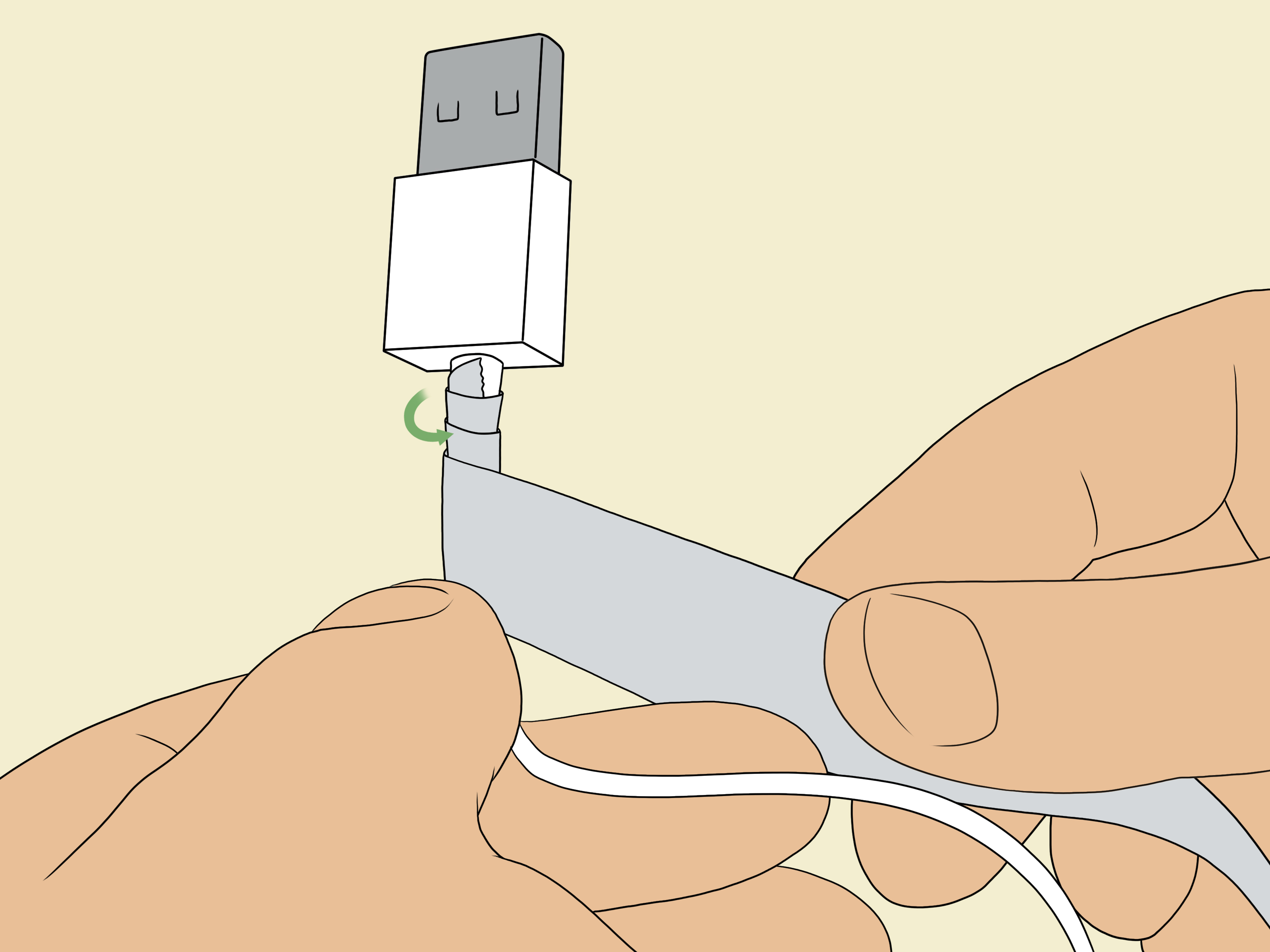
Let’s be honest: cables live hard lives. They get stuffed into backpacks, yanked out of outlets, twisted like pretzels, stepped on, rolled over by office chairs, and occasionally treated like they personally caused all your battery problems. Then one day they give up with dramatic flair. Charging gets spotty. Syncing gets moody. The outer jacket splits open like it is filing for independence. And suddenly you are holding a “perfectly fine” cable at exactly one angle while bargaining with it like a hostage negotiator.
The good news is that most cables do not fail out of nowhere. They usually break for very predictable reasons: repeated stress near the connector, tight wrapping, sharp bends, heat, moisture, dirt, and plain old rough handling. If you want your charging cables, USB cords, laptop power cords, HDMI leads, and other everyday wires to last longer, you do not need a fancy lab or a monk-level respect for cable geometry. You just need a few smart habits.
Below are simple, practical ways to keep cables from breaking, fraying, cracking, or becoming that annoying cord that “still works if you don’t breathe near it.”
Why Cables Break in the First Place
Before fixing the problem, it helps to understand what usually goes wrong. Most cables have weak points near the ends, where the cord meets the connector. That is where bending stress collects. If you wrap a cord tightly around a charger brick, tug it out by the middle, or let it dangle under tension every day, the internal wires slowly weaken. The outside may still look decent for a while, but inside, the cable is basically sighing.
Environmental factors also matter. Heat can make materials wear faster. Moisture and grime can affect contact points. Dust in charging ports can force you to wiggle a connector more than usual, which adds even more stress. In other words, the cable is not being dramatic. It is exhausted.
1. Unplug by the Connector, Not the Cord
This is the cable-care rule that deserves its own tiny parade. When you pull a cable out by the cord instead of the plug, you stress the exact area most likely to fail. That repeated strain can loosen internal wiring, damage the jacket, and shorten the cable’s lifespan much faster than people realize.
Make it a habit to grip the connector head every time you unplug. Yes, every time. Not only does this help prevent fraying and breakage, but it also protects the port on your device. That matters because replacing a cable is annoying; replacing a damaged charging port is a full-on personality test.
Quick fix:
If you catch yourself yanking cords on autopilot, move your charger or power strip somewhere easier to reach. Convenience is the secret sauce of good habits.
2. Stop Making Sharp Bends
Cables like gentle curves, not sharp angles. Think of them as tiny roads for electricity and data. If you keep folding the same spot, especially near the connector, the internal structure wears down over time. This is one of the biggest reasons phone chargers and laptop cords fail early.
Try to avoid bending a cable tightly around furniture edges, squeezing it behind a bed frame, or forcing it to make a hard turn right where it plugs into your phone, tablet, or laptop. If your setup causes the cord to bend sharply every single day, your setup is auditioning for the role of Cable Villain.
What to do instead:
- Leave a little slack near the plug.
- Route cords so they curve naturally.
- Use angled connectors or longer cables if a device sits in an awkward position.
3. Coil Cables Loosely When Storing Them
Tight wrapping is a classic cable killer. People wrap cords around charger bricks, elbows, hands, desk legs, and occasionally around their patience. The problem is that tight loops create tension and repeated bending in the same places.
The smarter move is to coil cables loosely in large loops. Do not knot them. Do not twist them into compact little stress spirals. And please do not stuff them into a drawer where they mate with three old earbuds and produce a monster tangle.
Loose coiling keeps the internal wires under less strain and makes the cable easier to use the next time you need it. It also lowers the odds of those weird permanent kinks that make a cord look like it has emotional baggage.
Helpful storage tools:
- Soft hook-and-loop cable ties
- Magnetic cable wraps
- Travel tech pouches
- Desk organizers or cord winders
4. Protect the Stress Points Near the Ends
The section where the cable meets the connector is where most fraying starts. This area bends constantly, especially if you use your phone while it charges or let a laptop cord hang from the side of a desk. A little reinforcement here can go a long way.
Cable protectors, flexible sleeves, and soft strain-relief accessories can help reduce wear at these weak points. Even simple habits help, like not letting a heavy device hang from a connected cable or not resting your phone so the charging end is bent against a hard surface.
If you use one cable every day, especially for a phone or tablet, it may be worth buying a reinforced or braided version with better strain relief. A sturdier cable often costs less than repeatedly replacing flimsy ones every few months.
5. Keep Cables Off the Floor When Possible
Floors are basically obstacle courses for cords. Shoes step on them. Chair wheels roll over them. Pets chew them. Vacuum cleaners attack with confidence. Even if the cable survives, constant pressure and pulling can weaken it over time.
For home offices, bedrooms, and entertainment areas, use clips, cable channels, under-desk trays, or wall raceways to route cords safely. In high-traffic spaces, a cable cover or cord concealer can protect wires while also making the room look less like a robot octopus moved in.
Bonus benefit: better cable management does not just prevent damage. It also makes your space cleaner, safer, and much less likely to inspire rage when you need to unplug one thing and accidentally summon eight others.
6. Keep Connectors and Ports Clean
Sometimes the cable is not broken. It is just dirty. Dust, lint, grime, and pocket debris can collect on connectors and inside charging ports, which can lead to poor contact. Then people start wiggling the cable, jamming it, or replugging it at weird angles. That extra stress speeds up wear.
Check your cables and device ports regularly. If a connector looks dirty, wipe it gently with a dry, soft cloth. If a device port is clogged, clean it carefully using safe methods recommended by the manufacturer. Do not go treasure hunting in your phone with sharp metal objects like you are excavating a tiny ruin.
A clean connection reduces strain, improves charging reliability, and helps you notice damage earlier before it turns into a bigger problem.
7. Keep Cables Dry and Away from Heat
Moisture and heat are not your cable’s best friends. Humid bathrooms, sweaty gym bags, hot cars, sunny dashboards, and warm appliances can all shorten a cable’s useful life. Excessive heat can make cable materials degrade faster, while moisture can interfere with safe charging and damage connectors.
If a cable gets wet, let it dry completely before use. If you travel with chargers in a car, do not leave them baking in the sun for days. And when charging devices, try not to bury cords under blankets, pillows, or anything else that traps heat. Your charger is a tool, not a baked potato.
8. Use the Right Cable for the Job
Not all cables are created equal. Some are designed for basic charging, others for fast charging, high-speed data transfer, video output, or higher power demands. Using the wrong one can lead to poor performance, excess stress, or premature replacement because it is constantly being used outside its comfort zone.
When shopping for replacements, look for cables from reliable brands and choose certified options when applicable. For Apple devices, MFi-certified accessories are a smart move. For USB-C cables, compliant or certified products from reputable manufacturers are usually safer bets than mystery cords with suspiciously enthusiastic packaging and no meaningful specs.
Also pay attention to length. A cable that is too short gets tugged constantly. A cable that is too long can tangle, drag, and collect damage. Buy the length that fits how you actually use your device, not the one that merely looked optimistic online.
9. Create a Charging Setup That Works With You
Many cable problems are really setup problems in disguise. If your phone always charges from a wall outlet behind the couch, the cord will keep getting crushed. If your laptop charger has to stretch across a walkway, it will keep getting kicked. If your nightstand cable keeps falling behind the furniture, you will keep yanking it like you are starting a lawn mower.
A better setup saves cables by reducing daily stress. Put chargers where devices naturally rest. Use cable clips to keep cords accessible. Add a charging station for the gadgets you use most. Give cables enough slack to move without hanging or twisting. A thoughtful setup is less glamorous than a brand-new cable, but it is much better at preventing you from needing one.
10. Replace Damaged Cables Before They Become a Problem
A frayed, cracked, scorched, or intermittent cable is not a quirky little inconvenience. It is a warning sign. Once the outer jacket is split or the connection becomes unreliable, the cable should not stay in regular use. Damaged cords can lead to poor charging, port wear, overheating, or safety risks.
If you notice exposed wiring, loose connectors, discoloration, excessive heat, or charging that only works in one oddly specific yoga pose, retire the cable. Do not tape over serious damage and call it innovation. That is not repair. That is wishful thinking with adhesive.
Common Cable Mistakes to Stop Making
- Wrapping cords tightly around a charger brick
- Using a cable to hold or lift a device
- Letting cords hang under tension from a desk or bed
- Running cords where chairs, pets, or feet can attack them
- Using damaged or uncertified replacement cables
- Charging in damp or overheated spaces
- Ignoring fraying because “it still kind of works”
The Best Long-Term Strategy: Treat Cables Like Equipment, Not Disposable String
If you want cables to last, the biggest mindset shift is this: stop treating them like temporary accessories. They are part of your device setup. The more intentional you are about where they live, how they bend, and how they are handled, the longer they tend to last.
You do not need to be precious about it. You just need to be a little less chaotic. A gentle unplug here, a loose coil there, a cleaner charging station, a sturdier replacement cable when needed, and suddenly you are no longer replacing cords every other season.
Real-Life Experience: What Actually Helped Keep My Cables from Breaking
In everyday life, the biggest cable lesson was not some fancy trick. It was realizing that the damage was happening in tiny moments I barely noticed. I used to think cables simply “wore out,” like they were destined to fail on a schedule. Then I paid attention. I noticed I was charging my phone on the edge of the bed, which bent the connector every night. I noticed I kept pulling my laptop charger from the floor by the cord because the outlet was tucked behind a desk. I noticed my travel bag was basically a wrestling ring full of tangled cords, adapters, earbuds, and old receipts that had no business being there.
Once I changed those habits, cable life improved fast. The easiest win was adding cable clips to my desk and nightstand. That kept the cords easy to grab without yanking them from awkward angles. I also switched from wrapping cables tightly to using loose loops with soft ties. It sounds almost too simple, but that one change alone made my charging cables look newer for much longer. No more kinked sections. No more weird bend memory. No more opening a drawer and finding a cable tied into a knot that looked personal.
Travel was another big breakthrough. I started using a small tech pouch instead of tossing cords into a backpack pocket. Suddenly, cables were not being crushed under keys, power banks, and whatever mystery object lives at the bottom of every bag. I also stopped buying random bargain-bin replacements just because they were cheap. A slightly better cable with better strain relief turned out to be the more affordable option because I was not replacing it every five minutes.
The most surprising lesson was how much setup matters. At home, I moved one charging spot so the cord no longer crossed a place where my chair wheels kept rolling over it. In the living room, I used a simple cord cover so nobody stepped on the cable near the sofa. In the car, I stopped leaving spare charging cords baking in the heat. None of these changes were dramatic. But together, they reduced the daily stress that slowly destroys cables.
What I learned is that cable care is mostly friction reduction. Reduce physical friction, reduce heat, reduce tangles, reduce pulling, reduce those little careless moments that add up. Once you do that, cables stop feeling fragile and start lasting the way you always assumed they should. It is not glamorous. Nobody throws a party because you loosely coiled a USB-C cable. But when your charger still works months later without fraying, splitting, or developing emotional instability, it feels weirdly satisfying. And honestly, in a world full of expensive gadgets, getting a little more life out of the humble cable is a pretty solid win.
Conclusion
The simplest ways to keep cables from breaking are also the most effective: unplug by the connector, avoid repeated sharp bends, coil cords loosely, keep them clean and dry, protect them from heat and foot traffic, and replace damaged cables before they become a bigger issue. Add a little cable management and a little common sense, and your cords can last a lot longer than their current dramatic life expectancy suggests.
In short, be kinder to your cables. They have one job, and they would love to keep doing it without being folded into origami.