Changing your TikTok password is one of those tiny digital chores that feels boring right up until it saves your account from becoming a spam factory, crypto-comment bot, or “Hey bestie, click this suspicious link” machine. The good news? TikTok makes the process fairly simple whether you are already logged in, locked out, or just doing a little account-security housekeeping because your old password was something like Fluffy2018!. No judgment. We have all had a password era we would rather not discuss.
This guide explains how to change your password on TikTok, how to reset it if you forgot it, what to do if you think someone else has access to your account, and how to build a stronger login setup afterward. You will also find practical security tips, troubleshooting steps, and real-world experiences that make the process less confusing and a little less “why is this app testing my patience today?”
Why You Should Change Your TikTok Password
Your TikTok account may not seem as sensitive as your bank account, but it can still hold a surprising amount of personal information. Your profile may include your email, phone number, location clues, private messages, drafts, saved videos, creator tools, TikTok Shop details, payment-related features, and a network of followers who trust that your posts and messages actually come from you.
You should change your TikTok password if you notice suspicious activity, get a login alert you do not recognize, lose access to a trusted device, reuse the same password on other websites, or hear that one of your accounts may have been involved in a data breach. It is also smart to update your password before selling or giving away an old phone, after using TikTok on a shared device, or whenever your current password is short, obvious, or embarrassingly guessable.
A strong password is not about impressing a cybersecurity expert in a hoodie. It is about creating enough friction that a stranger, bot, or credential-stuffing tool cannot walk into your account like it owns the place.
How to Change Your Password on TikTok While Logged In
If you can still access your TikTok account, changing your password usually takes only a few minutes. The exact wording may shift slightly depending on your app version, device, and region, but the general path is the same.
Step-by-Step Instructions
- Open the TikTok app on your iPhone or Android device.
- Tap Profile at the bottom of the screen.
- Tap the Menu icon, usually shown as three lines in the top-right corner.
- Select Settings and privacy.
- Tap Account.
- Choose Password.
- Follow the on-screen instructions to verify your identity.
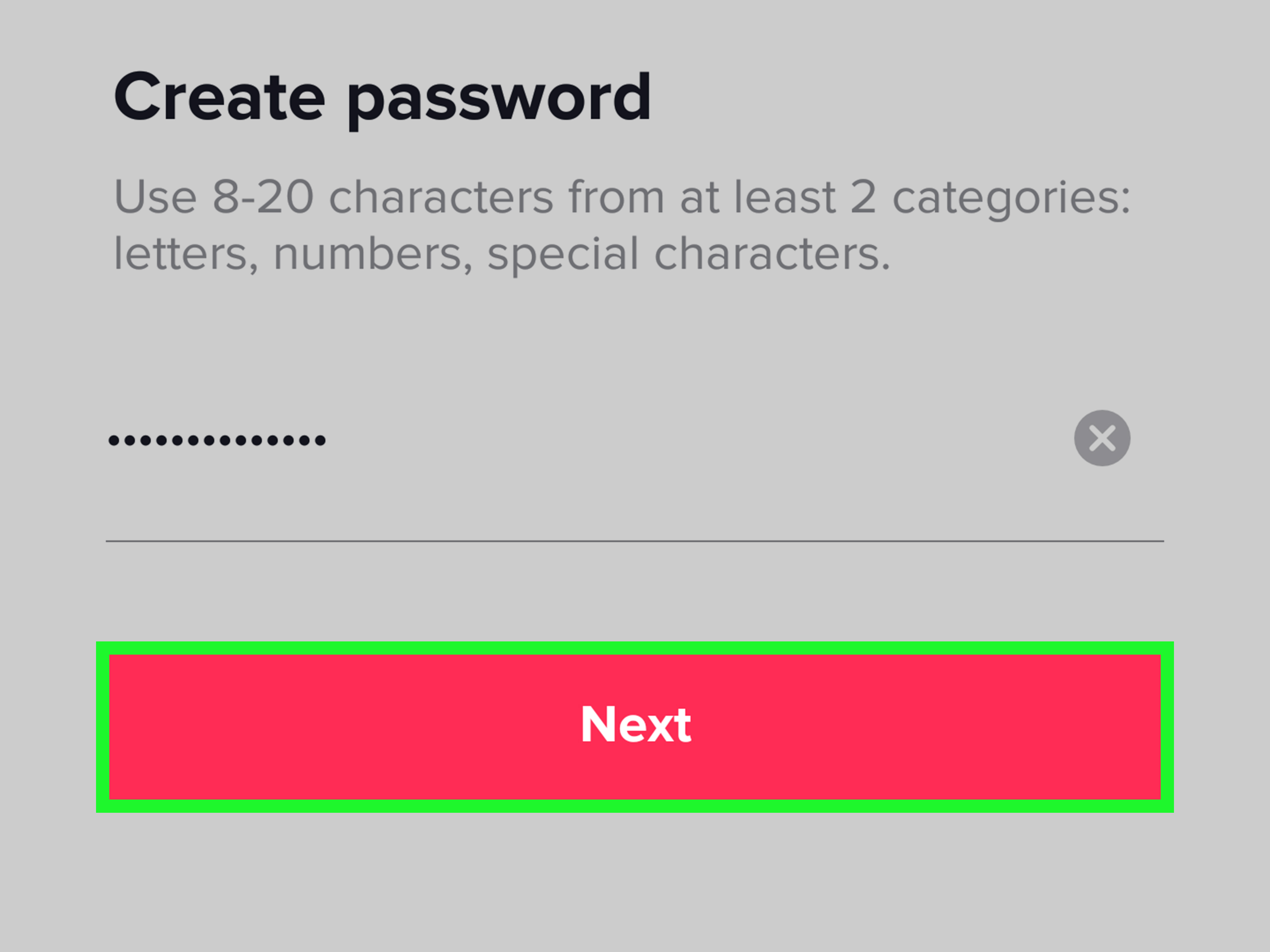
- Enter your new password and save the change.
TikTok may send a verification code to the phone number or email linked to your account. This is normal. The code helps prove that the person changing the password is really you, not someone borrowing your identity with the confidence of a raccoon opening a trash can.
After changing your password, sign back in on your other devices if TikTok asks you to. If your password manager offers to update the saved password, accept the update so you are not stuck later trying six old passwords and questioning your life choices.
How to Reset Your TikTok Password If You Forgot It
If you are logged out and cannot remember your TikTok password, do not panic. TikTok has a password reset flow designed for exactly this situation.
Reset Your TikTok Password from the Login Screen
- Open TikTok and go to the Log in screen.
- Tap Use phone / email / username.
- Select Email / Username.
- Tap Forgot password?.
- Choose whether to reset your password by phone number or email.
- Enter the verification code sent to you.
- Create a new password and confirm it.
If you no longer have access to the email or phone number connected to your account, recovery becomes harder, but not always impossible. Try logging in through a method you used before, such as Apple, Google, Facebook, or another connected login option. If those do not work, use TikTok’s account recovery options inside the app. In some cases, TikTok may allow recovery through additional verification methods.
What Makes a Good TikTok Password?
A good TikTok password should be long, unique, and difficult to guess. “Long” matters more than many people realize. A password like BlueCoffeeMoonRiver72! is much stronger than TikTok123, and it is also less likely to make a security professional sigh into their keyboard.
For TikTok, aim for a password that is at least 12 to 15 characters long. Use a mix of uppercase and lowercase letters, numbers, and symbols if TikTok allows or requires them. Most importantly, make it unique. Your TikTok password should not be the same password you use for email, online shopping, banking, gaming, streaming, or that random pizza app you downloaded once at midnight.
Strong Password Examples
Do not copy these exact examples, but use them as inspiration for structure:
- River!Camera!Noodle!47
- MintCloudsDanceAt9
- Velvet-Tiger-Map-2026
- 3QuietSpoonsUnderMars!
Notice that these are longer, more memorable, and harder to guess than a single word with a number slapped on the end. Hackers and bots are very familiar with passwords like Summer2026, Password123, and IloveTikTok. If your password looks like it could be printed on a novelty mug, it is probably time to retire it.
Passwords You Should Never Use on TikTok
Some passwords are so weak they practically roll out a red carpet for trouble. Avoid using your name, birthday, phone number, pet’s name, username, school name, favorite celebrity, favorite sports team, or anything visible on your social media profile. If someone can learn the answer by scrolling your public posts for 45 seconds, it does not belong in your password.
You should also avoid common keyboard patterns such as qwerty, asdfgh, 123456, and 111111. These may be easy to type, but they are also easy to guess. A password should not be a warm-up exercise for your thumbs.
What to Do After Changing Your TikTok Password
Changing your password is important, but it should not be the only step. Think of it as locking the front door. Helpful? Absolutely. But if the back window is open and someone named “Unknown Android Device” is still sitting in your account, you have more work to do.
Review Your Logged-In Devices
Open TikTok, go to Profile, tap the Menu icon, choose Settings and privacy, then go to Security & permissions. Look for device management or trusted devices. Review the list carefully. If you see a device you do not recognize, remove it.
This is especially important if you changed your password because of suspicious activity. Removing unknown devices helps make sure a stranger cannot continue using your account from a previously authorized phone, tablet, or browser.
Turn On 2-Step Verification
Two-step verification adds an extra checkpoint when someone tries to log in from a new or unfamiliar device. Even if someone gets your password, they may still need a code sent to your phone or email. That second step can be the difference between “nice try” and “oh no, my account is posting weird videos at 3 a.m.”
To turn it on, go to Settings and privacy, select Security & permissions, and look for 2-step verification or the security checkup area. Follow the prompts and choose your preferred verification method.
Check Your Email and Phone Number
Make sure your TikTok account has a current email address and phone number attached. If your recovery email is an old inbox you have not opened since middle school, update it. If your phone number changed, fix that too. Recovery information is like a spare key: useful only if it still opens the door.
How to Use a Password Manager for TikTok
A password manager can create and store strong, unique passwords for your accounts. This is helpful because the human brain is wonderful at remembering song lyrics from 2009 and surprisingly bad at remembering 47 secure passwords.
On iPhone, Apple’s Passwords app and iCloud Keychain can save and autofill passwords. On Android and Chrome, Google Password Manager can suggest, save, and check passwords. Third-party password managers can also work well. The main goal is simple: use a different strong password for every important account without needing to memorize all of them.
When you change your TikTok password, let your password manager save the new one. Then test it by logging out and back in before you forget what just happened. This small step can prevent a future mini-drama called “Why does TikTok hate me?”
Common Problems When Changing a TikTok Password
You Did Not Receive the Verification Code
If the code does not arrive, wait a minute before requesting another one. Check your spam or junk folder if you chose email. If you used your phone number, make sure your signal is working and your number is correct. Also check whether your device blocks unknown senders or short-code messages.
Your New Password Is Not Accepted
TikTok may reject a password that does not meet its requirements. Try making it longer and adding a mix of letters, numbers, and symbols. Avoid spaces if the app does not accept them. Also avoid using your old password again, because platforms often block recent passwords for security reasons.
You Cannot Access Your Email or Phone Number
If your recovery email or phone number is unavailable, try another login method you previously connected. If that fails, use TikTok’s account recovery flow. Be prepared to provide information that proves the account belongs to you. The process may take longer, but rushing through random attempts can make recovery more frustrating.
You Think Your Account Was Hacked
If you suspect someone accessed your TikTok account, change your password immediately, remove unknown devices, turn on 2-step verification, check your linked email and phone number, and review recent activity. Also check your email account because whoever controls your email may be able to reset passwords for multiple services.
How Often Should You Change Your TikTok Password?
You do not need to change your TikTok password every week just for fun. That is not security; that is a hobby with extra typing. However, you should change it right away if you reused the password elsewhere, clicked a suspicious link, received an unfamiliar login alert, shared your password with someone, lost a device, or noticed account activity that was not yours.
Some users prefer changing important passwords every few months as a personal habit. That can be useful, but it only works if each new password is strong and unique. Replacing TikTok2025! with TikTok2026! is not exactly a dramatic security glow-up.
Extra Tips to Keep Your TikTok Account Safe
Changing your password is powerful, but account safety works best as a routine. Keep your TikTok app updated so you have the latest security features. Be skeptical of direct messages that ask for verification codes, collaboration fees, login links, or urgent account “fixes.” TikTok will not need you to send your password or one-time code through a message.
Do not log into TikTok through links from random emails or comments. Open the app directly or type the website address yourself. Phishing pages can look convincing, right down to the logo, colors, and fake urgency. Their entire job is to make you move fast and think slowly.
If you are a creator, business owner, or social media manager, be even more careful. A TikTok account with followers, brand deals, saved drafts, shop tools, or ad access can be valuable. Use a password manager, enable 2-step verification, limit who has access, and avoid sharing login details over chat apps.
Real-World Experience: What Changing a TikTok Password Is Actually Like
In real life, changing your TikTok password usually starts with one of three moods: responsible adult, mild panic, or full detective mode. The responsible adult opens the app, decides it is time to improve account security, changes the password, enables 2-step verification, and goes on with the day. This person probably also folds laundry immediately after the dryer stops. We respect them from a distance.
The mild panic version is more common. Maybe TikTok sends a login notification from a device you do not recognize. Maybe a friend messages you and says, “Did you mean to send me this weird link?” Suddenly, changing your password becomes the most important task in the universe. You open Profile, tap the menu, go into Settings and privacy, and move through the Account and Password section faster than you have ever moved through settings before.
The most important lesson from that experience is to slow down just enough to do the whole security sweep. Many people change the password and stop there. That is better than doing nothing, but it can leave gaps. After changing the password, check your trusted devices. Remove anything unfamiliar. Confirm your email and phone number. Turn on 2-step verification. Look at recent activity. If your account was used to send messages, warn your friends not to click links. It may feel awkward, but it is much less awkward than letting the scam spread.
Another common experience is discovering that your password manager saved an old TikTok password and keeps autofilling it. This can make you think the password change failed when the real problem is simply outdated saved credentials. After creating a new TikTok password, update the saved entry immediately. If you have multiple saved TikTok logins, clean them up so you are not choosing between five mysterious versions of the same account.
Some users also run into the “I forgot which email I used” problem. This is especially common for people who created TikTok years ago with an old school email, a backup Gmail account, or a phone number they no longer use. The best time to update recovery information is before you need it. Once you are safely logged in, make sure your current email and phone number are attached to the account.
For creators, changing a TikTok password can feel more stressful because the account is not just personal; it is part of a public identity or income stream. A creator may have drafts, analytics, sponsorship conversations, TikTok Shop activity, or a community built over years. In that situation, treat password changes like basic business maintenance. Use a strong password, store it securely, turn on 2-step verification, and avoid sharing login access casually. If someone else helps manage your account, use official collaboration tools where available instead of handing over your password like a spare house key under a doormat.
The biggest takeaway is simple: the password change itself is quick, but the habits around it matter more. A strong, unique password plus 2-step verification plus updated recovery information gives your TikTok account a much better safety net. It also gives you peace of mind, which is nice when all you wanted to do was watch one recipe video and somehow ended up learning how to organize a refrigerator like a professional raccoon.
Conclusion
Learning how to change your password on TikTok is a small skill with a big payoff. Whether you are updating an old password, recovering access, responding to suspicious activity, or simply improving your online security, the process is straightforward: go to your account settings, choose Password, verify your identity, and create a stronger replacement.
Do not stop with the password alone. Review your trusted devices, update your recovery email and phone number, turn on 2-step verification, and consider using a password manager. TikTok is fun, fast, and occasionally responsible for making you lose an hour to videos about dogs wearing rain boots. Your account security should be just as intentional as your scrolling technique.
Note: TikTok may update menu names or settings locations over time. If a step looks slightly different, update the app and look under Settings and privacy, especially the Account and Security & permissions sections.