Few modern questions create faster thumb panic than this one: Does Facebook notify screenshots? Maybe you captured a funny comment, saved a Marketplace listing, grabbed a recipe from someone’s post, or screenshotted an old profile picture during a midnight curiosity expedition. Suddenly, your brain lights up like a dashboard warning: “Wait… did Facebook just tell them?”
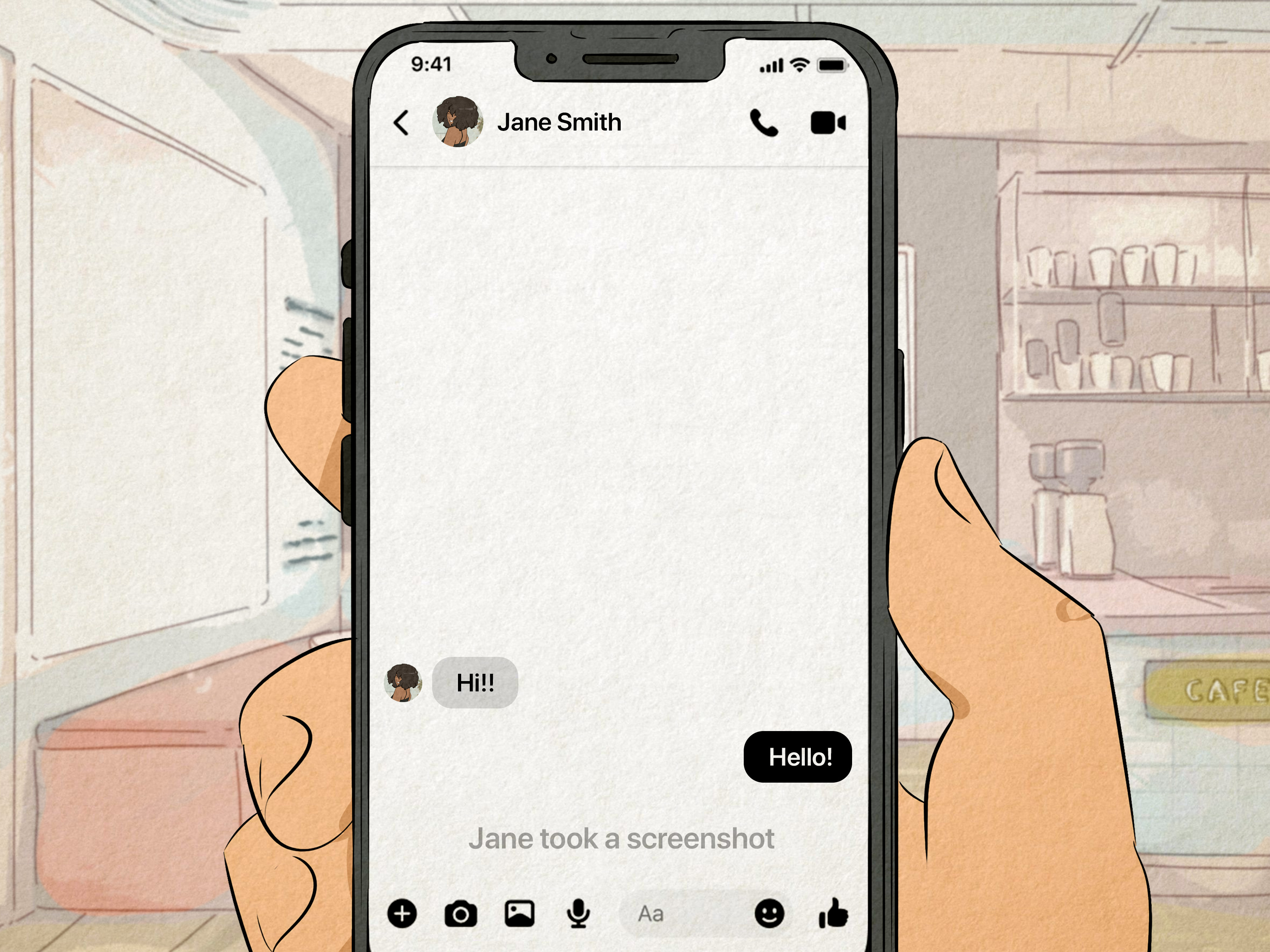
The short answer is: Facebook usually does not notify people when you take screenshots of posts, profiles, photos, comments, groups, Pages, or Stories. However, there is one important exception: Messenger may notify someone if you screenshot a disappearing message in an end-to-end encrypted chat. That exception matters because it is where Facebook’s normal “no screenshot alert” behavior changes.
This guide breaks down exactly what Facebook does and does not notify, how Messenger is different, what users commonly misunderstand, and how to protect your privacy without becoming the neighborhood digital detective in sunglasses.
Does Facebook Notify Screenshots? The Quick Answer
In most Facebook situations, the answer is no. Facebook does not send a notification when someone screenshots a regular post, profile, photo, Story, comment thread, Page, group post, or Marketplace listing. If you screenshot your cousin’s dramatic vacation caption or a public recipe post, Facebook is not going to send a tiny alarm bell to the original poster.
The major exception involves Facebook Messenger disappearing messages. When disappearing messages are enabled in an end-to-end encrypted conversation, Messenger can notify the other person if it detects that you took a screenshot. This feature is designed for more private, temporary conversations, not everyday Facebook browsing.
Does Facebook Notify When You Screenshot a Post?
No, Facebook does not notify someone when you screenshot a regular post. This includes text updates, shared links, memes, videos, photo posts, and those inspirational quotes with sunsets that somehow always use the same font.
For example, if a friend posts a dinner recommendation and you screenshot it to remember the restaurant, they will not receive a notification. If a business shares a sale announcement and you screenshot it for later, the Page admin will not be alerted. Facebook may show engagement metrics such as likes, comments, shares, and views in certain contexts, but screenshots are not treated like visible engagement.
Can Facebook Tell If You Saved a Post Instead?
Facebook has a built-in Save feature that lets you privately save posts, videos, links, events, and Marketplace listings. In general, saving something is a better option than screenshotting if you want to return to it later. It keeps the content organized inside your account and avoids filling your camera roll with 184 screenshots named “IMG_7342.”
Saving a post is also private. The original poster is not shown a personal notification saying that you saved their content. For practical purposes, saving is cleaner, easier, and less chaotic than screenshotting everything like your phone is preparing for a courtroom trial.
Does Facebook Notify When You Screenshot a Profile?
No, Facebook does not notify users when someone screenshots their profile. This includes the profile page, bio details, public posts, cover photo, featured photos, and profile picture. If information is visible to you based on that person’s privacy settings, Facebook does not alert them that you captured it.
That said, “Facebook does not notify” does not mean “anything goes.” A screenshot can still be shared outside its original context, and that can create privacy, reputation, or even legal problems depending on what is captured and how it is used. The polite internet rule is simple: screenshot for memory, not for mischief.
Can Someone See That You Viewed Their Facebook Profile?
Facebook does not provide a feature that shows regular users who viewed their profile. Be careful with third-party apps or browser extensions that claim to reveal profile viewers or screenshot takers. These tools are often unreliable, outdated, or risky. At best, they waste your time. At worst, they collect your login information and give you a privacy headache with extra seasoning.
Does Facebook Notify Screenshots of Photos?
No, Facebook does not notify someone when you screenshot their photos. This applies to most normal Facebook photos, including timeline uploads, album photos, shared images, profile pictures, and cover photos that you are able to view.
However, screenshots are not magic invisibility cloaks. If you repost someone’s photo, send it to others, use it commercially, or share it in a mocking way, the issue is no longer whether Facebook sent a notification. The issue becomes permission, privacy, and basic human decency. Facebook may not ring a bell, but consequences can still knock on the door.
What About Downloading a Photo?
Facebook may allow users to download certain photos depending on settings, device, and context. Downloading or screenshotting visible content generally does not trigger a personal alert to the owner. Still, users should assume that anything posted online can be copied in some way. That is not cheerful news, but it is honest newsthe broccoli of digital privacy advice.
Does Facebook Notify When You Screenshot a Story?
No, Facebook does not currently notify users when someone screenshots a Facebook Story. Story owners can usually see who viewed their Story, but they are not shown a screenshot alert for ordinary Story captures.
This is one area where people often get confused because different social platforms have different rules. Some apps have experimented with screenshot alerts, while others use them only for certain private messages. On Facebook, ordinary Stories do not work like Snapchat-style screenshot notifications.
Can Someone See That You Viewed Their Facebook Story?
Yes, Story viewing is different from screenshot detection. When you view a Facebook Story, the person who posted it may be able to see that you watched it. But if you take a screenshot of that Story, Facebook does not separately label you as a screenshot taker.
In plain English: viewing may be visible; screenshotting is usually not. That difference matters. If you are trying to be discreet, remember that the view itself may already be recorded.
Does Facebook Notify Screenshots in Messenger?
This is where the answer becomes more interesting. For regular Messenger chats, Facebook generally does not notify someone when you take a screenshot. If you screenshot a normal text conversation, a shared link, or a regular photo in a standard chat, Messenger usually does not send a screenshot alert.
However, Messenger disappearing messages are different. In end-to-end encrypted chats where disappearing messages are turned on, Messenger may notify the other person if it detects that you took a screenshot. Meta introduced this type of notification to make temporary, private conversations more transparent.
Regular Messenger Chats vs. Disappearing Messages
| Facebook Area | Screenshot Notification? | What It Means |
|---|---|---|
| Regular Facebook posts | No | The poster is not alerted when you screenshot visible content. |
| Facebook profiles | No | Users are not told when their profile is screenshotted. |
| Facebook photos | No | Photo owners do not receive screenshot alerts. |
| Facebook Stories | No | The poster may see that you viewed the Story, but not that you screenshotted it. |
| Regular Messenger chats | Usually no | Standard conversations generally do not trigger screenshot alerts. |
| Messenger disappearing messages | Yes, in supported cases | Messenger may notify users when a disappearing message is screenshotted. |
Why Does Messenger Notify for Disappearing Messages?
Disappearing messages are designed to be temporary. They are often used for conversations where both people expect the content to vanish after a set period. A screenshot changes that expectation because it creates a permanent copy of something that was supposed to disappear.
That is why Messenger’s screenshot notification makes sense in that limited context. It does not prevent someone from capturing the content, but it can alert the sender that a copy may now exist. Think of it like a smoke detector: it cannot stop the toast from burning, but it can let everyone know breakfast has become dramatic.
Does Facebook Notify Screen Recording?
For ordinary Facebook content, Facebook does not typically notify users about screen recording either. If you record your screen while browsing posts, watching a public video, or viewing a profile, Facebook does not usually send a screen-recording alert to the content owner.
Messenger disappearing messages are again the area where caution is needed. Meta has described notifications when it detects screenshots of disappearing messages, and screen recording may be treated similarly in some private-message contexts depending on device, app version, and feature rollout. Since detection features can change, it is smart to treat disappearing-message chats as privacy-sensitive spaces.
Why People Think Facebook Sends Screenshot Notifications
The confusion is understandable. Social media platforms constantly change features, test privacy tools, and borrow ideas from each other. One app may notify for disappearing media, another may notify for Stories, and another may notify for nothing at all. By the time the rumor reaches Facebook, it has usually been through a blender, a group chat, and someone’s aunt’s status update.
Another reason is that Facebook and Messenger are connected but not identical. People often say “Facebook” when they mean Messenger, Facebook Stories, profile browsing, or Facebook Dating. Screenshot rules can depend on the exact feature being used. The safest answer is not “Facebook always notifies” or “Facebook never notifies.” The accurate answer is: regular Facebook content does not notify, but Messenger disappearing messages can.
Can Third-Party Apps Tell You Who Screenshotted Your Facebook?
No reliable third-party app can magically show who screenshotted your Facebook profile, posts, photos, or Stories. Apps that promise this should be treated with extreme suspicion. They may ask for permissions they do not need, collect personal data, or trick users into giving away login details.
If you already installed an app claiming to reveal Facebook screenshot takers, remove it. Then change your Facebook password, review connected apps, and turn on two-factor authentication. The app probably did not give you secret powers. It may have given someone else access to your account, which is a much less fun plot twist.
How to Protect Your Facebook Content From Screenshots
You cannot fully stop someone from screenshotting content they can see. If it appears on a screen, a determined person can capture it with a phone, another camera, or a screen recorder. But you can reduce risk by limiting who sees your content in the first place.
Use Audience Settings
Before posting, use Facebook’s audience selector to choose who can see the post. You can share with the public, friends, specific friends, or a custom audience. For personal updates, “Friends” or a smaller custom list is usually safer than “Public.”
Adjust Story Privacy
Facebook lets users choose who can see their Stories. If you post casual or sensitive Story content, review your Story privacy settings. You can hide Stories from certain people or limit them to a selected audience.
Limit Old Posts
If your Facebook account has been around for years, your old posts may have wider visibility than you remember. Use Facebook’s privacy tools to limit past public posts. Future-you may thank present-you for cleaning up 2011’s status updates. Future-you has seen things.
Review Profile Details
Check who can see your birthday, phone number, email address, workplace, relationship status, and friend list. The less sensitive information you display, the less useful a profile screenshot becomes.
Be Careful With Sensitive Photos
Do not post anything you would be uncomfortable seeing copied, forwarded, or saved. Privacy settings help, but they are not force fields. A trusted audience is better than a public audience, but even trusted audiences are made of humans, and humans occasionally behave like raccoons with Wi-Fi.
Is It Rude to Screenshot Someone’s Facebook Content?
It depends on why you are screenshotting and what you do with the image. Screenshotting a public event flyer, recipe, address, or useful tip is usually harmless. Screenshotting a private post to mock someone in another chat is different. Context matters.
Ask yourself three quick questions before sharing a screenshot: Is this public or private? Would the person feel betrayed if they saw how I used it? Could this embarrass, expose, or harm someone? If the answer is yes, pause. The screenshot can wait. Your character is also online, even when Facebook is not sending notifications.
Common Examples: What Happens If You Screenshot?
Example 1: You Screenshot a Facebook Story
The person may see that you viewed their Story, but they will not receive a separate screenshot notification. If the Story is sensitive, think before saving or sharing it.
Example 2: You Screenshot a Friend’s Profile Picture
Facebook does not notify the friend. Still, reposting or editing someone’s photo without permission can create problems, especially if the edit is insulting or misleading.
Example 3: You Screenshot a Marketplace Listing
The seller is not notified that you took a screenshot. This is common when comparing prices, saving pickup details, or showing someone else the item.
Example 4: You Screenshot a Messenger Disappearing Message
This is the exception. If disappearing messages are enabled in an end-to-end encrypted chat, Messenger may notify the other person that a screenshot was taken.
Does Facebook Dating Notify Screenshots?
Facebook Dating has its own privacy-focused experience inside Facebook. Screenshot behavior can vary across dating and messaging features over time, so users should be careful with anything personal. As a general rule, do not rely on screenshot secrecy in dating apps or dating features. If a conversation is personal, intimate, or sensitive, assume the other person could save it somehow.
Also, do not share screenshots of dating profiles or private conversations to ridicule someone. It may feel funny for twelve seconds, but it can quickly become cruel, invasive, or unsafe. The internet never forgets, but it does love keeping receipts.
Best Practices for Screenshotting on Facebook
- Use screenshots for practical reasons: saving instructions, event details, recipes, or proof of a transaction.
- Avoid sharing private content: especially personal posts, private messages, or photos involving other people.
- Use Facebook’s Save feature: it is cleaner than screenshotting and easier to organize.
- Be cautious in Messenger: disappearing messages are the main screenshot-alert exception.
- Protect your own posts: limit your audience and review privacy settings regularly.
- Ignore scammy apps: tools claiming to reveal screenshot takers are not trustworthy.
Conclusion: So, Does Facebook Notify Screenshots?
For regular Facebook use, no, Facebook does not notify screenshots. You can screenshot posts, profiles, photos, comments, Pages, groups, Marketplace listings, and Stories without Facebook sending a screenshot alert to the other person. The person may know you viewed a Story, but they will not be told that you captured it.
The important exception is Messenger disappearing messages. If disappearing messages are turned on in an end-to-end encrypted chat, Messenger may notify the other person when a screenshot is detected. That is the one situation where screenshot privacy becomes less invisible.
The smartest approach is simple: do not assume a screenshot is private forever, and do not post anything you would be horrified to see copied. Facebook may not notify, but people can still save, share, and misinterpret content. Privacy settings help, good judgment helps more, and not posting chaos at 1:13 a.m. helps most of all.
Real-World Experiences: What Screenshot Anxiety Looks Like on Facebook
Most people do not ask “Does Facebook notify screenshots?” because they are planning a grand cyber operation. They ask because they did something ordinary and then panicked. Someone screenshots a birthday party invitation so they remember the time. Someone captures a recipe from a neighborhood group because the comments include the secret ingredient. Someone saves a funny exchange from a friend’s post because it is comedy gold and deserves preservation like a tiny internet fossil.
The anxiety usually arrives two seconds later. The thumb freezes. The eyes widen. The person suddenly imagines Facebook sending a giant notification that says, “Jessica screenshotted your profile at 12:04 a.m.” Thankfully, for regular Facebook content, that is not how it works. Facebook does not shame users with screenshot alerts for ordinary posts, profiles, or Stories. Your midnight screenshot of a public vacation photo did not summon the notification police.
Still, the emotional side of screenshotting is real. Many users feel awkward because screenshots can feel sneaky, even when they are harmless. Saving a public post for reference is normal. Capturing a private post and sending it to a group chat with laughing emojis is another story. The technology may not notify, but your conscience might. And honestly, the conscience has better battery life than most apps.
In daily use, screenshots often serve practical purposes. People screenshot school announcements, community warnings, event dates, business hours, lost-pet posts, Marketplace deals, restaurant recommendations, and comment threads with helpful advice. Parents save sports schedules. Small business owners capture customer questions. Homeowners screenshot contractor recommendations from local groups. These are normal, useful behaviors, and Facebook’s lack of screenshot alerts makes them easy.
The problem begins when users confuse “not notified” with “risk-free.” A screenshot can leave Facebook and travel anywhere: text messages, email, another social platform, a workplace chat, or a family group where every topic somehow becomes an argument about potato salad. Once an image is shared, the original privacy setting no longer controls it. A post that was meant for friends can become gossip material if someone copies it irresponsibly.
Messenger creates a different emotional experience because conversations feel more private than posts. In a regular chat, screenshots are common: people save addresses, payment confirmations, travel details, or sentimental messages. But disappearing messages carry a stronger expectation of privacy. When someone turns on disappearing messages, they are signaling, “This should not stick around forever.” Taking a screenshot in that setting can feel like breaking the social contract, which is why Messenger’s screenshot notification feature exists for that private-message context.
A good rule from real life is this: screenshot like someone may eventually see what you did. That does not mean you should be paranoid. It means you should be respectful. If the screenshot is for your memory, organization, safety, or documentation, it is usually reasonable. If it is for humiliation, gossip, pressure, or manipulation, step away from the buttons and drink some water.
For people worried about their own content, the best experience comes from prevention. Keep personal posts limited to trusted friends. Review Story privacy before posting something vulnerable. Avoid sharing sensitive documents, addresses, children’s locations, or private conversations. Facebook cannot fully stop screenshots, so your strongest protection is deciding who gets access in the first place.
In the end, screenshot anxiety is a reminder that social media privacy is not just about app settings. It is about expectations, trust, and how people behave when nobody gets an alert. Facebook may stay quiet, but good manners should not.