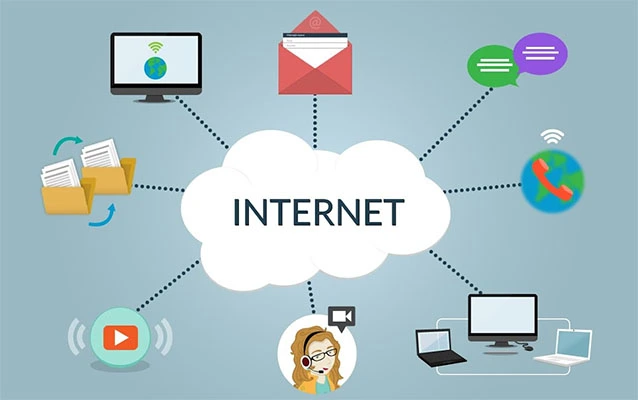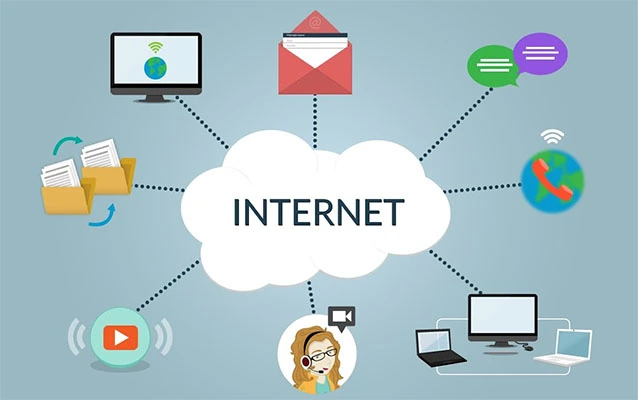
Computer networking is the technology that allows computers, phones, servers, smart TVs, printers, security cameras, cloud applications, and other digital devices to connect, communicate, and share resources. In plain English, it is how one device says, “Hey, can I send you this data?” and another device replies, “Sure, but please use the correct address and stop yelling across the Wi-Fi.”
Without computer networks, the modern internet would not exist. Businesses could not share files across departments, hospitals could not access digital records securely, remote workers could not join video calls, and your phone would have a very lonely life as an expensive calculator. Networking is the invisible system behind email, streaming, online shopping, cloud storage, social media, online banking, gaming, smart homes, and almost every business tool used today.
At its core, computer networking is about connecting devices so they can exchange data efficiently, reliably, and securely. A network may be as simple as two laptops sharing files over Wi-Fi or as massive as the global internet, which links billions of devices across homes, businesses, data centers, satellites, undersea cables, and wireless systems.
Computer Networking Definition
Computer networking is the practice of linking computing devices together through wired or wireless connections so they can send data, receive data, share services, and access resources. These devices are often called nodes. A node can be a laptop, desktop computer, smartphone, printer, server, router, switch, firewall, access point, or even a smart thermostat that thinks it owns the house.
A computer network usually includes hardware, software, communication rules, security controls, and management tools. Hardware provides the physical or wireless connection. Software controls how data moves. Protocols define the rules devices follow. Security tools protect the network from unauthorized access, malware, and data theft.
The simplest way to understand computer networking is to imagine a postal system. Every device needs an address. Data must be packaged properly. Routers and switches help decide where the data should go. Security systems check whether the message is allowed. If everything works, your file, video, message, or web page arrives where it shouldoften in milliseconds.
Why Computer Networking Matters
Computer networking matters because modern life runs on connected systems. A single office may use networking to share printers, access cloud software, host internal applications, manage security cameras, process payments, and support employees working from home. A school may use networking for online learning platforms, student records, Wi-Fi access, and digital testing. A hospital may rely on secure networks for patient charts, imaging systems, telehealth, medical devices, and emergency communication.
For individuals, networking makes everyday convenience possible. When you stream a movie, upload a photo, join a Zoom meeting, play an online game, or ask a smart speaker for the weather, a network is doing the heavy lifting behind the curtain. It may not wear a cape, but it absolutely saves the day.
For businesses, computer networks improve productivity, collaboration, scalability, and data access. Instead of storing everything on one machine, employees can use shared drives, cloud platforms, business applications, and secure remote access. Networking also allows companies to centralize backups, monitor systems, enforce security rules, and connect multiple offices around the country or the world.
How Computer Networking Works
Computer networking works by breaking information into smaller units of data, sending those units across a path, and reassembling them at the destination. When you open a website, your device does not receive the entire page as one giant digital sandwich. It receives many small pieces of data, often called packets.
Packets: The Tiny Delivery Trucks of the Internet
A packet contains part of the data being sent plus information about where it came from, where it is going, and how it should be handled. Think of each packet like a tiny delivery truck with a label, destination, and tracking information. If the road is busy, packets may travel through different routes and still arrive correctly.
IP Addresses: Device Street Addresses
Every device on a network needs an address so other devices can find it. This is usually an IP address. IPv4 addresses look like four numbers separated by dots, such as 192.168.1.10. IPv6 addresses are longer and were created because the internet needed far more address space. In short, IPv4 is the cozy old neighborhood, while IPv6 is the giant planned city with room for everyone and their smart refrigerator.
Protocols: The Rules of the Conversation
A network protocol is a set of rules that devices use to communicate. Without protocols, devices would be like people at a dinner table all speaking different languages while arguing about who gets the last bread roll.
Common networking protocols include:
- TCP/IP: The main protocol suite used for internet communication.
- HTTP and HTTPS: Used for loading websites and web applications.
- DNS: Translates domain names into IP addresses.
- DHCP: Automatically assigns IP addresses to devices on a network.
- FTP and SFTP: Used for transferring files.
- SMTP, IMAP, and POP3: Used for email sending and retrieval.
- Wi-Fi standards: Allow devices to connect wirelessly.
Main Components of a Computer Network
A computer network is built from several key components. Some are physical devices you can hold. Others are software-based services quietly working in the background, probably drinking digital coffee.
1. Routers
A router connects different networks and directs traffic between them. In a home, the router connects your local network to the internet. In a business, routers may connect offices, cloud environments, data centers, and remote workers. Routers examine destination addresses and decide the best path for data to travel.
2. Switches
A switch connects devices inside the same local network. For example, a switch may connect desktop computers, printers, servers, and access points in an office. Unlike a router, which moves traffic between networks, a switch usually moves traffic within one network.
3. Modems
A modem connects a home or business network to an internet service provider. Depending on the service, the modem may use cable, fiber, DSL, or another technology. Many home devices combine a modem, router, switch, and Wi-Fi access point in one box, because apparently networking hardware also enjoys multitasking.
4. Wireless Access Points
A wireless access point allows Wi-Fi devices to connect to a wired network. In a small apartment, one wireless router may provide enough coverage. In a large office, school, hotel, or airport, many access points may be installed to provide stable wireless coverage across different areas.
5. Servers
A server provides services to other devices. It may host websites, store files, manage user accounts, run applications, process email, or support databases. Servers can be physical machines in a data center or virtual machines running in the cloud.
6. Firewalls
A firewall monitors and controls network traffic based on security rules. It can block suspicious connections, restrict access to sensitive systems, and help protect a network from cyberattacks. Firewalls may be physical appliances, software tools, or cloud-based security services.
7. Network Cables and Wireless Signals
Data needs a medium to travel through. Wired networks often use Ethernet cables or fiber-optic cables. Wireless networks use radio signals, such as Wi-Fi, cellular, Bluetooth, or satellite communication. Wired connections are often faster and more stable, while wireless connections offer mobility and convenience.
Common Types of Computer Networks
Networks are often categorized by size, location, ownership, and purpose. Here are the main types of computer networks you are most likely to meet.
Local Area Network (LAN)
A LAN connects devices in a limited physical area, such as a home, office, school, or building. A home Wi-Fi network is a LAN. An office network with computers, printers, and servers is also a LAN. LANs are usually fast because the devices are close together.
Wireless Local Area Network (WLAN)
A WLAN is a local network that uses wireless communication, most commonly Wi-Fi. It lets laptops, phones, tablets, and smart devices connect without cables. WLANs are convenient, but they require strong security settings because wireless signals can travel beyond walls, and walls have never signed a confidentiality agreement.
Wide Area Network (WAN)
A WAN connects networks across large geographic areas. A company may use a WAN to connect offices in New York, Dallas, Los Angeles, and Miami. The internet itself is the largest example of a WAN. WANs may use leased lines, fiber links, cellular networks, satellite connections, VPNs, and cloud networking services.
Metropolitan Area Network (MAN)
A MAN covers a city or metropolitan area. It is larger than a LAN but smaller than a WAN. Universities, city governments, and large service providers may use MANs to connect buildings across a local region.
Personal Area Network (PAN)
A PAN connects personal devices over a short distance. Bluetooth earbuds connected to a phone are a simple PAN example. A smartwatch syncing with a smartphone is another one. Tiny network, big convenience.
Virtual Private Network (VPN)
A VPN creates an encrypted connection over another network, usually the internet. Businesses use VPNs to let employees securely access internal systems from remote locations. Individuals use VPNs to add privacy and security on public Wi-Fi networks.
Cloud Network
A cloud network uses cloud infrastructure to connect applications, virtual machines, containers, databases, users, and services. Cloud providers allow organizations to build virtual networks that resemble traditional data center networks, but with more flexibility, automation, and scalability.
Network Topology: How Networks Are Arranged
Network topology describes how devices and connections are arranged. The topology affects performance, reliability, troubleshooting, and cost.
Bus Topology
In a bus topology, devices share one main communication line. It is simple but not common in modern business networks because one failure can affect the entire network.
Star Topology
In a star topology, devices connect to a central switch or hub. This is common in modern LANs because it is easier to manage and troubleshoot. If one cable fails, usually only one device is affected.
Ring Topology
In a ring topology, each device connects to two others, forming a circle. Data travels around the ring. This design is less common today but still appears in some specialized systems.
Mesh Topology
In a mesh topology, devices or network points have multiple connections. Mesh networks are highly resilient because traffic can take alternate paths if one connection fails. Many enterprise, wireless, and internet backbone designs use mesh-like principles.
Wired vs. Wireless Networking
Wired and wireless networking both move data, but they do it differently.
Wired networking uses physical cables, such as Ethernet or fiber optics. It is often preferred for servers, desktop workstations, gaming systems, security cameras, and business-critical devices because it provides strong speed, stability, and lower interference.
Wireless networking uses radio signals. It is ideal for phones, tablets, laptops, smart home devices, and public internet access. Wireless networks are flexible and convenient, but performance can be affected by distance, walls, interference, device capacity, and poor configuration.
In real life, most modern networks use both. A business may connect servers and switches with fiber or Ethernet while offering Wi-Fi for employees and guests. A home may use Ethernet for a gaming PC and Wi-Fi for phones, TVs, and that one smart bulb that refuses to behave.
What Is DNS in Computer Networking?
DNS stands for Domain Name System. It translates human-friendly domain names into IP addresses that computers can use. When you type a website name into a browser, DNS helps find the correct server. Without DNS, you would need to remember long strings of numbers instead of simple names. Imagine telling a friend, “Check out 142.250.190.78.” Not exactly catchy.
DNS is one of the most important services on the internet. It makes web browsing, email routing, cloud applications, and many business systems easier to use. Because DNS is so critical, organizations often protect it with secure DNS settings, monitoring, redundancy, and filtering.
What Is TCP/IP?
TCP/IP stands for Transmission Control Protocol/Internet Protocol. It is the core communication framework used by the internet and many private networks.
IP handles addressing and routing. It helps packets find their destination. TCP helps ensure reliable delivery by checking that data arrives correctly and in order. If something is missing, TCP can request retransmission. This is useful for web pages, email, file downloads, and business applications where accuracy matters.
Another common transport protocol is UDP. UDP is faster but does not provide the same delivery guarantees as TCP. It is often used for streaming, online gaming, voice calls, and video calls where speed matters and a tiny dropped packet is less disastrous than a delay. In other words, UDP says, “Good luck, packet, be brave.”
Computer Networking and Cybersecurity
Computer networking and cybersecurity are inseparable. The more devices you connect, the more important it becomes to control access, protect data, monitor activity, and respond to threats.
Common network security tools and practices include:
- Firewalls: Filter traffic based on rules.
- Encryption: Protects data from being read by unauthorized parties.
- VPNs: Secure remote connections.
- Network segmentation: Separates systems into smaller zones to limit damage if one area is compromised.
- Access control: Ensures users and devices only reach what they are allowed to use.
- Monitoring: Detects unusual traffic, outages, and potential attacks.
- Patch management: Keeps devices and software updated against known vulnerabilities.
Modern security strategies often use principles such as Zero Trust, which means no user, device, or application is automatically trusted just because it is inside the network. Access must be verified continuously. This approach is especially important because today’s networks include remote workers, cloud apps, mobile devices, contractors, and internet-connected equipment.
Real-World Examples of Computer Networking
Example 1: Home Network
A home network may include a modem, router, Wi-Fi access point, laptops, smartphones, smart TVs, game consoles, printers, and smart speakers. The router assigns local IP addresses, connects devices to the internet, and manages basic traffic. If the Wi-Fi password is weak, the neighbor’s teenager may become an unwanted network administrator, so security matters even at home.
Example 2: Small Business Network
A small business network may include wired desktop computers, a shared printer, cloud accounting software, a point-of-sale system, security cameras, guest Wi-Fi, and a firewall. The company may separate guest Wi-Fi from business systems so customers can browse the internet without accessing internal files.
Example 3: Enterprise Network
An enterprise network may connect headquarters, branch offices, data centers, remote employees, cloud applications, and third-party partners. It may use routers, switches, firewalls, load balancers, VPNs, identity systems, monitoring platforms, and automation tools. Enterprise networking is complex because it must support performance, security, compliance, and business growth at the same time.
Example 4: Cloud Application Network
A cloud application may run across multiple virtual servers, databases, storage systems, and security services. Virtual networks, subnets, route tables, gateways, and security groups control how traffic moves. This allows businesses to scale applications quickly without buying physical hardware for every new project.
Benefits of Computer Networking
Computer networking offers many practical benefits:
- Resource sharing: Users can share printers, files, storage, applications, and internet access.
- Faster communication: Email, chat, video meetings, and collaboration tools work across connected systems.
- Centralized management: IT teams can manage users, devices, updates, backups, and policies from central systems.
- Scalability: Networks can grow as homes, schools, and businesses add more devices and services.
- Remote access: Users can connect from different locations securely.
- Improved productivity: Teams can work together on shared tools and data.
- Business continuity: Backups, redundancy, and cloud networking help reduce downtime.
Challenges in Computer Networking
Networking is powerful, but it is not magic. It comes with challenges that require planning and maintenance.
Performance Problems
Slow internet, weak Wi-Fi, overloaded switches, poor routing, and misconfigured applications can create frustrating performance issues. Sometimes the problem is technical. Sometimes someone is downloading a giant game update during a business meeting. Both are networking events; only one is socially acceptable.
Security Risks
Unauthorized access, malware, phishing, ransomware, insecure devices, and poor passwords can threaten a network. Security must be built into the network design, not sprinkled on top later like emergency parmesan.
Complexity
As networks grow, they become harder to manage. Cloud systems, remote users, mobile devices, Internet of Things equipment, and hybrid work environments all add complexity. Good documentation, monitoring, automation, and clear policies help reduce confusion.
Reliability
Network outages can stop business operations. Redundant connections, backup equipment, strong monitoring, and disaster recovery planning help keep systems available.
Important Computer Networking Skills
Anyone interested in IT, cybersecurity, cloud computing, software development, or technical support benefits from understanding networking fundamentals. Useful skills include:
- Understanding IP addressing and subnetting
- Knowing how DNS, DHCP, TCP, UDP, HTTP, and HTTPS work
- Configuring routers, switches, and access points
- Troubleshooting connectivity problems
- Reading logs and using monitoring tools
- Applying firewall and access control rules
- Understanding cloud networking concepts
- Securing Wi-Fi and remote access
- Documenting network layouts and changes
These skills are useful in many careers, including help desk technician, network administrator, systems administrator, cloud engineer, cybersecurity analyst, DevOps engineer, and IT manager.
The Future of Computer Networking
Computer networking continues to evolve quickly. Cloud computing, edge computing, 5G, Wi-Fi 6, Wi-Fi 7, software-defined networking, automation, artificial intelligence, and Zero Trust security are changing how networks are designed and managed.
In the past, many networks were built around a central office. Today, users may work from home, coffee shops, airports, client sites, and mobile devices. Applications may run in multiple cloud platforms. Security must follow users and data wherever they go. That means networks need to be more flexible, intelligent, and secure by design.
Automation is also becoming more important. Instead of manually configuring every device, IT teams increasingly use templates, scripts, APIs, and management platforms to deploy and update networks faster. This reduces human error and helps networks adapt to changing business needs.
Experiences Related to Computer Networking
One of the most useful ways to understand computer networking is to experience it in everyday situations. Many people first notice networking when something breaks. The Wi-Fi stops working, a printer disappears, a video call freezes, or a website refuses to load. Suddenly, the invisible network becomes very visible, usually accompanied by someone saying, “Did you try turning it off and on again?” Surprisingly, that advice works often enough to remain famous.
A common beginner experience is setting up a home router. At first, the small box seems simple: plug in the power, connect the internet cable, create a Wi-Fi name, and choose a password. But this basic setup introduces several networking concepts. The router creates a local area network, assigns IP addresses, handles wireless access, routes traffic to the internet, and provides basic security. Even changing the Wi-Fi password teaches an important lesson: networks need access control.
Another relatable experience is troubleshooting slow Wi-Fi. A person may assume the internet provider is always at fault, but the real issue could be distance from the router, thick walls, interference from other devices, outdated hardware, too many connected gadgets, or poor router placement. Moving the router from behind a metal cabinet to an open shelf can feel like discovering ancient wisdom. In reality, it is radio frequency behavior doing what radio frequency behavior does.
In an office, networking experiences become more serious. Imagine a small company where employees cannot access shared files. The issue might be a failed switch, an incorrect IP address, a DNS problem, a permissions error, or a firewall rule blocking traffic. Solving the problem requires methodical thinking. Is the device connected? Does it have an IP address? Can it reach the gateway? Can it resolve domain names? Can other users access the same resource? Networking teaches patience because guessing wildly is less effective than following the path of the data.
Students studying networking often begin with commands like ping, ipconfig, traceroute, or nslookup. These tools may look plain, but they reveal a lot. A ping test can show whether one device can reach another. Traceroute can show the path traffic takes across networks. DNS lookup tools can show whether a domain name resolves correctly. These small tests build confidence because they turn a mysterious network into something observable.
Another valuable experience is using public Wi-Fi. Coffee shops, airports, hotels, and libraries offer convenience, but they also remind users why security matters. Public networks may expose devices to risks if users connect without protection, ignore software updates, or access sensitive accounts without encryption. This is where VPNs, HTTPS websites, strong passwords, and multi-factor authentication become practical rather than theoretical.
Cloud networking provides a more advanced experience. When creating a virtual private cloud, subnet, route table, firewall rule, or load balancer, users see that cloud systems follow many of the same principles as physical networks. The cables may be virtual, but the logic remains familiar: devices need addresses, traffic needs routes, and security rules decide what is allowed.
The biggest lesson from real networking experience is that networks are living systems. They change when users join, devices update, applications move, threats evolve, and businesses grow. Good networking is not only about connecting devices. It is about designing reliable communication, protecting data, documenting changes, and making technology feel seamless for the people who depend on it.
Conclusion
Computer networking is the foundation of modern digital communication. It connects devices, moves data, supports applications, enables remote work, powers cloud computing, and keeps the internet running. From a simple home Wi-Fi setup to a global enterprise network, the same basic ideas apply: devices need addresses, data needs rules, traffic needs paths, and security needs attention.
Understanding computer networking helps you make better technology decisions, troubleshoot problems faster, and appreciate the complex systems behind everyday online life. Whether you are streaming a movie, managing a business, studying IT, or wondering why the office printer has once again entered its villain era, networking knowledge gives you the map. And in a connected world, the map matters.
Note: This article was written in original language and synthesized from reputable computer networking, cloud, cybersecurity, and technology education references, including major U.S. technology vendors, standards organizations, and professional IT training resources.