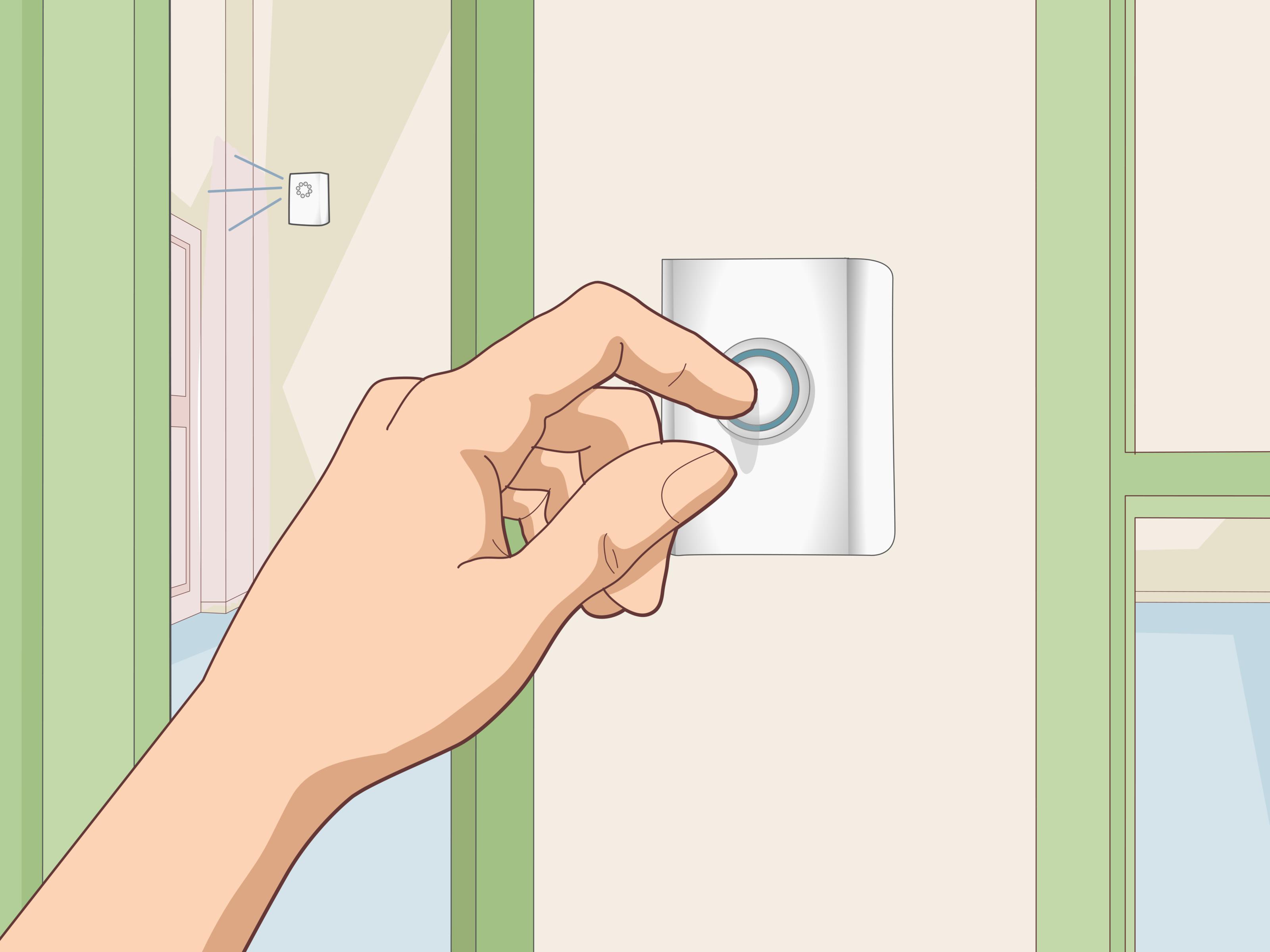
A doorbell is supposed to say, “Someone is here.” It is not supposed to say, “Everyone panic, the house is under attack.” Yet many wired and wireless doorbells seem designed to startle pets, wake babies, interrupt video calls, and make your nervous system file a formal complaint. The good news is that reducing doorbell sounds is usually easier than replacing the entire system. Whether you have a classic wired chime, a battery-powered wireless doorbell, or a smart video doorbell from Ring, Nest, Arlo, eufy, Wyze, ecobee, or another brand, there are practical ways to lower the volume, mute the indoor chime, adjust phone alerts, or soften the sound without turning your front door into a silent mystery portal.
This guide explains how to reduce doorbell sounds for wired and wireless devices, including old-school mechanical chimes, digital chimes, plug-in receivers, smart speakers, app notifications, and video doorbell alerts. We will cover quick app settings, safe wired-doorbell options, sound-dampening tricks, and troubleshooting tips for homes where the doorbell rings too loudly, too often, or at exactly the wrong time.
Why Doorbells Sound So Loud in the First Place
Most doorbell systems are built around one simple goal: get your attention. That was useful when people were in the backyard, the TV was loud, and phones were still attached to walls. Today, the same “ding-dong” may echo through open floor plans, bounce off tile floors, and trigger every dog within three ZIP codes.
Doorbell volume depends on several factors: the type of chime, the location of the chime box, the acoustics of the room, the voltage of a wired transformer, the speaker quality of a wireless receiver, and app settings for smart devices. A mechanical wired chime uses a small plunger or hammer to strike metal bars. A digital chime plays an electronic tone through a speaker. A wireless chime usually uses a plug-in or battery-powered receiver. A smart doorbell may ring an indoor chime, a brand-specific accessory, a smart display, a phone, a tablet, or all of them at once because apparently your package delivery needed surround sound.
Start With the Easiest Fix: Check the App or Receiver Volume
For modern video doorbells and wireless chimes, the simplest way to reduce doorbell volume is usually inside the app or on the chime accessory itself. Many brands allow you to adjust chime volume, change the ringtone, turn off indoor chime alerts, or temporarily enable a silent mode.
Smart Doorbell App Settings to Look For
Open your doorbell app and check the device settings for menu names such as Chime, Indoor Chime, Audio, Doorbell Settings, Accessories, Silent Mode, Quiet Time, Do Not Disturb, or Notifications. The wording varies by brand, but the idea is the same: you are trying to control where the doorbell rings and how loud it sounds.
For example, Ring wired doorbells commonly include in-home chime settings where you can choose the chime type and turn the indoor chime on or off. Google Nest doorbells offer Quiet Time for muting the indoor chime temporarily, and some Nest settings allow users to turn the indoor chime off for a longer period. Arlo doorbells include Silent Mode for temporarily disabling calls and chimes. eufy doorbells may let you snooze or disable chime alerts, while some chime volume changes are made directly on the chime device. Wyze video doorbells often include a chime volume slider under the accessory or tune settings. ecobee’s wired smart doorbell includes in-home chime controls in the app.
Change the Ringtone, Not Just the Volume
Sometimes the problem is not volume; it is the tone. A sharp, high-pitched chime can feel louder than a mellow tone even at the same volume. If your wireless doorbell or digital chime offers multiple sounds, try a shorter or lower-pitched option. “Soft ding” is easier to live with than “Westminster Abbey has entered the chat.”
Choose a ringtone that is short, clear, and not too musical. Long songs may be cute for the first three visitors. By the fourth, you may find yourself apologizing to your own hallway.
How to Reduce Sound on a Wired Doorbell Chime
Wired doorbells are common in houses and townhomes. A basic wired system usually has three parts: the doorbell button, the indoor chime, and a transformer that lowers household voltage to low-voltage power for the doorbell circuit. Many systems use terminals labeled Front, Rear, and Trans inside the chime box. Before opening or changing anything, turn off power at the breaker if you are working near wiring, and contact a qualified electrician if you are unsure. Doorbells are low-voltage on the chime side, but the transformer connects to household electrical wiring, which is not a place for heroic guessing.
1. Check Whether Your Chime Has a Volume Control
Some digital wired chimes include a small volume dial or slider inside the cover. Remove the cover carefully and look for a labeled control. If you find one, lower the volume gradually and test the doorbell. Do not force plastic parts, poke random components, or use the “turn everything until something happens” method, which is also how people accidentally create new problems.
2. Move the Chime to a Better Location
A doorbell chime mounted in a hallway, stairwell, kitchen, or open living room may sound much louder than one placed in a softer, furnished area. If your chime echoes badly, relocation can help. This is more involved because you may need to reroute low-voltage wiring, patch drywall, or install a new chime. For many homeowners, replacing the chime with a quieter model is easier than relocating it.
3. Replace a Loud Mechanical Chime With a Quieter Digital Chime
If your current chime sounds like a tiny dinner gong, consider replacing it with a quieter digital chime that has adjustable volume. Make sure the new chime is compatible with your transformer and, if applicable, your video doorbell. Smart doorbells can be picky about chime type, transformer voltage, and required adapters. Always check the compatibility list for your specific model before buying.
4. Use Soft Sound-Dampening Materials Carefully
For a mechanical chime, a small piece of felt, foam, or removable poster putty placed on the chime cover can reduce resonance. Some homeowners place thin felt pads inside the plastic cover, away from moving plungers and electrical contacts. The goal is to reduce echo, not block the mechanism. Never jam the striker, tape electrical terminals, or stuff the chime box full of material. A doorbell is not a sandwich, and insulation is not the filling.
5. Disable the Indoor Chime and Use App Alerts Instead
If you have a compatible smart doorbell, you may be able to turn off the in-home chime completely and rely on phone notifications, smart displays, or a quieter plug-in chime. This is one of the best solutions for homes with sleeping babies, anxious pets, night-shift workers, or people who simply prefer peace over sudden acoustic betrayal.
How to Reduce Sound on a Wireless Doorbell
Wireless doorbells are usually easier to quiet than wired chimes because most receivers have built-in volume buttons. A wireless system typically includes a button outside and one or more indoor receivers. The receiver may plug into an outlet or run on batteries.
1. Find the Volume Button on the Receiver
Look on the side, back, or front of the plug-in receiver. Many wireless chimes have buttons for volume, melody, pairing, and sometimes LED-only alerts. Press the volume button until the chime reaches the lowest setting. Some models cycle from loud to louder to loudest before returning to quiet, so warn your ears before experimenting.
2. Use Fewer Receivers
Wireless doorbell kits often include multiple receivers. If every room announces a visitor, unplug the extras. Keep one receiver in a central location and use phone alerts for backup. This is especially helpful in apartments and small homes where one plug-in chime is more than enough.
3. Move the Receiver Away From Hard Surfaces
A wireless chime plugged into an outlet near tile, glass, metal, or a bare hallway can sound harsher. Try moving it behind furniture, near curtains, or to a room with rugs and upholstered surfaces. Soft materials absorb sound and reduce echo. Do not cover the receiver completely, especially if it feels warm during use.
4. Switch to Visual Alerts
Some wireless doorbells offer flashing lights, LED indicators, or vibration alerts. These are great for quiet households, home offices, and accessibility needs. A visual alert can tell you someone is at the door without making the cat teleport under the bed.
How to Reduce Smart Doorbell Notifications on Phones and Speakers
Smart doorbells can be noisy even when the physical chime is quiet because they send alerts to phones, tablets, watches, smart speakers, and displays. Reducing doorbell sounds means controlling the whole notification ecosystem, not just the box on the wall.
Turn Off Duplicate Alerts
If your doorbell rings the indoor chime, announces visitors through a smart speaker, calls your phone, pings your watch, and pops up on a tablet, you do not have a doorbell. You have a tiny emergency broadcast system. Choose one or two alert methods. For example, keep phone notifications on and disable smart speaker announcements during work hours.
Use Quiet Time, Silent Mode, or Do Not Disturb
Many smart doorbells include a temporary mute feature. Use it during naps, meetings, movie nights, or whenever the house needs quiet. Quiet Time and Silent Mode usually stop indoor chimes and announcements but may still allow app notifications, depending on the brand and settings. That is a useful compromise: the visitor is not ignored, but the whole house does not perform a jump scare.
Adjust Phone Notification Sounds
On iPhone or Android, check your system notification settings for the doorbell app. You may be able to change the alert sound, lower notification volume, disable lock-screen alerts, or allow silent notifications. If you still want alerts but not noise, keep banners on and turn sounds off.
Reduce Motion Alerts Separately
Many people think their doorbell is too loud when the real issue is motion notification overload. If your phone pings every time a car passes, a leaf wiggles, or a squirrel looks suspicious, adjust motion zones and sensitivity. Keep doorbell press alerts loud enough to notice, but make motion alerts quieter or silent. Your sanity will send a thank-you card.
Pet-Friendly and Baby-Friendly Doorbell Strategies
For dogs, babies, and light sleepers, sudden sound matters more than simple decibel level. A quieter chime helps, but consistency helps too. Pets often react to the doorbell because it predicts excitement: visitors, barking, movement, and humans saying “It’s okay!” in a voice that strongly suggests it is not okay.
Use a Different Tone
Changing the chime sound can reduce conditioned reactions. If your dog loses composure at the classic ding-dong, switch to a short, soft tone and pair it with calm training. Reward quiet behavior after the sound. Over time, the doorbell becomes less of a canine launch command.
Create a Quiet Delivery Routine
Add a small sign near the doorbell that says, “Please knock softly or textbaby sleeping,” or “Please do not ring bell.” This will not stop every delivery driver, but it helps. For smart doorbells, you can also use package alerts and motion notifications instead of relying on the chime.
Mute During Predictable Quiet Hours
If naps happen daily from 1 to 3 p.m., use your app’s mute or quiet feature before that window. Some systems require manual activation, while others may work with routines or smart home automations. Test the setup before relying on it, because nothing says “parenting comedy” like a doorbell ringing seven minutes after the baby finally falls asleep.
When the Doorbell Is Buzzing, Humming, or Ringing Too Long
A doorbell that is too loud is annoying. A doorbell that buzzes, hums, partially rings, or plays too long may indicate a setup or compatibility issue. For wired systems, buzzing can come from an incorrect chime type setting, a failing chime, a stuck button, loose wiring, or transformer mismatch. With video doorbells, the app may need the correct mechanical or digital chime setting. If the app is set to the wrong chime type, the doorbell may buzz, ring weakly, or not ring at all.
If your wired chime suddenly changes sound after installing a video doorbell, check the manufacturer’s instructions for required power kits, adapters, or bypass modules. Some video doorbells need steady power and may not work properly with older transformers or certain digital chimes. If wiring is involved and you are not confident, hire an electrician. A quiet doorbell is nice; a safe house is better.
Best Sound-Reduction Options by Doorbell Type
For Traditional Wired Mechanical Doorbells
Try a felt pad on the cover, replace the chime with a quieter model, move the chime away from echo-heavy spaces, or upgrade to a digital chime with adjustable volume. Do not block moving parts or modify transformer wiring unless you know exactly what you are doing.
For Wired Smart Video Doorbells
Use the app to turn off the in-home chime, choose the correct chime type, enable Quiet Time or Silent Mode, reduce phone notification sounds, and use smart speaker announcements only where needed. If your model requires a chime connector or power kit, install it according to the manufacturer’s instructions.
For Wireless Plug-In Doorbells
Lower the receiver volume, choose a shorter tone, unplug extra receivers, move the receiver to a softer room, or use visual alerts. If the receiver has no volume control, replacing it with an adjustable model is usually inexpensive and quick.
For Battery-Powered Smart Doorbells
Battery models may not ring a traditional wired chime unless they are also wired or paired with a compatible accessory. Use the app, plug-in chime, smart display, or phone notification settings to manage sound. Keep the doorbell charged because low battery can affect performance and alert reliability.
Common Mistakes to Avoid
Do not tape the outside doorbell button in a way that traps moisture. Do not disconnect random wires without labeling them. Do not assume every smart doorbell works with every chime. Do not install a transformer with the wrong voltage just because someone online said, “It worked for me.” Do not cover a plug-in receiver with a pillow, towel, or decorative basket unless the manual says it is safe. And please do not solve a loud doorbell by removing the entire button and forgetting about it until guests start calling from the porch like they are in a Victorian novel.
My Real-World Experience: What Actually Works Best
In real homes, the best doorbell sound solution is rarely one dramatic fix. It is usually a combination of small adjustments. The first time I helped reduce a doorbell sound problem, the issue was not the doorbell itself. It was the location. The chime was mounted in a narrow hallway with wood floors, bare walls, and nothing soft nearby. Every ring sounded like it had been professionally amplified for a stadium. Lowering the app notification volume helped a little, but the real improvement came from switching to a shorter chime tone and adding soft furnishings nearby. A runner rug did more than expected. Interior design: 1, doorbell chaos: 0.
Another common situation involves dogs. A family may say, “The doorbell is too loud,” but the deeper problem is that the sound starts a whole routine: barking, sprinting, jumping, humans rushing, and everyone acting like a celebrity just arrived. In that case, reducing the doorbell volume is step one. Step two is changing the tone. Step three is training the dog to go to a mat or another room when the quieter tone plays. The best results came from using a wireless chime with adjustable volume, placing it farther from the dog’s favorite window, and rewarding calm behavior. The chime did not become silent, but it stopped being the official soundtrack of household mayhem.
For babies and night-shift workers, smart doorbell features are a lifesaver. Quiet Time, Silent Mode, and app-only alerts can make the difference between a peaceful nap and a tiny human filing a noise complaint at full volume. The key is remembering to turn quiet settings on before the nap or shift begins. Some people place a sticky note near the coffee maker or use a phone reminder. It sounds old-fashioned, but it works. A smart home still needs a smart human, preferably one who has had enough coffee.
For home offices, I have found that turning off smart speaker announcements is often the biggest win. Many people forget that their doorbell is linked to multiple speakers. The front door rings, and suddenly the kitchen speaker, office display, phone, watch, and hallway chime all join in like a very unhelpful choir. Reducing alerts to one phone notification and one quiet indoor chime keeps you reachable without interrupting every meeting. Your coworkers do not need to know when your paper towels arrive.
For older wired systems, the most important lesson is patience. Take a photo before removing a chime cover. Label wires if you disconnect anything. Check whether the chime is mechanical or digital before changing smart doorbell settings. If the system buzzes after a smart doorbell installation, do not ignore it. A buzzing chime is not “vintage ambience.” It is a sign to review wiring, app settings, transformer compatibility, or call a pro.
The most satisfying setups are the ones that match the household. A busy family may want a medium-volume chime in the main living area and silent phone alerts after bedtime. An apartment dweller may want a low plug-in receiver and no smart speaker announcements. A pet owner may want a soft tone, app alert, and a front-door sign asking delivery drivers not to ring. A frequent traveler may prefer phone alerts only, with the indoor chime disabled. There is no universal perfect doorbell sound. The best doorbell is the one that tells you someone arrived without making everyone inside reconsider modern technology.
Final Thoughts
Learning how to reduce doorbell sounds for wired and wireless devices is mostly about identifying where the sound comes from, then choosing the least invasive fix. Start with app settings, receiver volume, notification controls, and ringtone changes. For wired systems, check for a volume control, use careful sound dampening, or replace a loud chime with an adjustable one. For smart doorbells, use Quiet Time, Silent Mode, indoor chime controls, and fewer smart speaker announcements.
A doorbell should be noticeable, not nerve-rattling. With a few practical changes, you can keep visitors, deliveries, and alerts under control while giving your pets, babies, meetings, and eardrums a much-deserved break.