Note: This guide focuses on legal, non-jailbreak, non-piracy methods for customizing Skyrim on Xbox 360. It does not cover hacked consoles, copied game files, bypassing Xbox security, or using unauthorized DLC.
Modding Skyrim on Xbox 360 is a little like trying to teach a dragon to use a fork: technically possible in a few limited ways, but not exactly what the creature was built for. Unlike the PC version of The Elder Scrolls V: Skyrim, the Xbox 360 version does not include official mod support, a built-in mod browser, Creation Kit integration, or the modern Bethesda.net Creations menu found on newer Skyrim editions. That means you cannot simply open a “Mods” tab, download a weather overhaul, install 200 armor packs, and then wonder why Whiterun is floating sideways.
Still, players have long searched for ways to customize Skyrim on the Xbox 360. Some want stronger characters, cleaner saves, recovered items, new role-playing setups, or a fresh way to enjoy a game they have already explored from Helgen to Solstheim. The important thing is understanding what “modding Skyrim on Xbox 360” actually means. On this platform, it usually refers to save-file customization, using official DLC, managing game updates, and making careful backup choices rather than installing full PC-style mods.
This in-depth guide explains what is possible, what is not, what to avoid, and how to approach Skyrim Xbox 360 modding without turning your beloved level 47 stealth archer into a corrupted file named “WhyDidIDoThis.exs.”
Can You Really Mod Skyrim on Xbox 360?
The honest answer is: yes, but only in a limited way. Skyrim on Xbox 360 was released before Bethesda made console modding a mainstream feature. Official mod support arrived later for Skyrim Special Edition on platforms such as Xbox One, PlayStation 4, and PC. The Xbox 360 version belongs to an older console generation and was never designed to load community-made plugin files the way PC Skyrim can.
That means Xbox 360 players do not have access to traditional mod files such as ESP, ESM, ESL, texture replacers, script extenders, ENB presets, large quest expansions, or modern load-order tools. If you are imagining the massive PC modding ecosystemwith combat overhauls, lighting mods, new lands, 4K cheese wheels, and dragons wearing top hatsthe Xbox 360 is not the place for that kind of setup.
However, players can still customize the experience in several practical ways. You can install official DLC, update the game, manage save files, use separate character builds, and in some cases make save-based changes outside the console before returning the save to the Xbox 360. This is why many older guides use the phrase “mod Skyrim on Xbox 360” when they really mean “edit a Skyrim save file.” Those two things are related, but they are not the same.
What Counts as Modding on Xbox 360?
1. Official DLC and Legendary Edition Content
The safest and most stable way to expand Skyrim on Xbox 360 is through official Bethesda content. The major DLC packs are Dawnguard, Hearthfire, and Dragonborn. These add vampires, homebuilding, adoption, Solstheim, new quests, new enemies, new gear, and enough distractions to make “I’ll play for 20 minutes” one of the funniest lies in gaming.
If you own Skyrim Legendary Edition on Xbox 360, the second disc includes the DLC installer and the game update. Installing the official content is not the same as community modding, but for Xbox 360 players it is the most reliable way to expand the game without risking save corruption or violating platform rules.
2. Save-File Customization
Save-file customization is the most common form of Xbox 360 Skyrim modding. A save file stores your character’s progress, inventory, stats, location, quest stage, gold, skills, and other game data. Some players use save editing to adjust a character, recover from bugs, experiment with builds, or create unusual role-playing scenarios.
Because this method changes a save rather than installing a full mod, it has serious limits. You usually cannot add brand-new worldspaces, custom voice acting, new textures, advanced scripts, modern animation systems, or huge gameplay frameworks. Instead, save customization tends to affect what already exists in the game: items, stats, perks, gold, locations, spells, or quest-related data.
3. Game Settings and Role-Playing Rules
Not every “modded” experience requires editing files. You can dramatically change Skyrim by creating self-imposed rules. For example, play as a no-fast-travel hunter, a pacifist illusion mage, a merchant who only earns gold through crafting, or a survival-style traveler who must sleep, eat, and avoid carrying half of Markarth in a backpack. It may not sound flashy, but role-playing rules can make the Xbox 360 version feel new without touching a single file.
What You Cannot Do on Skyrim for Xbox 360
Before trying anything, it helps to know the hard limits. Skyrim on Xbox 360 does not support Bethesda.net mods, Nexus Mods installations, SKSE, PC console commands directly on the console, load order managers, or Creation Kit uploads. You also cannot transfer an Xbox 360 save into Skyrim Special Edition on Xbox One or PlayStation 4 and continue from there. The generations are separate, and save compatibility is not that generous.
Another important point: do not confuse Xbox 360 with Xbox One or Xbox Series X|S. Modern Xbox versions of Skyrim Special Edition and Anniversary Edition have official mod menus. Xbox 360 does not. If a tutorial tells you to open the in-game Mods menu on Xbox 360, that tutorial is either talking about a different console or has been attacked by a confusion spell.
Before You Try Any Skyrim Xbox 360 Modding
Back Up Your Save First
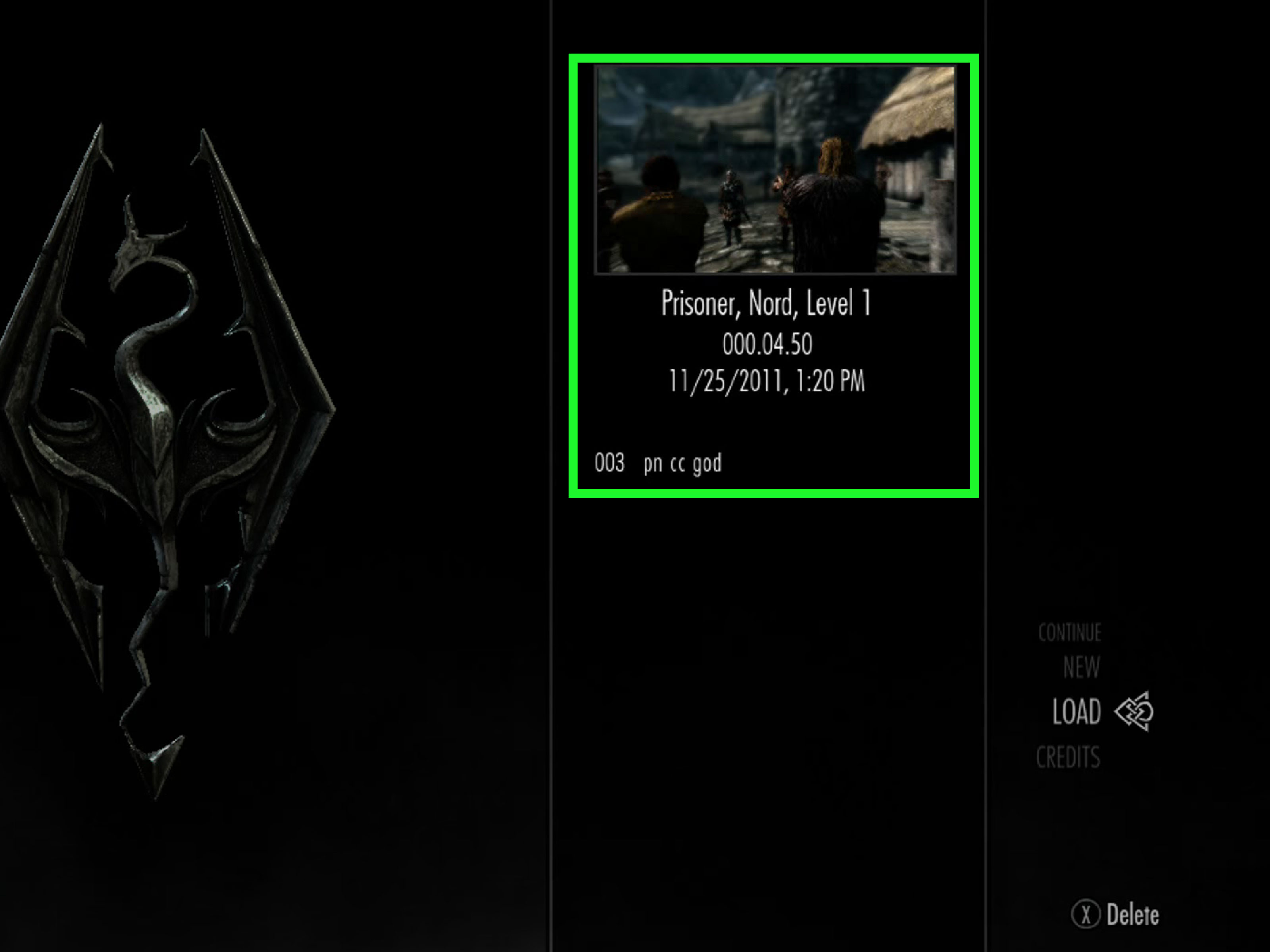
The first rule of Skyrim save modding is simple: back up your save before doing anything. The second rule is also: back up your save before doing anything. The third rule is probably “stop stealing cheese wheels,” but that one is more flexible.
Save files can become corrupted if edited incorrectly, transferred improperly, interrupted during copying, or loaded with changes the game cannot handle. Keep at least one untouched backup on your Xbox 360 storage device. If you use a USB drive to move saves, keep another copy separate from the one you plan to modify. This gives you a clean fallback if something goes wrong.
Update Skyrim Properly
Make sure your Xbox 360 copy of Skyrim is updated to the latest available title update for your version. Updates fix bugs, improve stability, and support DLC content. If you are using Legendary Edition, install the official update and DLC from the second disc as instructed by the game. Playing with mismatched updates or missing DLC can cause crashes, broken quests, or saves that refuse to load.
Use a Test Character
Never experiment on your main character first. Create a separate test save. Name the character something obvious, like “Test Nord” or “Definitely Not My Real Save.” Load it, make a few simple changes, and see whether the game behaves normally. Once you understand the risks, you can decide whether it is worth applying similar changes to a serious playthrough.
A Safe Overview of the Save-File Modding Process
Because Xbox 360 save editing can affect account data, file integrity, and platform rules, this article will not walk through bypassing console protections or using hacked-console methods. However, the general concept is easy to understand.
First, the player copies a Skyrim save from the Xbox 360 storage device to removable storage. Then, on a computer, the save may be inspected or adjusted using a save-focused tool. After that, the edited save is copied back to the Xbox 360 and tested in the game. The safest edits are small and reversible, such as experimenting with inventory, gold, or character values on a backup save.
The risk increases when players attempt large quest changes, extreme stat values, impossible items, broken NPC states, or edits that conflict with DLC. Skyrim already has enough bugs to qualify as a wildlife preserve, so adding unstable save edits can make things worse. Keep changes modest, test often, and never assume that a save working for five minutes means it will remain healthy for 100 hours.
Best Things to Customize on Xbox 360
Character Builds
The most enjoyable Xbox 360 “modded” experiences often come from custom character concepts. You might create a pure restoration paladin, a werewolf hunter, a vampire scholar, a heavy-armor thief, or an unarmed Khajiit brawler who solves problems with paws and confidence. These changes do not require risky files and can make Skyrim feel fresh.
Inventory and Equipment
Some players use save customization to test rare gear, restore lost items, or set up themed equipment. For example, a role-player might create a character who begins with basic hunter gear, a few potions, and a modest amount of gold. The key is balance. Giving yourself every Daedric artifact at level 1 sounds fun until the game becomes less “epic adventure” and more “walking storage closet with a sword.”
Gold and Crafting Materials
Gold and crafting materials are common save-edit targets because they affect convenience more than world stability. Still, restraint matters. A little extra gold can help skip early grinding. Infinite wealth can make shops meaningless, crafting too easy, and progression less satisfying. Skyrim is at its best when you still have reasons to explore caves, loot chests, and pretend you are not going to pick every mountain flower you see.
Skills and Perks
Editing skills or perks can be tempting, but this is where balance can collapse quickly. Skyrim’s leveling system ties enemy strength, perks, gear, and combat difficulty together. If you push skills too high too early, the game may scale enemies in awkward ways while your gear and health remain underdeveloped. A better approach is to make small adjustments or use normal gameplay methods such as trainers, crafting, and practice.
Common Problems After Modding Skyrim Saves
The Save Will Not Load
If the save refuses to load, return to your backup. The edited file may be corrupted, incomplete, or incompatible with your installed DLC. This is why backups are not optional. They are the digital equivalent of carrying a spare lockpick into a Dwemer ruin.
The Game Freezes or Crashes
Freezing can happen when a save includes unstable data, missing content, or too much clutter. Skyrim on Xbox 360 also has memory limits, especially in long playthroughs. Clearing the system cache can help with some update-related problems, but it will not magically repair a badly edited save.
Quests Break
Quest edits are risky. Skyrim quests depend on stages, scripts, NPCs, locations, and triggers. Changing one value can accidentally skip dialogue, trap an NPC, or make an objective impossible. If your goal is to fix a broken quest, research the issue carefully and use the least invasive solution possible.
Achievements and Online Concerns
Using edited saves may affect the spirit of achievements and can create issues if used irresponsibly. Keep modified saves offline and personal. Do not use someone else’s profile data, do not share altered files as if they are official content, and do not use modifications to disrupt online services. Skyrim is mostly a single-player game, but account integrity still matters.
Better Alternatives for Full Skyrim Mods
If you want true modding, consider playing Skyrim on PC or a newer Xbox console with Skyrim Special Edition or Anniversary Edition. PC offers the widest modding world, including new quests, visual overhauls, combat systems, survival mechanics, bug fixes, user interface improvements, and script-based tools. Newer Xbox versions offer official console mod support through Bethesda’s mod ecosystem, though with storage and platform limits.
For Xbox 360 players who want to stay on original hardware, the best “mod-like” path is official DLC plus careful role-playing rules. Try a new build, install all official content, avoid fast travel, raise the difficulty, or create themed restrictions. Sometimes the best mod is not a fileit is deciding your Dragonborn is allergic to stealing, which will last about twelve minutes in Riften.
Practical Tips for a Stable Xbox 360 Skyrim Experience
- Keep multiple manual saves instead of relying only on autosaves.
- Install official DLC correctly before loading DLC-dependent saves.
- Avoid making huge changes to quest stages or world states.
- Test edits on a throwaway character before touching your main save.
- Do not overload your inventory with absurd item quantities.
- Delete old saves you no longer need, but always keep a clean backup.
- Be careful with long playthroughs, since Skyrim on Xbox 360 can become less stable over time.
- Stay away from hacked-console methods, pirated files, and random downloads promising “ultimate mod packs.”
Is Modding Skyrim on Xbox 360 Worth It?
It depends on what you expect. If you want massive texture packs, new lands, advanced magic systems, modern combat animations, or full quest expansions, Xbox 360 modding will disappoint you. The platform simply was not built for that. You will have a better experience on PC or a newer Xbox version with official mod support.
If you want to experiment with save-based customization, recover from minor issues, create unusual character starts, or extend the life of your old Xbox 360 copy, it can be worth exploring carefully. The key word is carefully. Skyrim saves are precious, especially if you have invested dozens or hundreds of hours. Treat them like rare artifacts, not like random bandit boots.
Experience Notes: What It Feels Like to Mod Skyrim on Xbox 360
Modding Skyrim on Xbox 360 is less like installing a modern mod list and more like doing careful surgery on a very dramatic patient. The patient is alive, legendary, and full of dragons, but it may also randomly fall over if you poke the wrong thing. That is part of the charm and part of the danger.
The first real experience many players have is surprise. They search for “Skyrim Xbox 360 mods,” expecting something similar to PC tutorials, only to discover that most of the exciting modding features belong to other versions. There is no official mod menu. There is no easy load order. There is no button that says “Download Immersive Everything.” At first, that feels disappointing. But once expectations are adjusted, the Xbox 360 version still has room for creativity.
One of the most enjoyable approaches is building a custom role-playing save. For example, instead of beginning as the usual prisoner-turned-Dragonborn, you might imagine your character as a retired soldier traveling to Whiterun, a poor alchemist trying to survive, or a cursed vampire avoiding cities until nightfall. With a little save preparation and a lot of imagination, the same old opening can feel different. You do not need 300 mods to make Bleak Falls Barrow interesting again; sometimes you just need a rule like “no looting armor from enemies” or “only use weapons you craft yourself.”
Another common experience is learning restraint. The first temptation is to make a character wildly powerful. Max skills, endless gold, rare weapons, impossible statsthe whole buffet. But after the initial laugh, the game can become boring. Skyrim works because progression feels earned. A sword found in a cave matters because you needed it. A house feels satisfying because you saved for it. A dragon fight feels memorable because it almost turned you into toasted Dragonborn. When everything is handed to the player instantly, the adventure loses some of its spark.
The best save-based changes are usually the ones that support a story. Give a hunter a bow, some leather armor, and a few supplies. Give a mage enough gold to buy early spells but not enough to purchase Winterhold. Give a wandering knight a steel sword and a personal code. These small changes can create a strong role-playing foundation without breaking the game.
There is also a practical lesson: Skyrim on Xbox 360 rewards patience. Copying saves, testing changes, checking stability, and keeping backups may feel slow, but it prevents heartbreak. Anyone who has lost a long save knows the pain. One minute you are the savior of Skyrim; the next, you are staring at a loading error like it personally insulted your family.
In the end, the Xbox 360 version remains a classic, even without official modern mods. It is rough, limited, and occasionally held together by Nordic duct tape, but it still delivers one of the most memorable open-world RPG experiences ever made. Modding it carefully can add a little extra flavor. Just remember: small changes, clean backups, realistic expectations, and absolutely no trusting mysterious files from the digital equivalent of a suspicious Khajiit caravan.
Conclusion
Learning how to mod Skyrim on the Xbox 360 starts with understanding the platform’s limits. You cannot install modern PC-style mods, use the Bethesda.net mod menu, or run advanced script-based overhauls on the original Xbox 360 release. What you can do is use official DLC, manage updates, protect your saves, experiment with save-file customization, and create fresh role-playing experiences that make Skyrim feel new again.
For the safest experience, keep backups, test on separate characters, avoid extreme edits, and stay away from hacked-console or piracy-based methods. If you want the full modding universe, move to PC or a newer Xbox version of Skyrim Special Edition. But if your goal is to squeeze more fun from your Xbox 360 copy, careful customization can still give your Dragonborn a new story to shout about.