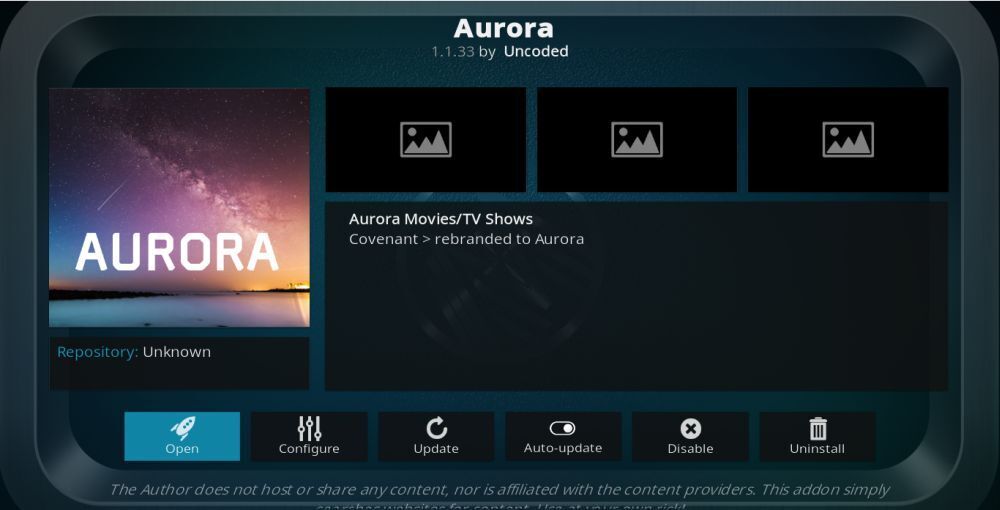
If you have spent more than five minutes in the streaming corners of the internet, you have probably seen the same promise dressed in different outfits: unlimited movies, endless TV shows, HD playback, and a setup so “easy” it supposedly takes less time than microwaving leftovers. Aurora Kodi Addon is one of those names that catches attention fast. It sounds sleek, cinematic, and just mysterious enough to make people curious.
But here is the less glamorous truth: when a third-party Kodi addon promises the whole buffet for free, there is usually a catch hiding behind the dessert tray. Sometimes the catch is broken links. Sometimes it is terrible performance. Sometimes it is privacy risk, sketchy repositories, or a legal headache nobody ordered. In other words, the streaming fantasy can turn into a digital yard sale real quick.
This article takes a smart, realistic look at Aurora Kodi Addon, why it gets attention, why users search for it, and what actually matters if your real goal is simple: stream movies and TV shows in HD without turning your media setup into a trust exercise with strangers on the internet. We will also cover safer, more sustainable alternatives inside Kodi, plus practical tips for getting a cleaner, smoother streaming experience.
Why Aurora Kodi Addon Gets So Much Attention
The appeal is easy to understand. People want convenience. They do not want to bounce between five apps, three subscriptions, and a remote that somehow has the emotional energy of a calculator. They want one clean interface where they can browse, search, and play content in a living-room-friendly format. Kodi, as a media center, is excellent at creating that big-screen experience.
That is exactly why unofficial addons like Aurora attract attention. They market themselves around three ideas users love: variety, HD streaming, and all-in-one access. On paper, that sounds fantastic. In practice, it often creates a messy tradeoff between convenience and reliability.
Many users are not really chasing “Aurora” itself. They are chasing what the name represents: fewer subscriptions, simpler browsing, and better playback. That is an understandable goal. The problem begins when the shortcut to that goal depends on unofficial sources, unstable repositories, or content rights nobody can clearly explain.
What Users Usually Expect from an Addon Like Aurora
When people search for a Kodi addon with a title like this, they are usually hoping for a few specific benefits:
1. A big catalog in one place
Users want movies, TV series, trending titles, and sometimes live channels gathered into a single interface. No juggling. No app-hopping. Just search and play.
2. HD streams that actually play
The keyword “HD” does a lot of heavy lifting online. But the real issue is not whether a listing says 1080p or 4K. It is whether the stream starts quickly, stays stable, syncs audio properly, and does not collapse into buffering the moment the internet sneezes.
3. Fast navigation
People love Kodi because it can feel polished when set up well. A good addon should not make you dig through a maze of duplicate titles, dead categories, or menus that look like they were designed during a power outage.
4. A “free and easy” solution
This is where unrealistic expectations show up. In streaming, “easy” and “safe” do not always live in the same neighborhood. If an addon promises everything with no friction, that friction may simply be waiting for you later in the form of broken sources, account issues, privacy concerns, or a repo that disappears overnight like a magician avoiding rent.
The Biggest Red Flags with Unofficial Kodi Addons
If your goal is long-term usability, third-party addons often fail where it matters most. The first issue is trust. When an addon comes from an unofficial repository, users have to trust the developer, the repo maintainer, the update path, and every dependency that comes along for the ride. That is a lot of blind faith for software that often arrives with no meaningful support.
The second issue is stability. Unofficial streaming addons have a habit of breaking at the worst possible time. The movie night is planned, snacks are ready, everyone is seated, and then the source list looks like a ghost town. Suddenly you are no longer streaming; you are troubleshooting. Nobody has ever described that as “premium entertainment.”
The third issue is legality. If an addon’s value proposition depends on broad, unofficial access to movies, TV shows, or IPTV content, users should pause and ask the obvious question: where is this content coming from, and is the access licensed? If that answer is vague, dramatic, or hidden behind marketing buzzwords, that is not reassuring. That is a blinking warning light.
The fourth issue is security. Unknown repositories and sideloaded packages create a bigger attack surface than many casual users realize. Even when something is not outright malicious, poor maintenance, abandoned code, broken dependencies, or intrusive behavior can make a setup unstable and unpleasant to use.
What a Better Kodi Strategy Looks Like
The smartest Kodi setup is not the one with the most addons. It is the one you can still trust six months from now. That means leaning into official addons, reputable services, and content sources with clear rights and support. It may sound less exciting than a flashy unofficial addon, but boring is underrated when boring means your stream works.
Start with the official Kodi ecosystem
Kodi itself is a flexible media center, and its official addon ecosystem already covers a wide range of legitimate content. If your goal is to keep the living-room experience clean, stable, and easy to maintain, that is your foundation.
Use legal free streaming services
There are several ad-supported and official content options that can support a strong HD streaming routine. Depending on device, region, and addon availability, users can build a very solid setup around official or clearly licensed services such as Plex, Pluto TV, Crackle, YouTube, and other recognized streaming sources. These may not promise every title ever made by humanity, but they do offer something magical: reliability.
Mix Kodi with subscription services the smart way
Some users try unofficial addons because they already pay for too many subscriptions and still hate the fragmented experience. That frustration is real. A smarter answer is to use Kodi as a clean hub for personal media, select official addons, and a small number of services you actually use. Think quality over chaos.
Legal Alternatives to the Aurora Search Habit
Let us be honest: most people do not type “Aurora Kodi Addon” because they are fascinated by software architecture. They type it because they want entertainment fast. So here is the better path if that is your real objective.
Plex for organized streaming
Plex is useful if you want a polished interface for personal media libraries and free ad-supported streaming options. It is a good fit for users who want a modern media experience without turning setup into a hobby with side effects.
Pluto TV for channel surfing energy
If you miss the comfort of flipping through live channels without paying cable prices, Pluto TV scratches that itch nicely. It is ideal for viewers who want background entertainment, news, niche channels, and the occasional “Why am I suddenly watching a forensic marathon at midnight?” moment.
Crackle, YouTube, and niche official addons
Official or clearly licensed addons may not have the underground glamour of third-party repositories, but they often do a better job of staying functional. And functionality, unlike hype, ages well.
Personal media done properly
One of Kodi’s best strengths is local and network media playback. If you already own digital media, home videos, music libraries, or a carefully organized collection, Kodi shines without any need for questionable extras. Sometimes the most powerful streaming setup is the one built around media you actually control.
How to Get Better HD Playback Without Risky Addons
A lot of streaming problems blamed on “bad addons” are really setup problems. Before chasing another unofficial source, it is worth tightening the basics.
Use stable hardware
If your streaming device struggles with decoding, memory, or storage, no addon is going to sprinkle cinematic fairy dust on top. A solid streaming box, current software, and enough storage space make a bigger difference than users often admit.
Prefer wired or strong Wi-Fi
HD playback hates weak networks. If your connection fluctuates wildly, buffering will show up like an uninvited relative who somehow knows where the snacks are.
Keep your Kodi build clean
Overloaded builds stuffed with unused skins, wizards, and random tools can slow everything down. A lighter setup is often faster, easier to navigate, and less likely to implode after the next update.
Update carefully
Official sources usually update more predictably. Random third-party repos can vanish, break dependencies, or leave users stranded on outdated versions. A maintainable system is better than a flashy one that needs emergency surgery every weekend.
Is Aurora Kodi Addon Worth It?
If by “worth it” you mean “Will it give me a stable, trustworthy, low-maintenance streaming setup I can confidently use over time?” then the answer is no. The bigger lesson here is that the search for Aurora reflects a real consumer need, but it points many users in the wrong direction.
What people really want is simple: HD movies, HD TV shows, clean menus, smooth playback, and fewer hoops. Those are reasonable expectations. But the better way to reach them is through official Kodi addons, legal streaming services, local media organization, and a setup built around reliability instead of shortcuts.
Unofficial addons may look exciting because they promise abundance. Yet abundance without trust usually becomes clutter. And clutter in streaming is just stress wearing a fake tuxedo.
Experience Section: What the Aurora Kodi Addon Search Usually Feels Like in Real Life
The experience around Aurora Kodi Addon is often less about the addon itself and more about the emotional roller coaster that comes with chasing the “perfect free streaming setup.” It usually starts with optimism. A user hears that Aurora can stream movies and TV shows in HD, reads a few glowing descriptions, and imagines a future where Kodi becomes the one-stop entertainment hub of their dreams. This is the honeymoon phase, where everything sounds easy and every screenshot looks clean, fast, and full of content.
Then the setup phase begins, and that is where reality starts clearing its throat. Users often discover that the path to these third-party addons is not especially elegant. There may be unfamiliar repositories, warnings about unknown sources, odd menu paths, dependencies that behave like moody coworkers, and installation steps that seem simple only if someone has already done them ten times before. Even when the addon installs, there is often a subtle sense that the entire thing is being held together by optimism and keyboard shortcuts.
At first, though, it can feel exciting. Browsing big categories, seeing movie posters everywhere, and spotting TV titles in one interface gives users the impression that they have unlocked something special. It feels efficient. It feels clever. It feels like beating the system with a remote control. For a while, that novelty can be genuinely satisfying.
But the long-term experience is where unofficial Kodi addons usually lose their shine. A stream that worked yesterday may fail today. A category may suddenly stop loading. The addon may become slow, unstable, or partly broken after a Kodi update. Sometimes the interface still looks fine while the actual playback experience turns into an endless parade of loading circles and disappointment. That is the moment many users realize they have not built a media solution; they have adopted a recurring maintenance project.
By contrast, a cleaner Kodi experience built around official addons, personal media libraries, and recognized streaming services feels less dramatic but far more sustainable. It does not promise the moon, every season finale, and a mystery live channel from nowhere. What it offers is steadier playback, fewer surprises, simpler updates, and far less time spent hunting fixes on forums at midnight. In real life, that tradeoff is usually worth it.
So the lived experience tied to the Aurora search is often a lesson in expectations. People begin by wanting unlimited access, but they usually end up valuing stability more. They discover that “HD” is not just about resolution; it is about whether playback is smooth, menus are responsive, and the setup still works next week. And that is the real takeaway: the best Kodi experience is rarely the flashiest one. It is the one that lets you sit down, press play, and watch something without feeling like you need a technical support group and a lucky charm.
Conclusion
Aurora Kodi Addon gets searched because it taps into a very real desire: easier streaming in one place. But the smarter move is not chasing every unofficial addon that promises the universe in HD. The smarter move is building a Kodi setup you can trust. Official addons, legal free streaming options, personal media libraries, and a lean device setup may sound less dramatic, but they win where it counts: reliability, safety, and fewer streaming-night disasters.
If your goal is better entertainment, not more troubleshooting, the answer is not to install everything that glitters. It is to choose tools that still make sense after the novelty wears off. That is how Kodi stays fun instead of becoming a full-time side quest.