If your laptop has the personality of a very stylish brick, you already know the problem: it looks sleek, feels premium, and somehow offers fewer useful ports than a toaster. That is exactly why a good USB-C hub still matters in 2024. Whether you are working from a MacBook, a Windows ultrabook, a Chromebook, or a tablet that insists it is “basically a computer,” the right hub can turn one lonely USB-C port into a setup that actually gets things done.
The trick is not buying the hub with the most ports just because the box looks impressive. The best USB-C hub depends on how you work. Some people need a compact adapter for coffee-shop life. Others need Ethernet, card readers, high-speed USB, and enough power delivery to keep a larger laptop alive through a full day of meetings, edits, uploads, and the occasional panic-driven spreadsheet session. The sweet spot for most shoppers in 2024 is a hub that offers solid 10Gbps data speeds, dependable charging passthrough, at least one good video output, and a port layout that makes sense in the real world.
After reviewing the most useful design choices, standout specs, and buyer priorities that repeatedly showed up across trusted U.S. review coverage and manufacturer spec sheets, these are the USB-C adapter recommendations that rise above the pack. Some are better for travel, some are made for creators, and some are practically tiny docking stations in disguise. Here are the eight best options worth your attention.
What to Look for in a USB-C Hub Before You Buy
Before we get into the list, let’s clear up one common misunderstanding: the shape of the port does not tell the whole story. A USB-C connector can support charging, data, video, or some combination of the three, but the exact capabilities depend on your laptop’s hardware. In other words, not every USB-C port is a superhero. Some are more like a well-dressed intern.
For most people, a great USB-C hub in 2024 should check five boxes. First, look for enough data speed for your workflow. If you only connect a mouse, keyboard, and flash drive, 5Gbps can be enough. But if you move big photo libraries, 4K footage, or large project folders, 10Gbps is the more comfortable place to be. Second, consider display support. A hub that only manages 4K at 30Hz can feel choppy for everyday desktop use, so 4K at 60Hz is usually the better target when available.
Third, think about charging. Pass-through power delivery lets the hub and laptop share one charger, which is exactly the kind of cable-reduction magic modern desks need. Fourth, check the port mix. Some users need Ethernet and SD card readers more than extra USB-A ports. Others want a simple travel adapter with only the essentials. Fifth, pay attention to platform quirks. Mac users in particular should verify how multi-monitor support works, because some hubs can mirror displays rather than extend them independently.
The 8 Best USB-C Hubs in 2024
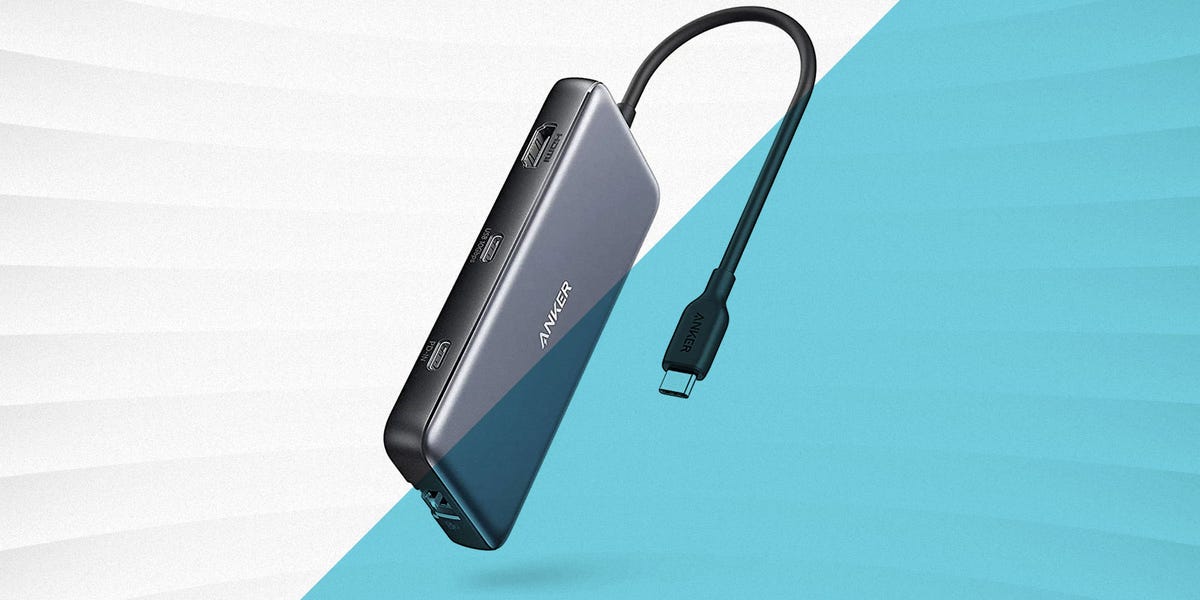
1. Anker 555 USB-C Hub (8-in-1) Best Overall USB-C Hub
The Anker 555 earns the “best overall” title because it balances portability, everyday usefulness, and sensible port selection better than most rivals. This is the hub for people who do not want to overthink the purchase. It offers the kind of layout most users actually need: USB-A for legacy accessories, USB-C for modern gear, card readers for cameras, Ethernet for stable networking, and pass-through charging for a cleaner setup.
What makes it especially appealing is that it does not feel like a niche product. It works as a practical adapter for office use, travel, and hybrid work without becoming bulky or overly complicated. Anker also gives it a strong portability angle, so it fits easily into a bag instead of turning your backpack into a mobile scrapyard of adapters.
Best for: most users who want one reliable hub that covers work, travel, and home use.
2. UGREEN Revodok Pro 109 (9-in-1) Best Value for 4K60 and Fast Data
If value matters, the UGREEN Revodok Pro 109 is one of the smartest buys in the category. It brings together the features people actually shop for in 2024: 10Gbps data ports, HDMI output capable of 4K at 60Hz, Gigabit Ethernet, SD and microSD support, and 100W pass-through charging. That is a very convincing list for anyone building a serious setup without jumping straight into premium dock pricing.
This hub feels especially well matched to remote workers, students, and light creators who want a “do most things well” adapter. It handles the practical stuff that cheaper hubs often compromise on, especially smoother display output and stronger connectivity. If you want a hub that looks current rather than dated, this one hits the 2024 sweet spot nicely.
Best for: buyers who want strong specs without paying for a full desktop dock.
3. Satechi Pro Hub Max Best USB-C Hub for MacBook Pro Users
The Satechi Pro Hub Max is a more specialized pick, but for the right MacBook user it is a beauty. Designed to sit flush with compatible MacBook Pro models, it creates a cleaner, more integrated look than a dangling dongle. If cable clutter makes you itchy, this design is genuinely satisfying.
Functionally, it is more than just a pretty face. The Pro Hub Max adds HDMI, Ethernet, USB-A, card readers, audio, and a full-function USB4 port that supports high-speed data, high-resolution video, and charging. That makes it particularly attractive for Apple users who want a compact desk companion rather than a generic adapter swinging from a short cable.
The only caution is compatibility. This is not the most universal choice because it was clearly built with specific MacBook layouts in mind. But if your machine matches, the result is sleek, fast, and wonderfully intentional.
Best for: MacBook Pro owners who want a refined, flush-fit expansion hub.
4. Belkin 11-in-1 Multiport USB-C Dock Best for a Desktop Workstation
The Belkin 11-in-1 Multiport Dock is what you buy when “just a few extra ports” quietly became “I think I have built a command center.” It offers a fuller workstation experience than a simple travel dongle, and that makes it ideal for people who regularly connect monitors, wired networking, storage, memory cards, and accessories from one central point.
One of its smarter design touches is that it doubles as a stand, which helps save desk space while keeping the overall setup neater. That makes it feel more considered than many hubs that simply dump cables in every direction like they are trying to recreate a bowl of spaghetti.
This is a great choice if your laptop acts as both a portable machine and a semi-permanent office computer. It has more of a docking-station personality than a minimalist adapter personality, and that is exactly its advantage.
Best for: hybrid workers and desk-based users who want a fuller workstation hub.
5. OWC USB-C Travel Dock E Best USB-C Hub for Travel
Travel hubs need to do two things well: stay useful and stay compact. The OWC USB-C Travel Dock E understands that assignment. It focuses on a smaller group of essential ports rather than trying to be everything to everyone, which is honestly a strength when you are working from airports, classrooms, hotels, or shared spaces.
It offers the fundamentals that matter on the move: HDMI, USB-A, Ethernet, SD card support, and power pass-through. Better yet, it can run from bus power when needed, which makes it more flexible in environments where outlets are scarce or inconvenient. That is the kind of real-world practicality frequent travelers appreciate.
This is not the flashy option, and it is not trying to be. It is the adapter equivalent of a dependable carry-on bag: organized, compact, and surprisingly calming when your day is already chaotic.
Best for: travelers, presenters, consultants, and anyone who works from unpredictable locations.
6. Plugable USB-C 9-in-1 Hub (USBC-9IN1E) Best for High-Wattage Laptops
Most hubs top out around the 100W range, which is perfectly fine for many machines. But if you use a larger laptop that likes to drink power like it is preparing for hibernation, the Plugable USBC-9IN1E becomes much more interesting. This model supports 140W USB-C input and can deliver up to 125W to the host with the right PD 3.1 charger and compatible hardware.
That alone makes it stand out, but it does not stop there. You also get a modern port mix, 4K60 display support, and the kind of versatility that makes it a strong pick for demanding users. If you regularly work with a 16-inch notebook, heavier multitasking loads, or a setup that drains power fast, this hub offers more breathing room than typical adapters.
It is the overachiever of the group, and for once that is not annoying.
Best for: power users, larger laptops, and anyone who wants more charging headroom.
7. Anker 565 USB-C Hub (11-in-1) Best for Maximum Port Variety
The Anker 565 is for people who read a spec list and think, “Yes, keep going.” With 11 ports, it covers a lot of ground: multiple display outputs, USB connectivity, Ethernet, audio, and card readers. It feels like the right pick for users who are tired of choosing between “enough ports” and “too many compromises.”
Its biggest strength is variety. If your desk includes storage drives, an external display, networking, older USB accessories, and maybe a headset too, the 565 gives you the flexibility to connect almost everything without juggling extra adapters. That said, Mac users should pay close attention to how dual-monitor behavior works, because mirrored versus extended display behavior can differ by platform.
This is not the smallest hub on the list, but when port variety is the priority, that trade-off makes sense.
Best for: users with many accessories and a strong need for one-hub convenience.
8. HyperDrive Next 10 Port USB-C Hub Best for Creators and Media Workflows
The HyperDrive Next 10 Port USB-C Hub feels aimed directly at creators, editors, and photographers who move data constantly. Its big selling points are strong transfer speeds, fast card-reader performance, 4K60 monitor support, Gigabit Ethernet, audio, and PD 3.1 pass-through support at a higher tier than many mainstream hubs.
For creative workflows, details matter. Fast SD and microSD performance is not just a bullet point; it can save real time when you are importing footage, offloading shoots, or moving large image sets. Add the creator-friendly port mix, and this becomes a compelling option for anyone who treats their laptop like a mobile studio instead of a glorified email machine.
If your workday includes cameras, external drives, and media cards, this hub deserves a serious look.
Best for: photographers, video editors, and creators who care about fast media transfers.
Which USB-C Hub Should You Actually Buy?
If you want the safest all-around recommendation, go with the Anker 555. It is balanced, travel-friendly, and practical for the widest number of users. If you care most about value and want a more modern feature mix, the UGREEN Revodok Pro 109 is a strong pick. If you use a compatible MacBook Pro and want the cleanest design, the Satechi Pro Hub Max is hard to beat.
For a desk-bound setup, the Belkin 11-in-1 offers a more dock-like experience. If you travel often, the OWC Travel Dock E is the smart minimalist option. If you use a power-hungry laptop, the Plugable USBC-9IN1E offers unusually generous charging potential. If your life is basically a tangle of devices and cables, the Anker 565 helps restore order. And if you work with photos and video, the HyperDrive Next 10 Port makes the most sense.
The best USB-C hub is not necessarily the one with the most ports. It is the one that fits your workflow with the fewest annoying compromises. Buy for how you actually work, not for a fantasy version of yourself who definitely color-grades 8K video in a mountain cabin every weekend.
Experience: What It’s Really Like Living With a USB-C Hub Every Day
Here is the part most spec sheets never tell you: a USB-C hub changes your daily routine more than you expect. At first, it feels like a small accessory purchase. Then one day you unplug a single cable and leave your desk in two seconds flat, and suddenly you realize you have become emotionally attached to a tiny slab of aluminum and plastic. That is normal. Slightly ridiculous, but normal.
In everyday use, the biggest upgrade is not raw speed. It is friction reduction. You stop crawling behind your monitor to find ports. You stop choosing between charging your laptop and connecting storage. You stop keeping three different adapters in three different bags like a person preparing for a minor electronics apocalypse. A good USB-C hub turns setup time into a non-event, and that convenience adds up fast.
For remote workers, the experience is especially noticeable. At a home desk, a hub makes it easy to connect a monitor, keyboard, mouse, Ethernet, speakers, and a charger through one point of contact. When it works well, your laptop goes from “portable device” to “full workstation” in seconds. That feels great at 8:55 a.m. when your first meeting starts at 9:00 and your coffee is still making unrealistic promises.
Travel is where compact hubs really earn their keep. In hotel rooms and client offices, you may need HDMI for a presentation, USB-A for a flash drive, and pass-through charging because the nearest outlet is somehow both too far away and already occupied. A travel-friendly hub turns those awkward moments into simple plug-and-play fixes. It is not glamorous, but neither is explaining to a room full of people why your laptop can do amazing things except connect to the projector.
Creators feel the difference even more. Importing memory cards, attaching drives, previewing on an external display, and powering a laptop from one adapter can make editing sessions smoother and less chaotic. A hub with faster card-reader speeds or 10Gbps ports may not sound exciting in abstract terms, but it feels exciting when it saves real minutes on repetitive tasks. Time is money, and also sometimes dinner.
There are, of course, a few realities to keep in mind. Some hubs run warm under heavier loads. Some laptops have USB-C ports that look identical but behave very differently. Some multi-monitor setups work beautifully on Windows but get weird on certain Macs. And some cheap hubs are technically functional in the same way an umbrella with holes is technically fabric. That is why buying from tested, reputable brands matters more than chasing the lowest price.
After enough real-world use, most people land on the same conclusion: the best USB-C hub is not a luxury accessory. It is infrastructure. It makes modern laptops feel more complete, more flexible, and less annoyingly minimalist. Once you find the right one, you stop thinking about ports altogether, which might be the highest compliment any adapter can get.
Conclusion
The best USB-C hubs of 2024 are not just about adding more ports. They are about making modern devices more usable. Whether you need a compact travel adapter, a creator-friendly media hub, or a desktop-ready multiport dock, there is a strong option on this list. Choose based on your real workflow, prioritize the ports you will actually use, and do not overlook charging and display support. The right USB-C adapter can quietly become one of the most useful tools in your setup.