You ordered something online, got the tracking number, opened the tracking page with the excitement of a detective cracking a case, and there it was: “Awaiting Carrier Pickup.” Not exactly thrilling. Not exactly comforting. And definitely not as satisfying as “Out for Delivery.”
So, what does “Awaiting Carrier Pickup” mean? In simple terms, it usually means the seller, warehouse, or fulfillment center has prepared your package and created a shipping label, but the shipping carrier has not yet physically picked it up or scanned it into its delivery network. Your order is no longer just an idea floating around in a shopping cart, but it may not be fully moving yet either. It is in that awkward middle school dance phase of shipping: dressed up, ready to go, waiting for someone to make the first move.
This status is common with USPS, UPS, FedEx, Amazon Shipping, regional carriers, and ecommerce platforms that use third-party fulfillment tools. Most of the time, it is normal and clears within a short period. Sometimes, however, it can signal a delay, a missed scan, a warehouse backlog, or a package that has not actually left the seller’s hands.
What Does “Awaiting Carrier Pickup” Mean?
“Awaiting Carrier Pickup” means the package is prepared for shipment but has not yet been confirmed as received by the carrier. In many cases, the seller has packed the item, purchased postage, generated a tracking number, and placed the parcel in a pickup area. The next step is for the carrier to collect it and scan it.
Think of it like ordering takeout. The restaurant has cooked your food, boxed it, and printed the receipt. But the delivery driver has not arrived yet. Your fries exist. Your burger is real. But it is not on the road.
In shipping language, this status often overlaps with phrases like:
- Shipping label created
- Pre-shipment
- USPS awaiting item
- Label created, not yet in system
- Shipment information sent to FedEx
- Tracking info received
- Pending pickup
- Ready for carrier pickup
Although the wording varies by carrier and ecommerce platform, the basic idea is the same: the shipping process has started on the seller’s side, but the carrier’s system has not yet confirmed physical possession of the package.
Why Does a Package Say “Awaiting Carrier Pickup”?
There are several reasons your tracking page may show this status. Some are completely normal. Others deserve a little more attention.
1. The Shipping Label Was Created Before the Package Was Picked Up
This is the most common reason. Online sellers often print labels in batches. A warehouse may generate hundreds or thousands of labels before the carrier arrives for the day. Once the label is created, the tracking number becomes active, and you may receive a “your order has shipped” email even though the box is still sitting in the warehouse.
This can feel misleading, but it is standard ecommerce practice. “Shipped” often means “label created and handed to fulfillment,” not necessarily “rolling down the highway while dramatic music plays.”
2. The Carrier Has Not Scanned the Package Yet
A package can be picked up but still appear as “awaiting carrier pickup” if it misses the first scan. This happens more often than people think. Carriers scan parcels at different points: pickup, sorting facility, transfer hub, local delivery station, and final delivery. If the first scan is skipped, tracking may look frozen even though the package is moving.
This is why a package can sometimes go from “awaiting pickup” straight to “in transit,” “arrived at facility,” or even “out for delivery.” Tracking is helpful, but it is not a live GPS feed attached to your socks, phone case, coffee grinder, or whatever delightful thing you bought at 1:13 a.m.
3. The Seller Has Packed the Order but Missed the Pickup Window
Carrier pickups usually happen during scheduled windows. If the warehouse finishes processing your order after the carrier has already come and gone, the package may wait until the next business day. This is common late in the afternoon, during weekends, before holidays, and during big shopping events like Black Friday, Cyber Monday, Prime-style sales, and end-of-season clearance events.
4. The Package Is Waiting at a Fulfillment Center
Many online stores do not ship directly from a small back room. They use fulfillment centers, dropshipping partners, third-party logistics providers, or marketplace warehouses. In these systems, an order can pass through multiple internal steps before the carrier gets it.
For example, your order may be picked from inventory, packed, labeled, sorted into a carrier bin, moved to a loading dock, and then collected by USPS, UPS, FedEx, or another carrier. “Awaiting Carrier Pickup” usually appears near the end of that internal process.
5. There Is a Warehouse or Carrier Backlog
High order volume can slow down pickup and scanning. During peak seasons, a warehouse may process labels faster than carriers can collect and scan packages. Weather, staffing shortages, local disruptions, road closures, and regional shipping congestion can also stretch the timeline.
In these cases, the package may not be lost. It may simply be in a line with many other boxes, all hoping to become somebody’s “delivered” notification soon.
Is “Awaiting Carrier Pickup” the Same as “Shipped”?
Not exactly. This is where many shoppers get confused.
From the seller’s point of view, an order may be considered shipped once the label is created and the package is packed. From the carrier’s point of view, the package is not truly in the shipping network until it is picked up or scanned. From the customer’s point of view, “shipped” usually means “please tell me this thing is moving.”
So, “awaiting carrier pickup” is best understood as early-stage shipping. The order has moved beyond processing, but it has not yet received a carrier acceptance scan.
How Long Does “Awaiting Carrier Pickup” Usually Take?
In normal conditions, “awaiting carrier pickup” may last anywhere from a few hours to one or two business days. For many domestic U.S. shipments, tracking updates once the carrier collects the package or scans it at the first facility.
However, it can take longer in some situations:
- Weekends: A Friday evening label may not update until Monday.
- Holidays: Carriers and warehouses often experience heavier volume and fewer operating hours.
- Small sellers: Some sellers print labels before they physically drop packages off.
- Bulk pickups: Packages collected in large batches may not receive individual scans immediately.
- Missed scans: The package may be moving even though tracking has not updated.
- Weather or local disruptions: Storms and transportation delays can slow first scans.
As a practical rule, if your tracking has been stuck on “awaiting carrier pickup” for less than 48 hours, it is usually not time to panic. If it has been three to five business days with no update, it is reasonable to contact the seller or store.
What Should You Do If Tracking Is Stuck?
First, take a breath. Refreshing the tracking page every seven minutes is emotionally understandable but rarely effective. The tracking system does not move faster because you glare at it. I have tested this scientifically with many packages and several snacks.
Step 1: Check the Date and Time the Label Was Created
Look at when the tracking number first appeared. If the label was created late in the day, after business hours, or before a weekend, the delay may be normal.
Step 2: Track Directly on the Carrier’s Website
Marketplace tracking pages can lag behind the carrier’s own system. If you ordered from an online store, marketplace, or app, copy the tracking number and check it directly with USPS, UPS, FedEx, DHL, Amazon Shipping, or the listed carrier. Sometimes the carrier page has newer information.
Step 3: Review the Seller’s Handling Time
Some sellers clearly state that they need one to three business days to process orders before carrier pickup. Custom items, handmade goods, print-on-demand products, personalized gifts, and small-shop orders may take longer than mass-warehouse items.
Step 4: Wait at Least One to Two Business Days
If the status is new, give it a little time. Many packages update after the first major scan, not necessarily at the exact pickup moment.
Step 5: Contact the Seller If It Does Not Move
If the status remains unchanged for several business days, contact the seller politely and ask whether the package has been handed to the carrier. A good message might be:
“Hi, my order tracking has shown ‘Awaiting Carrier Pickup’ for several business days. Could you please confirm whether the package has been picked up by the carrier or if there is a delay?”
This keeps the tone friendly while asking the right question. You are not accusing anyone of shipping your package via carrier pigeon. You are simply requesting confirmation.
Does “Awaiting Carrier Pickup” Mean the Package Is Lost?
Usually, no. Most packages that show this status are not lost. They are waiting for pickup, waiting for a scan, or sitting in a fulfillment queue. But if the status does not change for several business days, the possibilities widen.
The package may still be at the seller’s location. It may have been picked up but not scanned. It may be delayed at a warehouse. In rare cases, it may have been misplaced before entering the carrier network.
The important detail is this: before the carrier scans the package, the carrier may not have much useful information. If USPS, UPS, or FedEx says it has not received the package, your best first contact is usually the seller, not the carrier.
Carrier-Specific Examples
USPS
With USPS, similar statuses include “Shipping Label Created, USPS Awaiting Item” and “Pre-Shipment, USPS Awaiting Item.” This means the label exists, but USPS has not yet received or processed the package. Once USPS has the item, the status may change to something like “USPS in Possession of Item,” “Accepted,” or “In Transit.”
UPS
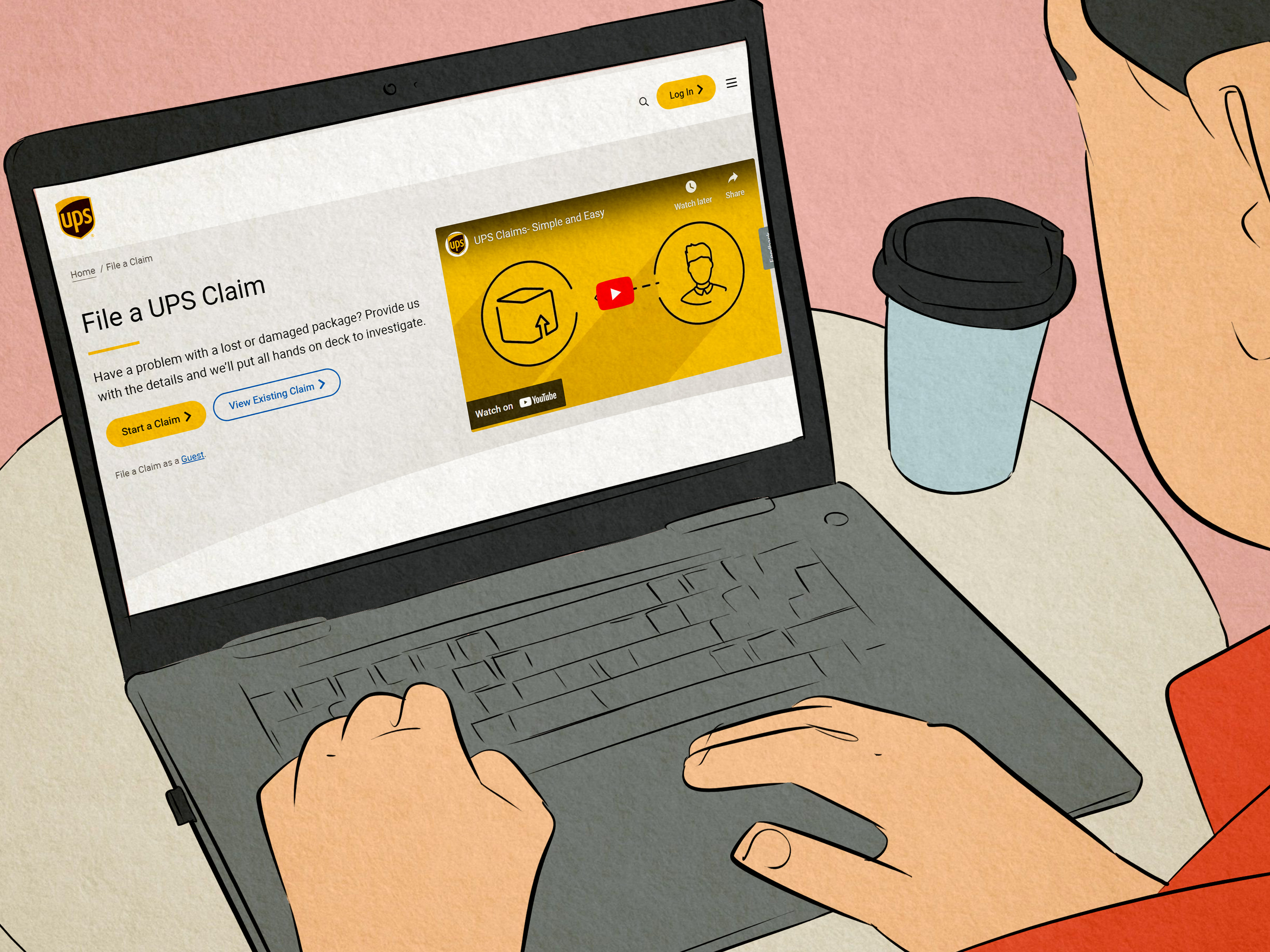
UPS commonly uses “Label Created.” This means UPS has received shipment details and billing information from the sender, but the package has not yet been scanned into the UPS network. When UPS receives and processes the parcel, tracking changes to show movement.
FedEx
FedEx may show “Shipment information sent to FedEx.” This generally means the shipper has created the shipment record, but FedEx has not yet picked up or scanned the package. After pickup, FedEx tracking will usually show that the package is on the way or has arrived at a FedEx location.
Amazon and Marketplace Orders
Amazon, eBay, Etsy, Walmart Marketplace, Shopify stores, and other ecommerce platforms may display their own versions of pickup-related statuses. Sometimes the marketplace marks an order as shipped when the seller buys the label. The carrier scan may come later, especially for third-party sellers.
Common Myths About “Awaiting Carrier Pickup”
Myth 1: The Seller Definitely Lied About Shipping
Not necessarily. A seller can create a label and prepare the package before the carrier physically takes it. That said, if tracking stays stuck for too long, it is fair to ask for clarification.
Myth 2: The Carrier Has the Package but Refuses to Update Tracking
Sometimes the carrier may have the package without an immediate scan, but in many cases the carrier has not received it yet. Tracking language matters. If the carrier says it is awaiting the item, the package may still be with the shipper.
Myth 3: The Delivery Estimate Is Guaranteed
Delivery estimates often depend on when the carrier actually receives the package. If pickup is delayed, the delivery date may shift. A two-day shipping service usually means two transit days after carrier acceptance, not two days after you placed the order while wearing pajamas.
Myth 4: No Scan Means No Movement
A missed scan can make tracking look inactive while the package is traveling. This is especially common when packages move through busy sorting facilities or are accepted in bulk.
What Sellers Can Do to Avoid Customer Confusion
If you run an ecommerce store, “awaiting carrier pickup” can create customer anxiety. Clear communication helps. Sellers should avoid marking orders as shipped too early, especially if the package will not be handed to the carrier until the next day.
Good fulfillment habits include printing labels close to the actual ship time, scheduling reliable pickups, getting acceptance scans when possible, using scan forms for batch shipments, and setting realistic handling times. During peak seasons, sellers should update shipping notices so customers know that tracking may take longer to activate.
A simple message such as “Your label has been created and your package is scheduled for carrier pickup” is more accurate than “Your package is on its way” when it has not yet entered the carrier network.
When Should You Contact Customer Support?
You should contact the seller or store if:
- The tracking has shown “awaiting carrier pickup” for more than three business days.
- The delivery estimate has passed and there is still no carrier scan.
- The seller claimed the item shipped, but the carrier says it has not received the package.
- The order is expensive, time-sensitive, or needed for an event.
- You suspect the address, shipping method, or order details may be wrong.
When contacting support, include your order number, tracking number, order date, and a screenshot of the current tracking status if possible. Ask whether the package has physically left the warehouse. That one question cuts through a lot of vague “it shipped” language.
How to Prevent Stress Next Time
You cannot control every scan, but you can shop smarter. Read the seller’s processing time before ordering. Choose faster shipping only when you understand whether it includes handling time. For urgent purchases, buy from sellers that clearly state same-day or next-day fulfillment. If the item is handmade, customized, imported, or sold by a third-party seller, build in extra time.
Also, remember that tracking updates are not always instant. A quiet tracking page does not automatically mean disaster. Sometimes it just means your package is traveling through the invisible backstage area of modern logistics, where boxes go to become adults.
Real-Life Experiences With “Awaiting Carrier Pickup”
Anyone who shops online long enough eventually meets the mysterious “Awaiting Carrier Pickup” status. It usually arrives right after the seller sends an exciting email that says, “Good news, your order has shipped!” Naturally, you click the tracking link expecting movement, maybe even a little map. Instead, the page says the package is waiting for pickup. This is the shipping equivalent of hearing your ride is “almost there” while the car has not left the driveway.
One common experience involves weekend orders. Suppose you order a pair of shoes on Friday afternoon. The store prints the label Friday evening, and you receive a tracking number immediately. By Saturday morning, tracking says “Awaiting Carrier Pickup.” Nothing changes Sunday. By Monday afternoon, the carrier finally scans the package, and suddenly it is moving normally. In this case, nothing was wrong. The label was simply created after the pickup window, and the weekend stretched the waiting period.
Another familiar situation happens with small businesses. A handmade candle shop, for example, may print labels at home, pack orders at night, and drop them off the next day. The customer sees tracking early, but the package is not in the carrier system yet. This does not mean the seller is dishonest. It often means the seller is doing everything manually, possibly while also answering messages, restocking jars, and wondering why the printer chose violence today.
There are also cases where the carrier picks up the package but the first scan is missed. This can be confusing because the seller may honestly say, “We handed it to the carrier,” while tracking still says otherwise. Then, two days later, the first update appears from a sorting facility several states away. The package was moving; the tracking page was just being dramatic and unhelpful.
During holiday seasons, “awaiting carrier pickup” can last longer because warehouses are dealing with huge order volume. A fulfillment center might create thousands of labels in one day, but not every package gets scanned immediately. Carriers may collect large containers of parcels that are scanned later at regional hubs. This is why tracking can look stuck and then suddenly jump forward.
From a customer’s perspective, the best approach is patience mixed with smart follow-up. For the first day or two, waiting is usually reasonable. After several business days, contacting the seller is the right move. The key is to ask for confirmation of physical handoff, not just whether a label was created. A seller who can provide a drop-off receipt, pickup confirmation, or internal fulfillment note gives you much more confidence.
From a seller’s perspective, the lesson is simple: customers do not hate waiting nearly as much as they hate uncertainty. If the order is packed but not picked up yet, say that clearly. If tracking may take 24 to 48 hours to update, mention it in the shipping email. A tiny bit of transparency can prevent a flood of “Where is my package?” messages.
The bottom line from real-world experience is that “Awaiting Carrier Pickup” is usually a temporary status, not a disaster. It means your order is close to entering the delivery stream, but the carrier has not confirmed it yet. Most packages move forward without trouble. And when they do, the tracking page finally becomes less mysterious and more usefulwhich is all any online shopper really wants, besides free shipping and the emotional strength not to order another thing while waiting.
Conclusion
“Awaiting Carrier Pickup” means your package is prepared for shipment, but the carrier has not yet confirmed pickup or scanned it into the delivery network. In most cases, this status is normal and updates within one or two business days. It can appear because a label was created early, the pickup window was missed, the first scan was skipped, or the warehouse is handling a large shipping volume.
If the status has only been there for a short time, the best move is to wait and check the carrier’s official tracking page. If it remains unchanged for several business days, contact the seller and ask whether the package has physically been handed to the carrier. Clear communication, realistic expectations, and a little patience can turn shipping confusion into a much less stressful experience.
Note: This article is written in original standard American English for web publishing and is based on current shipping, carrier-tracking, and ecommerce fulfillment practices.