Canceling an Uber ride should be simple: tap a button, breathe deeply, and continue living your life without needing a small courtroom drama over a few dollars. But if you have ever canceled a ride five seconds too late, watched the driver circle the wrong block like a confused hawk, or noticed a mysterious “pending” charge on your card, you know the process can feel less like transportation and more like a pop quiz.
The good news: you can often cancel an Uber ride without a charge if you act quickly, understand the cancellation window, and use the app’s built-in options the right way. The less-good-but-still-manageable news: Uber cancellation fees vary by city, ride type, timing, and whether the driver has already spent time traveling toward your pickup location. In other words, the app is the final referee, whistle and all.
This guide explains how to cancel an Uber ride or request, how to avoid a cancellation fee, what to do if the driver is late or not moving, how Uber Reserve works, and how to dispute a fee if you believe you were charged by mistake. Let’s save your ride budget from unnecessary little nibble fees.
Quick Answer: How to Cancel an Uber Ride Without a Charge
To cancel an Uber ride without a charge, cancel as soon as possible after requesting the trip, ideally before a driver is matched or within the free cancellation window shown in your app. If the app displays a warning that a fee may apply, read it carefully before confirming. For many standard ride types, Uber may charge a fee after you have been matched for a certain amount of time. UberX Share and Reserve trips may have different rules.
You usually have the best chance of avoiding a fee when:
- You cancel before a driver accepts the request.
- You cancel quickly after being matched.
- The driver is significantly late compared with the original ETA.
- The driver is not making sufficient progress toward your pickup location.
- You cancel an Uber Reserve ride more than one hour before the scheduled start time.
- You dispute an incorrect fee through the Help section and Uber agrees it was applied in error.
The golden rule is simple: if your plans change, cancel quickly. Uber cancellation fees are like toast in a toaster: the longer you wait, the more likely things get crispy.
What Is an Uber Cancellation Fee?
An Uber cancellation fee is a charge that may apply when a rider cancels after being matched with a driver, or when a driver cancels because the rider did not show up after the allowed waiting time at the pickup location. Uber says these fees help compensate drivers for the time, distance, and effort spent heading to the rider.
The exact cancellation fee can vary. It may depend on your city, the ride option, demand, how far the driver traveled, how long the driver waited, and the policy shown in your app at the time. That is why two people in two different cities can cancel similar rides and see different results. Annoying? Slightly. Normal? Also yes.
How to Cancel an Uber Ride Before a Driver Is Matched
This is the easiest and safest time to cancel. If Uber is still “finding your ride,” there is usually no driver yet spending time or fuel to reach you.
Steps to cancel before matching
- Open the Uber app.
- Look for the ride request screen that says Uber is finding your ride.
- Tap the bar at the bottom of the screen.
- Select Cancel.
- Confirm that you want to cancel.
If you cancel at this stage, you generally avoid a cancellation fee because no driver has accepted the trip yet. This is the cleanest exit: no fee, no awkward driver message, no “Are you still coming?” energy.
How to Cancel an Uber Ride After You Are Matched With a Driver
Once a driver accepts, the ride has moved into a more sensitive zone. The driver may already be driving toward you, dealing with traffic, burning gas, and silently judging that pickup pin you placed inside a fountain.
Steps to cancel after matching
- Open the Uber app and go to your active ride screen.
- Tap the ride details area or the three-dot menu, depending on your app version.
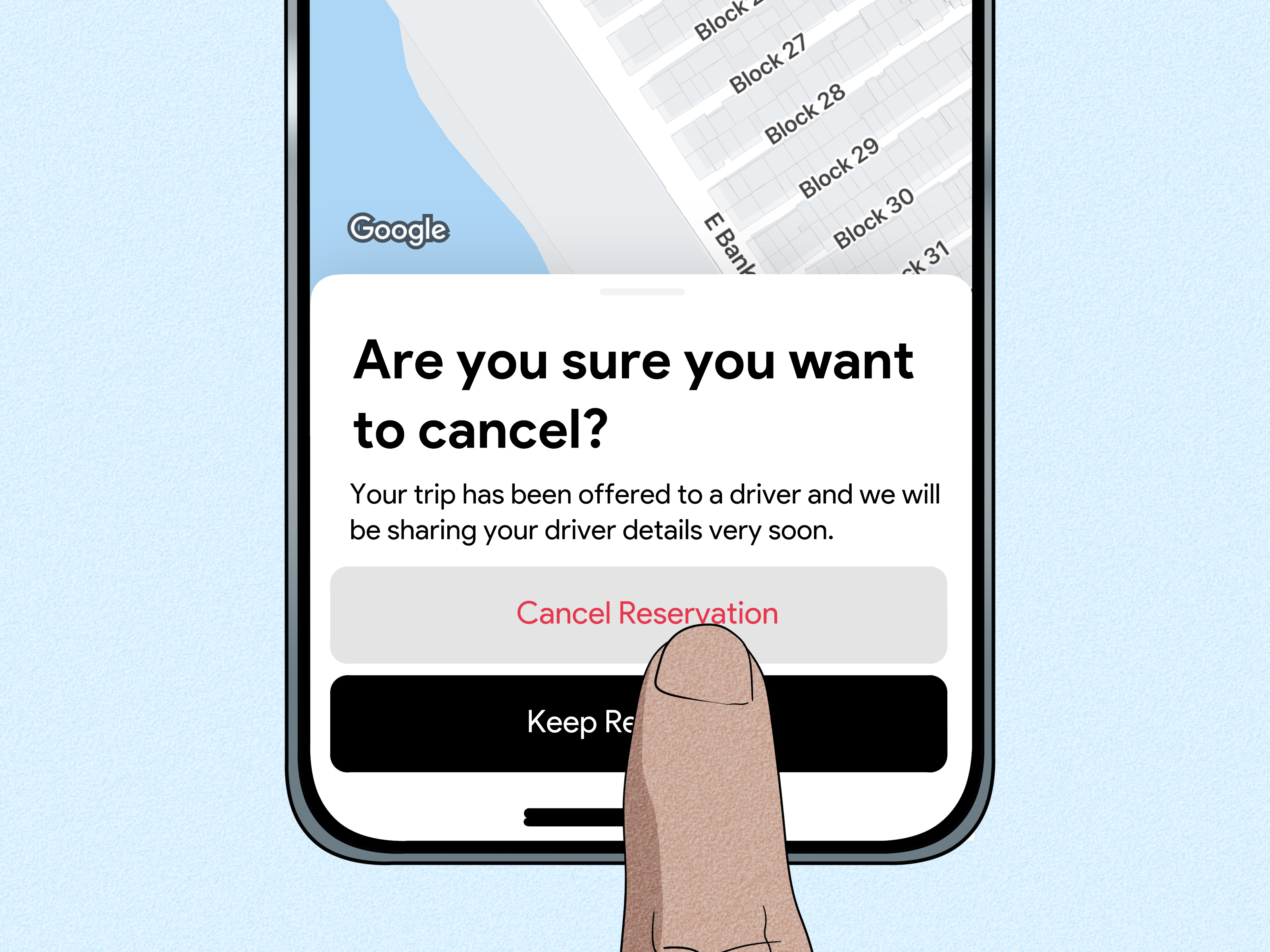
- Select Cancel ride.
- Choose a reason if the app asks for one.
- Review any fee warning carefully.
- Tap the final confirmation only if you still want to cancel.
If the app warns that a cancellation fee applies, do not tap through automatically. That warning is your tiny financial stop sign. If the driver is late, not moving, or going away from your pickup location, the fee may be waived depending on what Uber detects. But if the app says a fee applies and you confirm anyway, you may need to request a review afterward.
When Can You Cancel an Uber Without a Fee?
Uber’s cancellation policy is not identical for every ride type or city, but the major fee-free situations are fairly consistent.
1. Cancel before a driver accepts
This is the safest option. If you accidentally selected the wrong destination, chose the wrong pickup location, or realized your friend Dave is still “almost ready” while wearing one sock, cancel immediately before a driver accepts.
2. Cancel during the free cancellation window
After a driver accepts, Uber usually gives riders a short window to cancel without a charge. The exact time can vary by ride type, location, and current app policy. Some Uber Help pages describe different windows for standard rides, shared rides, and premium products. Because the rules may change and can be location-specific, always trust the fee notice shown in your own app.
3. The driver is late
If the driver is expected to arrive significantly later than the original ETA, Uber may waive the cancellation fee. This matters because riders should not be penalized when the pickup time stretches far beyond what was promised. If your “4 minutes away” driver becomes “still 4 minutes away” for 14 minutes, the app may recognize that something is off.
4. The driver is not making progress
If the driver is sitting still, moving away from you, or not making sufficient progress toward the pickup location, Uber may allow cancellation without a fee. Before canceling, take a moment to check the map. If the car has not moved for several minutes, you may have a stronger reason to dispute any fee that appears.
5. The driver is dropping off another rider
Sometimes Uber assigns a driver who is finishing a previous trip. In that case, Uber may treat the cancellation differently because the driver was not yet fully on the way to you. Again, the app’s fee warning is the practical guide.
6. You cancel Uber Reserve early enough
Uber Reserve has its own rules. In many cases, you can cancel an Uber Reserve request at no charge up to one hour before the scheduled ride start time. If you cancel within one hour, a fee may apply. Reserve cancellation fees can be higher than regular on-demand cancellation fees, so do not treat a reserved airport ride like a casual “maybe I’ll go, maybe I’ll become a couch” situation.
How to Cancel an Uber Reserve Ride
Uber Reserve lets you book a ride in advance, which is useful for airport trips, early meetings, medical appointments, and any event where “I hope a car appears” is not a strong transportation plan.
Steps to cancel Uber Reserve
- Open the Uber app.
- Tap Reserve or go to your upcoming trips.
- Select the scheduled ride you want to cancel.
- Tap Cancel ride or the cancellation option shown.
- Confirm only after checking whether a cancellation fee applies.
For best results, cancel more than one hour before the scheduled pickup time. If your plans are uncertain, do not wait until the final stretch. Uber Reserve is convenient, but it is not a magic appointment fairy. Drivers may plan around those trips, and cancellation fees are designed to reflect that.
How to Avoid Uber Cancellation Fees: Practical Tips
Check your pickup pin before requesting
A huge number of cancellation problems begin with a bad pickup pin. The app may think you are outside the front door when you are actually across the street, behind a hotel, inside a mall, or standing at the wrong airport terminal with the confidence of a person who has not read the signs.
Before requesting, zoom in on the map. Make sure the pin is on the correct side of the street and at a legal pickup spot. At airports, stadiums, hospitals, and shopping centers, follow Uber’s designated pickup zones.
Do not request until you are ready
Requesting a ride while you are still packing, paying the restaurant bill, searching for your keys, or arguing with a jacket is risky. Drivers can arrive faster than expected. If they wait too long and cancel because you are not there, a no-show fee may apply.
Read the cancellation warning
Uber usually tells you when a cancellation fee may apply before you confirm the cancellation. Read that warning. It exists for exactly this moment. Treat it like a raccoon near your trash can: not automatically dangerous, but definitely worth paying attention to.
Message the driver if the pickup point is confusing
If you are at a large building, hotel, concert venue, or apartment complex, send a short message: “I’m at the north entrance near the blue sign.” Keep it simple. Drivers do not need your life story, just the pickup clue that prevents both of you from becoming dots on a map having a disagreement.
Use “Edit pickup” when possible
If the pickup pin is slightly wrong, editing the pickup location may be better than canceling and rebooking. But use this carefully. If the driver is already close, changing the pickup spot could create confusion. If the pickup location is completely wrong, canceling quickly may still be better.
Watch the driver’s movement
If the driver is moving steadily toward you, canceling late is more likely to trigger a fee. If the driver is not moving, moving away, or becoming a mysterious stationary dot, wait a moment and see whether Uber’s app recognizes the lack of progress. If you are charged after canceling in that situation, request a review.
Avoid repeated cancellations
Canceling once is normal. Canceling repeatedly in a short period can create problems, including temporary restrictions or delays in requesting another ride. Even if it does not affect your rider rating, it can make your next request less smooth. Use cancellation like hot sauce: helpful, but not something to pour on everything.
What If the Driver Asks You to Cancel?
Sometimes a driver may message and ask you to cancel. Maybe they accepted by mistake, cannot reach you, dislike the route, or are dealing with car trouble. If you cancel after the free window, you may be charged. That is why you should be careful.
If the driver cannot complete the trip, it is usually better for the driver to cancel from their side. If they ask you to cancel and the app shows a fee, you can reply politely: “The app says I may be charged. Please cancel from your side if you cannot take the trip.” Keep the conversation inside the Uber app so there is a record if you later need support.
Do not accept off-app ride offers. Paying a driver directly outside the app can remove important safety, payment, insurance, and support protections. The small discount is not worth turning your ride into a handshake agreement with seatbelts.
What If You Were Charged a Cancellation Fee by Mistake?
If you believe the fee was wrong, use Uber’s Help section to dispute it. Do not panic, and do not write a 900-word emotional novel in the support box. Be clear, factual, and specific.
Steps to dispute an Uber cancellation fee
- Open the Uber app.
- Tap Account or your profile icon.
- Select Help.
- Choose Trip Issues and Refunds.
- Select the canceled trip.
- Choose the option to review or dispute the cancellation fee.
- Select the reason that best matches the problem.
- Submit your request.
Good reasons may include: the driver was not moving, the driver was late, the driver asked you to cancel, the pickup location was wrong due to app behavior, the driver canceled incorrectly, or you were charged even though you did not take the trip.
Pending Charge vs. Actual Cancellation Fee
One of the most confusing parts of canceling Uber is seeing a pending charge on your bank account afterward. In many cases, this is not a final cancellation fee. It may be an authorization hold.
An authorization hold is a temporary pending amount used to confirm that your payment method is valid. If the trip is canceled or the final fare is different, the hold should fall off after your bank processes it. Some banks remove pending holds quickly; others move with the speed of a sleepy turtle wearing ankle weights.
To check whether you were actually charged, look at the trip receipt in the Uber app. If the canceled trip shows a fare of $0, the amount on your bank account may simply be pending and not finalized. If your Uber receipt shows a cancellation fee, then it is an actual fee and you can request a review if it seems incorrect.
Specific Examples: When You May or May Not Pay
Example 1: You request UberX and cancel immediately
You request a ride, then realize you typed the wrong destination. You cancel before a driver is matched or right after matching within the free window. Result: you usually avoid a fee.
Example 2: You cancel after the driver has driven toward you
A driver accepts and spends several minutes heading to your pickup location. You decide to walk instead. Result: a cancellation fee may apply because the driver spent time and effort traveling to you.
Example 3: The driver is not moving
The app says the driver is eight minutes away. Ten minutes later, the car has not moved. You cancel and the app charges a fee. Result: dispute the fee and explain that the driver was not making progress.
Example 4: Your Uber Reserve plan changes
You booked a ride for tomorrow morning but your flight changes tonight. You cancel more than one hour before pickup. Result: you are more likely to avoid a Reserve cancellation fee.
Example 5: You are not at the pickup spot
The driver arrives, waits the required time, cannot find you, and cancels. Result: a no-show fee may apply. This is why pickup accuracy matters.
Common Mistakes That Lead to Cancellation Fees
- Canceling too late: The longer you wait after matching, the more likely a fee becomes.
- Ignoring the app warning: If Uber says a fee may apply, believe it.
- Using the wrong pickup location: A bad pin can make you look like a no-show.
- Waiting indoors too long: Be ready before you request.
- Canceling because the driver asked: If the driver cannot take the ride, ask them to cancel.
- Confusing a pending hold with a real charge: Check the Uber receipt before assuming the worst.
Best Strategy: Cancel Fast, Document Clearly, Dispute Calmly
The best way to cancel an Uber ride without a charge is to make decisions quickly. If you selected the wrong ride, cancel immediately. If the driver is late or not moving, watch the map and take a screenshot if needed. If you are charged unfairly, use the Help section and explain the issue in plain language.
A strong dispute message might say: “I canceled because the driver had not moved toward my pickup location for several minutes, and the ETA kept increasing. Please review the cancellation fee.” That is much better than: “Your app ruined my morning and my bagel is cold.” Understandable? Yes. Useful? Not as much.
Real-World Experiences: What Riders Learn the Hard Way
Most Uber cancellation lessons happen during ordinary life, not dramatic emergencies. One common experience is the “wrong side of the street” pickup. A rider leaves a busy office building, requests a car, and assumes the app knows exactly where they are. The driver arrives across six lanes of traffic, the rider cannot cross safely, and both people stare at the map as if it personally betrayed them. The rider cancels, gets charged, and then realizes the pickup pin was technically where the driver went. Lesson: zoom in before requesting, especially downtown.
Another common situation happens at airports. A traveler lands, grabs a suitcase, requests Uber too early, and then discovers the rideshare pickup zone is a 12-minute walk, two escalators, and one confusing sign away. The driver arrives, waits, and cancels. The rider feels wronged because they were “at the airport,” but Uber needs a specific pickup zone, not a general airport aura. Lesson: do not request until you are near the actual rideshare pickup area.
There is also the frozen-driver experience. You request a ride, the driver accepts, and the little car icon does not move. Maybe the driver is finishing another task, stuck in traffic, or dealing with app issues. After a few minutes, you cancel because you need to go. If a fee appears, this is exactly when the review process matters. A calm note explaining that the driver did not make progress is more effective than rage-tapping every support option like you are trying to win a carnival game.
Group rides create their own comedy. Four friends order one Uber, then spend seven minutes debating who is sitting in the front, whether anyone needs a bathroom, and why Kyle disappeared to buy gum. Meanwhile, the driver is outside watching the timer. When the driver cancels and a fee appears, nobody wants to be “the cancellation person.” Lesson: gather the group first, request second. Uber is transportation, not a waiting room for social negotiations.
Uber Reserve offers a different lesson: planning ahead is great, but canceling late can be expensive. A rider books a 5:30 a.m. airport ride, then changes flights at midnight and forgets to cancel until 5:00 a.m. That late cancellation may trigger a fee because the driver may have planned around the reservation. Lesson: when your flight, meeting, or appointment changes, update or cancel your Reserve trip immediately.
The final experience is the “driver asked me to cancel” scenario. Riders often cancel to be polite, only to see a fee afterward. A better approach is to keep communication in the app and ask the driver to cancel if they cannot complete the trip. Polite is good. Paying for someone else’s cancellation problem is less good. The ideal rider is courteous, ready, easy to find, and just suspicious enough of fee warnings to read them before tapping.
Conclusion
Canceling an Uber ride without a charge is mostly about timing, attention, and knowing where the fee traps live. Cancel before matching whenever possible. If you are already matched, cancel quickly and read the app’s warning before confirming. For Uber Reserve, cancel more than one hour before the scheduled ride when you can. If the driver is late, not moving, or asks you to cancel, use the Help section to request a review if a fee appears.
The Uber app is built to move fast, but your thumb does not need to be reckless. Check your pickup pin, be ready before you request, and treat cancellation warnings like tiny financial traffic lights. Do that, and you can avoid many unnecessary Uber cancellation charges while keeping your ride plans flexible, your budget intact, and your blood pressure out of surge pricing territory.