Yes, Roku TV is a smart TV. In fact, it is one of the simplest answers in the entire home-theater world, which is refreshing because buying a TV can sometimes feel like studying for a space-agency exam. A Roku TV combines a regular television screen with Roku’s streaming operating system built directly into the set. That means you can connect it to Wi-Fi, download streaming apps, watch free live channels, use search, plug in game consoles, connect an antenna, and control your entertainment from one home screen.
The important difference is this: a Roku streaming stick or Roku box turns a regular TV into a smart TV, while a Roku TV already has Roku built in. No extra dongle hanging out of the HDMI port like a tiny plastic bat. No second remote just to open Netflix. No mystery input labeled “HDMI 2” that somehow becomes the family’s greatest enemy. Roku TV is a smart TV because the software, app store, internet connection, and streaming features live inside the television from the start.
So, if you are asking, “Is Roku TV a smart TV?” the direct answer is yes. But the better question is: what kind of smart TV is it, and is it the right one for you? Let’s unpack it in plain English.
What Is a Roku TV?
A Roku TV is a television that runs on Roku OS, the same general platform used in Roku streaming devices. Instead of buying a separate Roku Streaming Stick or Roku Ultra, the TV manufacturer builds Roku’s interface into the television. When you turn it on, you see a home screen with streaming apps, inputs, live TV options, settings, and search tools.
Roku TVs are available from Roku’s own TV lines as well as partner brands such as TCL, Hisense, Sharp, Philips, Westinghouse, onn., and others. Depending on the model, you can find Roku TVs in compact bedroom-friendly sizes, large living-room sizes, HD resolution, Full HD, 4K, HDR, QLED, and Mini-LED versions. In other words, “Roku TV” describes the smart platform, not just one single television model.
Think of it like this: “Roku TV” is the brain, while the brand and model determine the screen quality, brightness, speakers, gaming features, size, and price. A budget Roku TV and a premium Roku TV may share the same basic operating system, but the viewing experience can be very different.
Why Roku TV Counts as a Smart TV
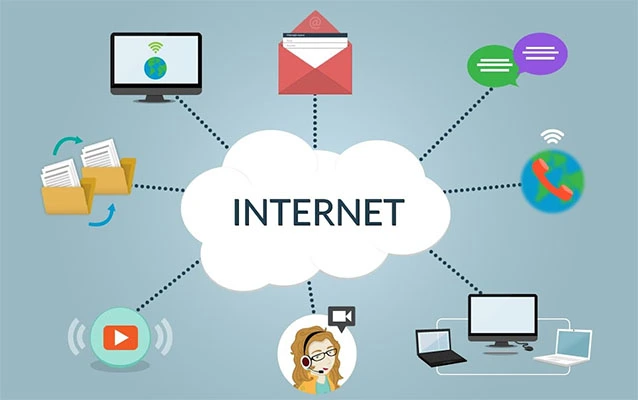
A smart TV is generally defined as a TV that connects to the internet and lets you use apps, streaming services, digital media, and software-based features without needing an external device. Roku TV fits that definition comfortably. It connects to Wi-Fi, gives access to streaming apps, receives software updates, supports search, and includes a built-in home screen for managing content and connected devices.
1. It Connects Directly to the Internet
Like other smart TVs, a Roku TV connects to your home network through Wi-Fi, and some models also include Ethernet. Once connected, it can stream movies, shows, music, sports, news, and free ad-supported live channels. You do not need cable to use a Roku TV, although you can still connect cable or satellite equipment if you want.
2. It Has Built-In Streaming Apps
Roku TV gives users access to popular streaming apps such as Netflix, Hulu, Disney+, Prime Video, Apple TV, YouTube, Max, Peacock, Paramount+, ESPN, and many others. Availability can vary by region and app agreements, but Roku’s app ecosystem is one of the reasons people like the platform. You can add apps from the Roku Streaming Store and arrange them on your home screen.
3. It Has a Smart Home Screen
The Roku home screen is famously simple. Apps appear in a grid. HDMI inputs appear beside apps. Live TV can sit next to your favorite streaming service. This is where Roku earns points from people who do not want their TV interface to look like a casino dashboard designed by a caffeinated robot.
4. It Receives Software Updates
Roku TVs receive Roku OS updates that can add features, improve performance, update apps, and keep the platform current. This is another smart TV trait. The TV is not just a screen; it is a software-powered device.
Roku TV vs. Regular Smart TV: What Is the Difference?
All Roku TVs are smart TVs, but not all smart TVs are Roku TVs. A Samsung smart TV may run Tizen. An LG smart TV may run webOS. A Sony or Hisense model may run Google TV. An Amazon-branded TV may run Fire TV. Roku TV is simply one type of smart TV platform.
The biggest difference is the interface. Roku focuses on simplicity. Instead of pushing complicated menus, heavy animations, or deeply layered recommendation screens, Roku keeps apps and inputs easy to find. That does not mean it is perfect. Roku TVs can show ads on the interface, and some users may prefer the deeper smart-home integration of Google TV, Apple TV, or Fire TV. But for many households, Roku’s clean design is exactly the point.
A regular smart TV may offer similar streaming apps, but the experience depends heavily on the operating system. Some smart TV platforms feel fast and modern. Others become slow, cluttered, or confusing over time. Roku’s appeal is that it usually stays familiar, even when you upgrade to a newer Roku TV or use another Roku device in a different room.
Roku TV vs. Roku Streaming Stick: Are They the Same?
They are related, but they are not the same. A Roku Streaming Stick, Roku Express, or Roku Ultra is an external device that plugs into a TV. It is useful when your current TV is not smart, has outdated apps, or has a smart platform you dislike. A Roku TV has Roku built in, so you do not need a separate streaming player.
Here is the easy comparison:
- Roku TV: A television with Roku OS already installed.
- Roku streaming device: A separate gadget that adds Roku features to another TV.
- Smart TV: Any TV with internet, apps, and an operating system.
If you already own a good non-Roku smart TV but dislike its interface, buying a Roku streaming device may be cheaper than replacing the entire TV. If you are shopping for a new television and like Roku’s simple layout, a Roku TV can be the cleaner solution.
What Can You Do With a Roku Smart TV?
A Roku smart TV can do much more than open Netflix. It combines streaming, live TV, device control, search, casting, and traditional TV functions in one place.
Stream Movies and Shows
This is the main reason most people buy a Roku TV. You can stream from paid subscription services, free ad-supported apps, rentals, live TV services, and network apps. Whether you want a prestige drama, a comfort sitcom, a cooking show, a basketball game, or a documentary about a man who built a submarine in his garage for reasons nobody fully understands, Roku likely has a way to find it.
Watch Free Live TV Channels
Roku includes access to free live streaming channels through The Roku Channel and its Live TV guide. These channels can include news, movies, classic TV, lifestyle programming, kids’ shows, sports talk, reality TV, and more. The content is usually ad-supported, meaning you can watch without a monthly fee, but commercials come along for the ride.
Use an Antenna for Local Channels
A Roku TV can work with an over-the-air antenna, allowing you to watch local broadcast channels where available. This is helpful for people who want local news, major network programming, or live sports without a cable subscription. When you connect an antenna, Roku can integrate live broadcast channels into a guide-style experience.
Pause Live Antenna TV
Some Roku TVs support Live TV Pause when you connect a compatible USB flash drive. This feature lets you pause live antenna TV for a limited period. It is not the same as a full DVR because it does not save permanent recordings, but it is handy when the doorbell rings right as your favorite character decides to reveal the secret.
Control the TV With the Roku Mobile App
The Roku mobile app can act as a remote, keyboard, voice search tool, and private listening feature. Private listening is especially useful if someone else in the house is sleeping, studying, or simply tired of hearing your crime documentary narrator whisper dramatically at midnight.
Use Voice Search and Smart Assistants
Many Roku TVs support voice search through compatible Roku remotes or the Roku mobile app. Some models and setups also work with assistants such as Alexa, Google Assistant, Apple AirPlay, HomeKit, or Siri-related controls. Compatibility depends on the model and region, so buyers should check the exact TV specifications before assuming every feature is included.
Connect Game Consoles, Soundbars, and Cable Boxes
A Roku TV is still a real television, not just a streaming tablet glued to a wall. You can connect game consoles, Blu-ray players, cable boxes, soundbars, AV receivers, and other HDMI devices. Many Roku TVs also support HDMI ARC or eARC for audio equipment, depending on the model.
Do You Need a Roku Account?
Yes, you generally need a Roku account to activate and use a Roku TV’s full smart features. Creating a Roku account is free. The account lets you activate the device, manage installed apps, add channels, and handle subscriptions or purchases if you choose to make them.
One important reminder: Roku itself does not charge a monthly fee just to use a Roku TV. However, paid apps such as Netflix, Hulu, Disney+, Max, live TV streaming services, movie rentals, and premium subscriptions cost extra. Free apps and free Roku channels are available, but premium content still requires payment. In short, Roku opens the door; some rooms inside the house still charge admission.
Is Roku TV Good for Cord-Cutters?
Roku TV is a strong option for cord-cutters because it puts streaming apps, free channels, antenna TV, and live TV services in one interface. Someone leaving cable can use a Roku TV to combine free content, paid subscriptions, and local broadcast channels without juggling multiple devices.
For example, a simple cord-cutting setup might include a Roku TV, a digital antenna for local channels, The Roku Channel for free live streams, YouTube for casual viewing, and one or two paid services such as Netflix or Hulu. That can be much cheaper than a large cable package, though the total cost depends on how many subscriptions you keep. Streaming savings disappear quickly when you subscribe to everything except “The Weather Channel for Hamsters,” which probably launches next Tuesday.
Are There Any Downsides to Roku TV?
Roku TV is smart and convenient, but it is not flawless. Like every smart TV platform, it comes with trade-offs.
Ads on the Interface
Roku’s home screen may show ads or promoted content. Some users barely notice them. Others find them distracting. If you want a completely ad-free TV interface, Roku may not fully satisfy you.
Picture Quality Depends on the Model
Do not assume every Roku TV has the same picture quality. A budget 32-inch Roku TV for a guest room is not going to perform like a premium 65-inch Mini-LED or QLED model. The Roku software may be similar, but brightness, contrast, HDR performance, motion handling, viewing angles, and speakers vary widely.
Not Every App or Feature Is Guaranteed Forever
Streaming apps can change, disappear, update, or require new subscriptions. This is true for all smart TV platforms, not just Roku. App support is generally strong on Roku, but availability depends on service agreements, geography, and device compatibility.
Advanced Users May Want More Customization
Roku is designed to be simple. That is wonderful for many families, but power users may prefer the deeper personalization, smart-home control, or app flexibility of platforms such as Google TV or Apple TV. Roku is the friendly neighborhood diner of smart TV systems: easy, reliable, and familiar, but not trying to serve a 14-course experimental tasting menu.
Who Should Buy a Roku TV?
A Roku TV is a smart choice for people who want an easy streaming experience, a clean home screen, and broad app support. It is especially good for families, older users, guest rooms, bedrooms, dorm rooms, vacation homes, and anyone who wants to stop explaining which remote controls which box.
You should consider a Roku TV if you want:
- A simple smart TV interface
- Easy access to major streaming apps
- Free live TV options
- A single remote for TV and streaming
- A budget-friendly smart TV
- A good cord-cutting setup
- Mobile app control and private listening
You may want another platform if you need advanced gaming features, very deep smart-home integration, high-end cinematic processing, or a completely ad-free interface. Still, many Roku TV models offer excellent value when you match the right model to the right room.
How to Choose the Best Roku TV
When shopping for a Roku TV, do not buy based only on the Roku name. Look at the actual TV specifications. The smart platform matters, but the screen still does the heavy lifting.
Check the Resolution
For small bedrooms or kitchens, HD or Full HD may be acceptable. For living rooms, 4K is usually the better choice. Most modern streaming content, game consoles, and Blu-ray players benefit from a 4K panel.
Look at HDR Support
HDR can improve contrast and color, but only if the TV is bright enough and has a capable panel. Budget TVs may technically support HDR but fail to make it look dramatic. Premium Roku TVs with better brightness, local dimming, QLED color, or Mini-LED backlighting generally deliver a stronger HDR experience.
Consider Room Lighting
If your room is bright, choose a TV with good brightness and reflection handling. If you watch mostly at night, contrast and black levels become more important. A cheap TV in a sunny living room can look washed out, no matter how smart the software is.
Think About Gaming
Gamers should look for low input lag, HDMI 2.1 features, 120Hz refresh rate, variable refresh rate, and game mode support. Some Roku TVs are basic casual gaming screens, while higher-end models are better suited for modern consoles.
Real-World Experience: What It Feels Like to Use a Roku TV
Using a Roku TV in everyday life feels less like operating a “smart device” and more like using a TV that finally stopped trying to be difficult. The first thing many people notice is the home screen. It is not glamorous, but it is friendly. Your apps are there. Your HDMI inputs are there. Settings are not buried in a maze where one wrong click summons a firmware dragon. For households with kids, parents, grandparents, roommates, or guests, that simplicity matters more than spec-sheet fireworks.
For example, imagine setting up a Roku TV in a guest room. A visitor turns it on, sees Netflix, YouTube, The Roku Channel, HDMI for a game console, and Live TV. They do not need a tutorial, a printed manual, or a family meeting. The remote has a directional pad, a home button, volume controls, and app shortcuts. That is the Roku experience at its best: low drama, fast learning curve, and fewer “Which button do I press?” emergencies.
In a living room, Roku TV works well when different people watch different things. One person may use Disney+ for family movies, another may watch sports through a live TV streaming service, someone else may browse free live channels, and another may cast photos from a phone. The Roku mobile app becomes surprisingly useful here. When the remote disappears into the couch dimension, the phone app can step in. Private listening is also a quiet hero. Plug headphones into your phone or connect wireless earbuds, and suddenly late-night TV no longer turns the whole house into an accidental surround-sound theater.
The search feature is another practical advantage. Instead of opening five apps to find one movie, you can search from Roku and see where it is available. This saves time and helps avoid paying for something that might already be free or included with a subscription. It is not perfect across every service, but when it works, it feels like your TV has finally learned basic manners.
There are some everyday annoyances. Ads on the home screen can feel unnecessary, especially after you paid for the TV. Some cheaper Roku TVs can also feel slower than premium models, particularly when launching apps or switching menus. Picture quality can be merely average on low-end sets, especially in bright rooms or dark movie scenes. This is why the best real-world advice is to separate the Roku platform from the TV hardware. Roku OS may be easy to love, but the panel, processor, speakers, and brightness still decide whether movie night looks impressive or just “fine.”
For many users, the best Roku TV experience comes from choosing the right size and quality level for the room. A small, affordable Roku TV is great for a bedroom, kitchen, dorm, or home office. A better 4K Roku TV with stronger contrast and brightness makes more sense for a main living room. Add a soundbar, connect an antenna, organize your favorite apps, and remove apps you never use. After a little cleanup, Roku TV becomes one of the most approachable smart TV setups available.
The overall experience is simple: Roku TV is for people who want to watch, not wrestle. It may not be the flashiest smart TV platform, but it is one of the easiest to understand. And sometimes, after a long day, the smartest TV is the one that lets you find your show before your popcorn gets cold.
Conclusion: Is Roku TV a Smart TV?
Roku TV is absolutely a smart TV. It connects to the internet, runs apps, streams movies and shows, supports free live channels, offers voice and mobile app controls, works with antennas and external devices, and includes Roku OS as its built-in smart platform. The key difference is that Roku TV does not need a separate Roku streaming stick because the Roku experience is already inside the television.
For most people, Roku TV is best described as a simple, user-friendly smart TV built around streaming. It is a great option if you want easy app access, a clean interface, and strong cord-cutting flexibility. Just remember that not all Roku TVs have the same screen quality, so choose the actual model carefully. The software makes it smart, but the hardware makes it shine.