FAQ pages have a funny reputation in SEO. Done badly, they look like the digital version of a messy junk drawer: random questions, vague answers, and one lonely accordion trying its best. Done well, a frequently asked questions page becomes one of the most useful parts of a website. It helps visitors make decisions, reduces support tickets, supports internal linking, strengthens topical relevance, and gives search engines clear, organized answers to real user questions.
The key phrase there is “real user questions.” A useful FAQ page is not a place to dump every long-tail keyword your SEO tool coughed up after three cups of coffee. It should be a carefully built resource based on customer concerns, search intent, sales objections, product details, service policies, and practical next steps. In other words, FAQ page SEO is not about tricking Google or Bing. It is about making your answers so clear that users, search engines, and even your most impatient mobile visitor can understand them quickly.
This guide explains how to create an SEO-friendly FAQ page that is helpful, readable, technically sound, and aligned with modern search behavior. We will cover question research, page structure, answer writing, schema markup, internal links, user experience, and the smart way to think about FAQ content now that traditional FAQ rich results are no longer the magic SERP real estate they once were.
What Is FAQ Page SEO?
FAQ page SEO is the process of creating and optimizing a frequently asked questions page so it answers common user questions while also helping search engines understand the topic, purpose, and structure of the content. A strong FAQ page does three jobs at once: it serves visitors, supports business goals, and gives search engines well-organized information.
For example, an ecommerce FAQ page might answer questions about shipping, returns, payment methods, product sizing, warranty coverage, and delivery times. A software company might answer questions about pricing, integrations, free trials, data security, onboarding, and cancellation. A local service business might answer questions about service areas, estimates, appointment windows, emergency availability, and licensing.
The SEO value comes from matching those answers with actual search intent. People often search in question form: “How long does shipping take?” “Can I cancel anytime?” “Is this safe for pets?” “What is included in the monthly plan?” When your FAQ page answers those questions clearly, it can attract organic traffic, improve conversions, and help users move through the site without needing to contact support for every tiny detail. Your support team may even send you a thank-you card. Or at least fewer Slack messages.
Why FAQ Pages Still Matter for SEO
FAQ pages still matter because search is increasingly answer-driven. Users want direct explanations, not a treasure hunt. Google and Bing both reward content that is useful, accessible, trustworthy, and easy to understand. A well-built FAQ page can support these goals by creating concise answers around specific topics.
There is an important update to understand: FAQ rich results in Google Search have been heavily reduced and later removed as a visible search feature. That means adding FAQPage structured data should not be treated as a guaranteed way to win expandable dropdowns in Google results. Those days are mostly behind us, and honestly, they were abused so much that the internet had to be put in timeout.
However, that does not make FAQ content useless. Far from it. Structured, question-based content still helps users. It can support AI search visibility, internal site search, featured answer opportunities, voice-style queries, and topical depth. FAQPage schema can still be valid structured data when it accurately reflects visible page content, but the real SEO win is no longer “add schema and hope for shiny SERP candy.” The real win is creating better answers than competitors.
How to Choose the Right Questions for an FAQ Page
The best FAQ pages begin with research, not guesswork. If your team sits in a room and invents questions based only on what sounds SEO-ish, you may create a page that ranks for nothing and helps no one. Start with the places where real questions already live.
Use Customer Support Data
Your customer support inbox is an SEO gold mine wearing a headset. Review live chat transcripts, help desk tickets, phone call notes, chatbot logs, and email inquiries. Look for repeated questions, confusion points, objections, and “before I buy” concerns. If customers keep asking the same thing, your website is either missing that answer or hiding it like a raccoon in the attic.
Interview Sales and Customer Success Teams
Sales teams know which questions appear before conversion. Customer success teams know what users misunderstand after purchase. Ask them which questions slow down deals, create friction, or cause users to hesitate. These questions often make excellent FAQ content because they connect directly to revenue, retention, and satisfaction.
Study Search Queries and Keyword Data
Use Google Search Console, Bing Webmaster Tools, keyword research platforms, People Also Ask-style research, and internal site search data. Look for question modifiers such as “how,” “what,” “why,” “can,” “does,” “is,” “when,” and “where.” Long-tail questions may have lower search volume, but they often reveal high-intent needs. A user searching “can I return custom furniture after delivery” is not casually browsing; they are close to making a decision and want reassurance.
Review Competitor FAQ Pages
Competitor research can help you spot missing topics, but do not copy their structure or wording. Instead, ask: What are they answering well? What are they ignoring? Where are their answers thin, outdated, or vague? Then build something more useful. Competitor FAQs should be inspiration, not a buffet plate for plagiarism.
How to Structure an SEO-Friendly FAQ Page
Good FAQ page structure depends on the size and complexity of the topic. A small business may only need one organized FAQ page. A large ecommerce, SaaS, healthcare, finance, or education website may need a full FAQ hub with categories and dedicated pages.
Create Clear Categories
Group questions by theme. Common categories include pricing, shipping, returns, product use, billing, account management, troubleshooting, warranty, service areas, and safety. Categories make the page easier to scan and help search engines understand topical relationships.
For example, instead of listing 75 questions in one endless scroll, a software FAQ might use sections such as:
- Pricing and plans
- Free trial and onboarding
- Integrations
- Security and privacy
- Billing and cancellation
- Troubleshooting
This structure improves user experience and gives each section a clearer purpose. It also creates opportunities for internal links to related product pages, documentation, tutorials, case studies, and contact options.
Use Descriptive Headings
Each question should be written as a clear heading, usually an H3 or H4 depending on the page hierarchy. Avoid clever but unclear wording. “Payment mysteries, solved!” may sound fun, but “What payment methods do you accept?” is better for users and search engines.
Keep Answers Concise but Complete
An FAQ answer should usually begin with the direct answer. If the answer is yes, say yes. If the answer is no, say no. Do not start with a five-sentence brand poem about your commitment to excellence. Visitors came for an answer, not a campfire story.
A good answer might look like this:
Question: Can I cancel my subscription anytime?
Answer: Yes. You can cancel your subscription from your account dashboard at any time. Your plan will remain active until the end of the current billing period, and you will not be charged for the next cycle.
That answer is clear, complete, and conversion-friendly. It reduces uncertainty and prevents support requests.
On-Page SEO Best Practices for FAQ Pages
An FAQ page should follow the same on-page SEO fundamentals as any other important page. It needs a focused title tag, a compelling meta description, clean headings, helpful copy, internal links, crawlable content, and fast performance.
Optimize the Page Title and Meta Description
Your title tag should describe the page topic naturally. For example, “Shipping FAQ: Delivery Times, Costs, and Tracking” is stronger than “FAQ Page.” The meta description should summarize the value of the page and encourage clicks without overpromising.
Use Natural Keywords
FAQ pages are ideal for long-tail keywords and conversational search terms. Use phrases your audience actually uses, such as “return policy,” “delivery time,” “cancel subscription,” “warranty coverage,” or “how it works.” Do not repeat the same keyword in every question like a malfunctioning robot. Search engines are smarter than that, and users are less forgiving.
Add Internal Links Where Helpful
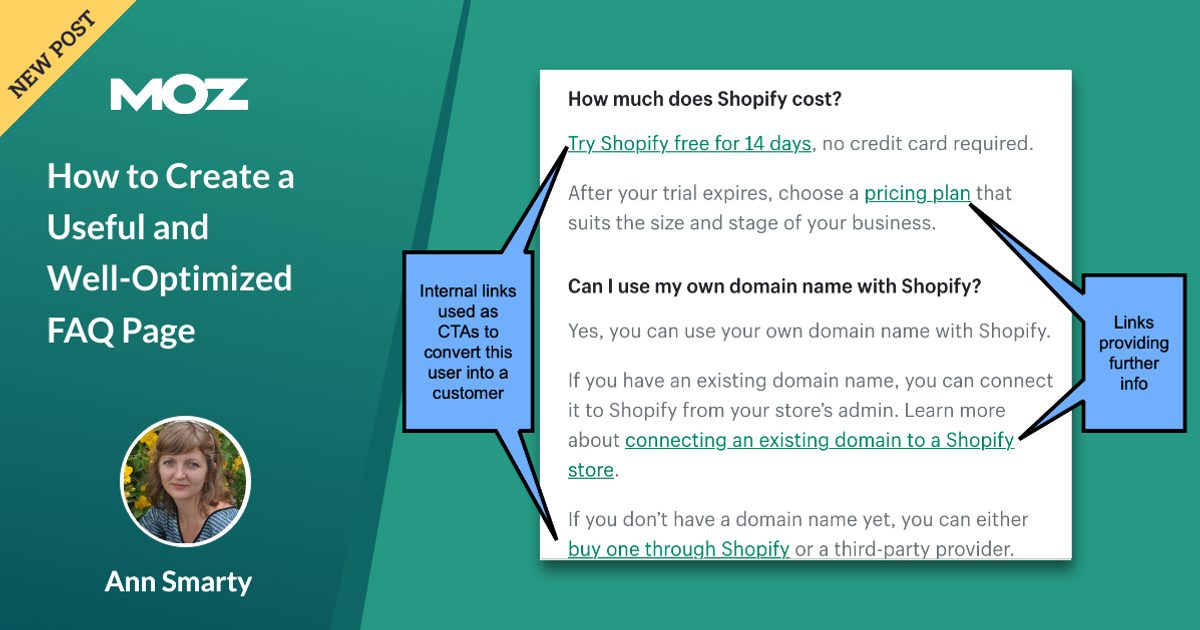
Internal links turn an FAQ page into a helpful navigation layer. If an answer briefly explains your return policy, link to the full return policy page. If an answer mentions installation, link to the installation guide. If an answer compares plans, link to the pricing page. Use descriptive anchor text instead of lazy phrases like “click here.”
Make the Content Crawlable
If you use accordions, make sure the answers are present in the HTML and accessible without requiring complicated scripts. Accordions can be great for mobile usability, but hiding content in a way search engines or assistive technologies cannot access is a bad idea. Your FAQ should not require a secret handshake to be useful.
FAQ Schema: What to Know Now
FAQPage schema is structured data that identifies a page as containing frequently asked questions and answers. In the past, many websites used it to qualify for enhanced FAQ rich results in Google. Today, the visible Google rich result benefit is no longer the main reason to use it.
So should you still use FAQ schema? In many cases, yes, if it accurately represents visible FAQ content and is implemented correctly. Structured data can help machines understand your content, but it should never be used to mark up fake, hidden, misleading, or irrelevant information. The golden rule is simple: if users cannot see the question and answer on the page, do not mark it up as if they can.
Use JSON-LD when possible because it is easier to manage at scale. Validate your structured data and keep it aligned with the visible page content. Also remember that FAQPage is not the same as QAPage. FAQPage is for content where the site provides official questions and answers. QAPage is for pages where users can submit multiple answers to a question, such as forums or community Q&A pages.
UX Tips for a Better FAQ Page
SEO brings people to the page. UX helps them survive the visit. A well-designed FAQ page should be easy to scan, search, and understand.
Add a Search or Filter Feature for Large FAQ Hubs
If your FAQ contains many questions, add search functionality or filters. Users should be able to find answers quickly. A long page with 100 collapsed questions may technically contain information, but it can feel like scrolling through a legal document written by a caffeinated octopus.
Place High-Value Questions First
Put the most common, urgent, or conversion-related questions near the top of each category. For ecommerce, that may include shipping costs, return windows, and delivery times. For SaaS, it may include pricing, free trials, integrations, security, and cancellation.
Use Plain Language
Write in the user’s vocabulary. Replace internal jargon with familiar terms. Instead of “What is the fulfillment SLA for domestic dispatch?” try “How long does shipping take?” Unless your audience is made entirely of logistics managers, the second version wins.
Include Contact Options When Needed
A good FAQ page should reduce support demand, not trap users in self-service purgatory. If an answer may require personal help, include a clear path to contact support, schedule a consultation, start a chat, or submit a ticket.
Examples of Strong FAQ Questions
Here are examples of FAQ questions that work well because they are specific, user-focused, and tied to real decision points:
- How long does standard shipping take?
- Can I return an item after opening the package?
- Do you offer discounts for annual billing?
- Is my data encrypted?
- Can I use this product if I have sensitive skin?
- What happens after I book a consultation?
- Do you serve customers outside the United States?
Weak FAQ questions are usually too vague or too self-serving. “Why are we the best?” is not a real FAQ; it is a sales pitch wearing a fake mustache. Replace it with useful questions customers actually ask, such as “What makes your service different from a standard agency package?”
Common FAQ Page SEO Mistakes
One common mistake is creating thin answers. A one-word response may be fast, but it rarely satisfies the user. Another mistake is making the FAQ page too broad. If your website sells outdoor gear, software, and coffee mugs for some reason, do not put every question on one giant page. Use categories and dedicated support resources.
Duplicate content is another issue. If the same answer appears across dozens of pages, rewrite it for the specific context or link to a canonical resource. Also avoid keyword stuffing. Questions should sound natural, not like they were assembled from a spreadsheet by a nervous intern.
Finally, do not let FAQ pages go stale. Policies change. Prices change. Shipping carriers change. Product features change. A wrong answer on an FAQ page can frustrate users and create legal, support, or trust problems. Schedule regular reviews, especially for pricing, compliance, medical, financial, legal, or policy-related topics.
How to Measure FAQ Page Performance
To know whether your FAQ page is working, track both SEO and business metrics. Useful SEO metrics include impressions, clicks, average position, indexed pages, internal search queries, and organic landing page performance. Useful business metrics include support ticket reduction, conversion rate, time on page, scroll depth, assisted conversions, and contact form submissions.
Look for patterns. If users keep searching your site for “refund” after visiting the FAQ page, your refund answer may be hard to find or unclear. If a pricing FAQ has high engagement but low conversion, the answer may be creating doubt instead of resolving it. Data will not write the page for you, but it will point at the parts that need better answers.
A Practical FAQ Page Creation Workflow
Start by collecting questions from support logs, sales calls, keyword tools, internal search, social comments, reviews, and competitor pages. Then sort them into categories. Remove duplicates, combine similar questions, and prioritize questions that affect user decisions.
Next, write short, direct answers. Start with the answer, then add context. Link to deeper resources where appropriate. Review answers with subject matter experts so the information is accurate. Then format the page with clear headings, accessible accordions if needed, internal links, and mobile-friendly design.
After publishing, submit the page for indexing if appropriate, test structured data, monitor performance, and update regularly. Treat the FAQ page as a living resource, not a one-time content chore you complete and abandon in the basement next to your old landing page templates.
Experience-Based Advice: What Working on FAQ SEO Teaches You
After working with FAQ-style content across different industries, one lesson becomes obvious: the best FAQ pages are rarely written by SEO teams alone. SEO teams know how people search, but support teams know what people struggle with. Sales teams know what people doubt. Product teams know what people misunderstand. Legal or compliance teams know what must be phrased carefully. When those groups collaborate, the FAQ page becomes dramatically stronger.
One practical experience is that customers often use simpler language than companies do. A company may call something a “subscription modification event,” while users ask, “Can I change my plan?” The FAQ should use the customer’s wording. This matters for SEO because search queries usually reflect natural language, not internal documentation language. It also matters for trust. When users see their own question written plainly, they feel understood.
Another experience is that short answers perform better only when they are complete. Some teams hear “keep FAQ answers concise” and turn every response into a tiny fragment. That creates more confusion. A useful answer should be long enough to solve the immediate question and short enough to avoid becoming a blog post inside an accordion. A good rule is to answer directly in the first sentence, then add one or two sentences of context, exceptions, or next steps.
FAQ pages also reveal gaps in the rest of the website. If the FAQ has twenty questions about pricing, maybe the pricing page is unclear. If users keep asking whether a product works with a certain device, maybe the product page needs a compatibility section. If customers ask the same return policy question every day, maybe the return policy is too hard to find. In this way, a FAQ page is not just an SEO asset. It is a diagnostic tool for the entire customer journey.
From a content maintenance perspective, the biggest mistake is forgetting ownership. Someone must be responsible for reviewing FAQ answers on a schedule. This is especially important for companies with changing prices, product features, shipping rules, or service areas. An outdated FAQ answer can damage trust faster than having no answer at all. Users tend to forgive missing information more easily than incorrect information that costs them time or money.
The best results usually come from placing FAQs close to the relevant decision point. A general FAQ hub is useful, but product-specific questions often belong on product pages. Pricing questions belong near pricing. Shipping questions belong near checkout or delivery information. Security questions belong near enterprise or account pages. When FAQs are placed in context, they remove friction exactly when the user feels it.
Finally, it is important to remember that FAQ SEO is not a shortcut. It is a clarity strategy. Search engines are moving toward understanding content in more conversational, answer-focused ways, but users have always wanted the same thing: clear answers without drama. Build your FAQ page for those users first. Search engines are much easier to please when humans are already happy.
Conclusion
A useful and well-optimized FAQ page is built from real questions, clear answers, smart structure, and ongoing maintenance. It should not exist only because an SEO checklist said “add FAQ schema.” It should help people make decisions, solve problems, and move confidently through your website.
For modern FAQ page SEO, focus on usefulness first. Research actual customer questions. Organize them by topic. Write direct answers in plain American English. Add internal links where they genuinely help. Use structured data responsibly. Monitor performance. Update often. If you do all that, your FAQ page can support organic visibility, improve user experience, reduce support pressure, and strengthen trust.
In short: make your FAQ page useful enough that people would miss it if it disappeared. That is the kind of SEO strategy that survives algorithm updates, SERP changes, and whatever new acronym the search industry invents next Tuesday.
Note: This HTML article is written for web publishing and intentionally excludes source links, citation placeholders, and unnecessary reference markers.